General Motors Tech2 User Guide
28
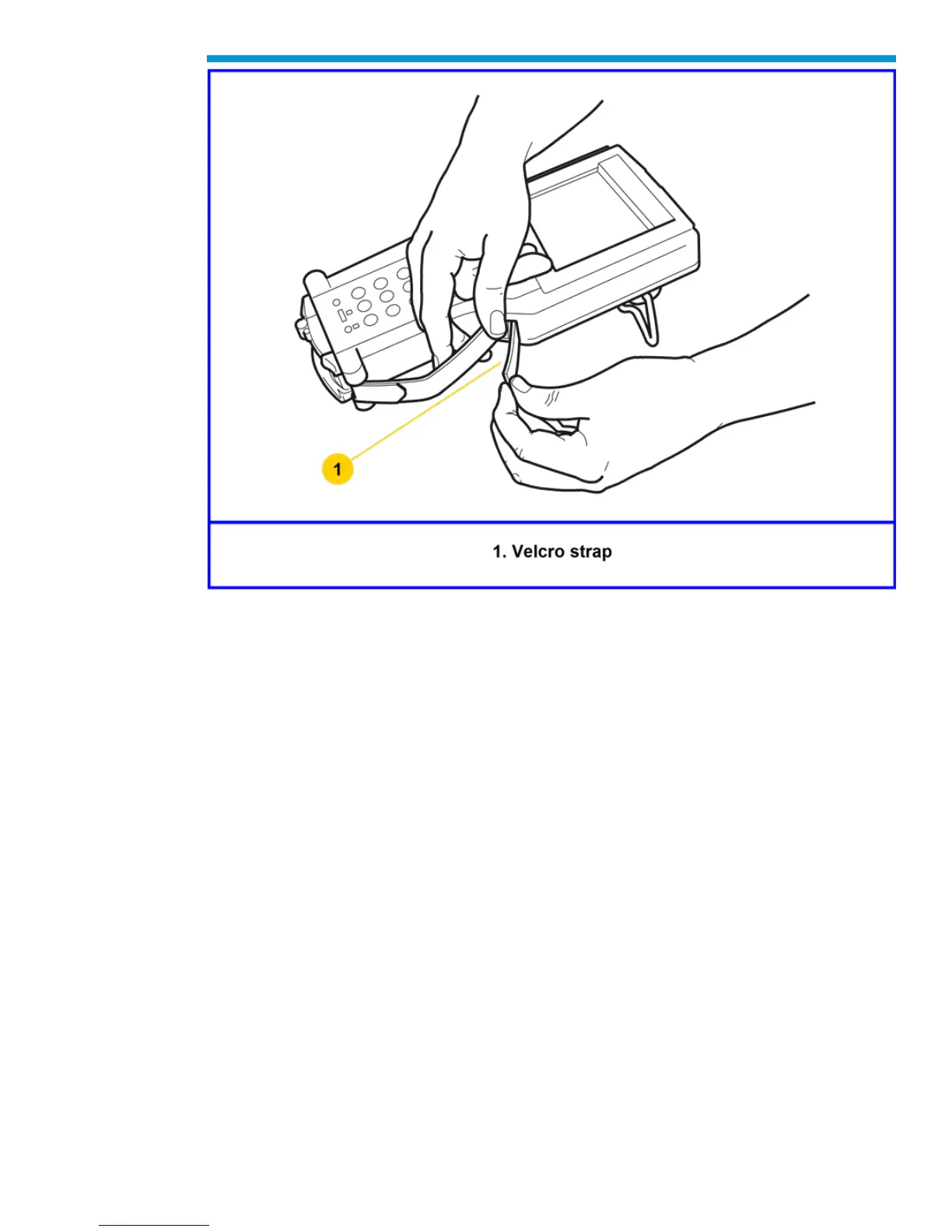
Tech2 hand strap adjustment
Tech2 Keypad
The Tech2 keypad consists of six major keypad operation areas:
1. Control keys (SHIFT, PWR)
2. Soft keys
3. Selection (arrow) keys
4. Action keys (YES, NO, ENTER, EXIT)
5. Function keys (F0 to F9)
6. Help (?) key
Control Keys
The [PWR] key is used to turn the Tech2 on or off. The status indicator light above this key
will be illuminated green when the Tech2 is operational.
The [SHIFT] key is used with the up and down arrow keys to change screen brightness
and contrast. To adjust screen brightness and contrast, perform the following:
• Press the [SHIFT] key once (amber status indicator light above [SHIFT] should light
up).


 To Next Page