General Motors Tech2 User Guide
96
Getting Started
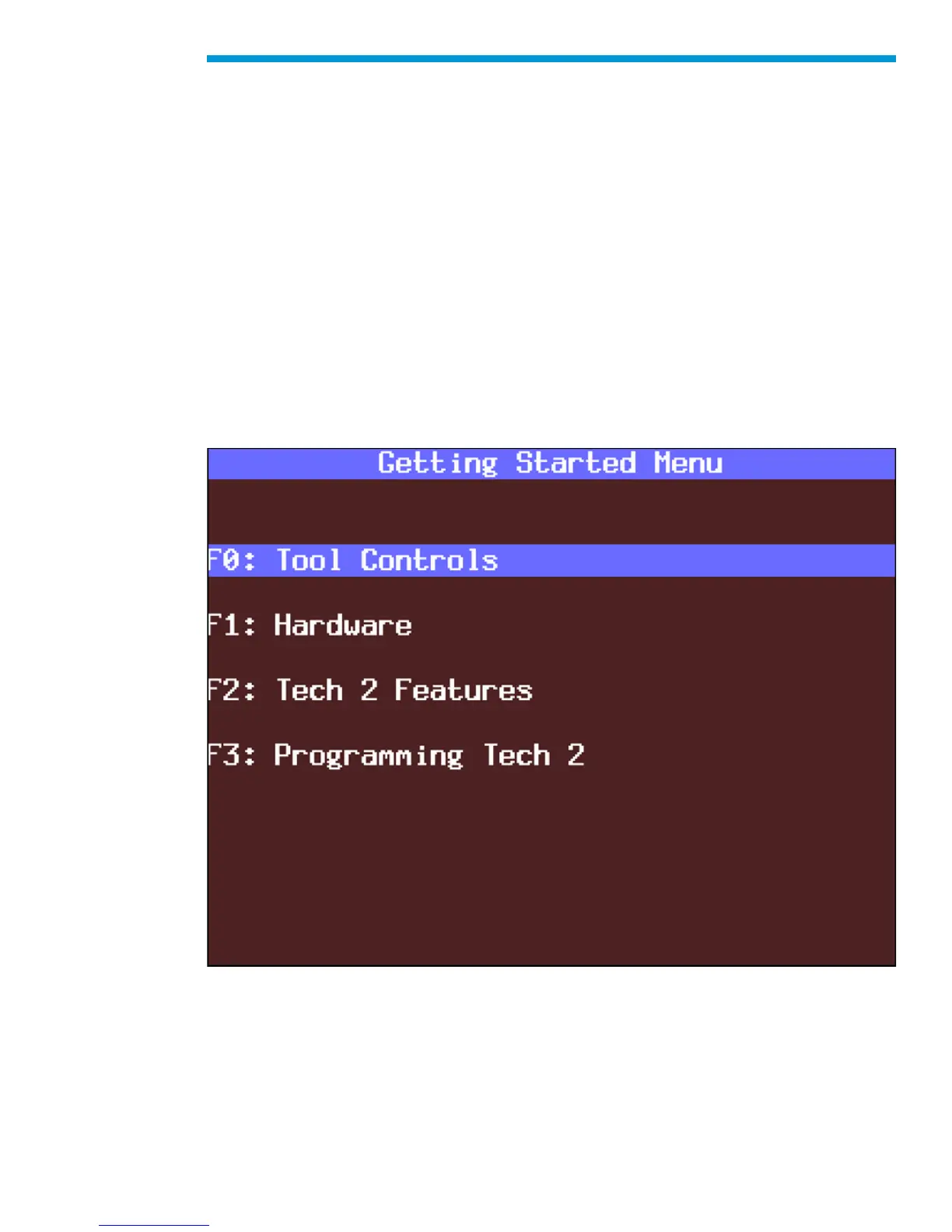
Selecting Getting Started - from the Tech2 Main Menu there is an on-line overview of the
Tech2 and useful operation information.
The following options are available from the Getting Started Menu.
F0: Tool Controls - Selecting an option from the Tool Controls Menu will give you
information on Tech2 help functions, key pad layout, screen contrast control, and soft keys.
F1: Hardware - The Hardware Menu offers information on screen display, VCI module
removal, PCMCIA card removal and installation, cables/adapters and power connections,
prop rod and hand straps, and RS-232 and RS-485 ports.
F2: Tech2 Features - This selection displays a vehicle information entry sequence for a
fictitious vehicle.
F3: Programming Tech2 - This option provides instructions for downloading from a PC to
the Tech2 scan tool. Due to a specific sequence of events in the evolution of the Tech2,
this option duplicates the Programming Tech2 function of the Tool Options Menu.
Getting Started Menu


 To Next Page