General Motors Tech2 User Guide
23
PCMCIA Card Removal
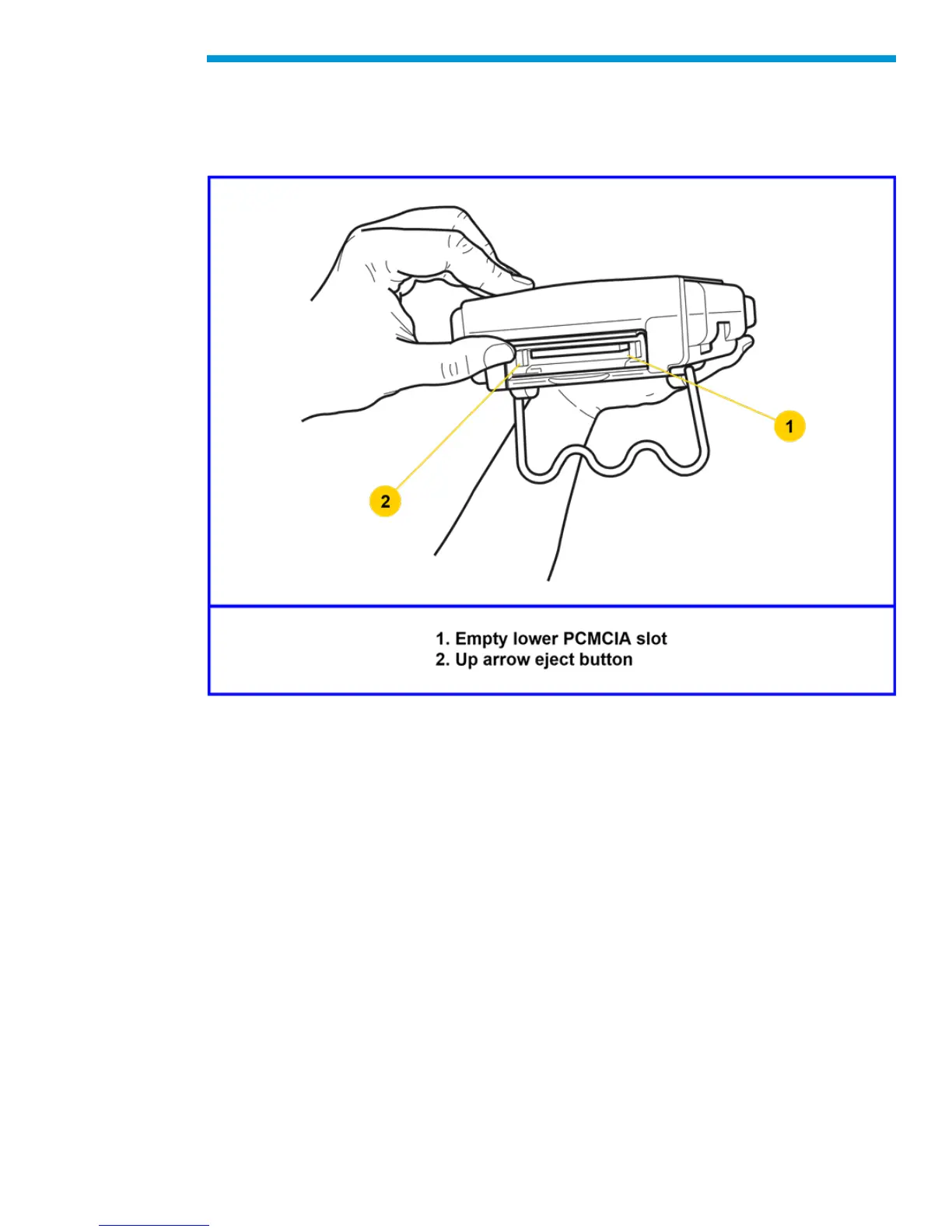
The PCMCIA Card is accessed by opening the hinged door located at the top of the
Tech2. The card is found in the upper slot. The lower slot will be used for future
enhancements. Press the arrow button (located beside the slot) to eject the card.
Ejection of PCMCIA card
PCMCIA Card Insertion
The PCMCIA Card is keyed with two notches on one side and one notch on the other side.
Make sure that the notches are in the correct position before inserting the card. Slowly
insert the card until it clicks into place.


 To Next Page