General Motors Tech2 User Guide
30
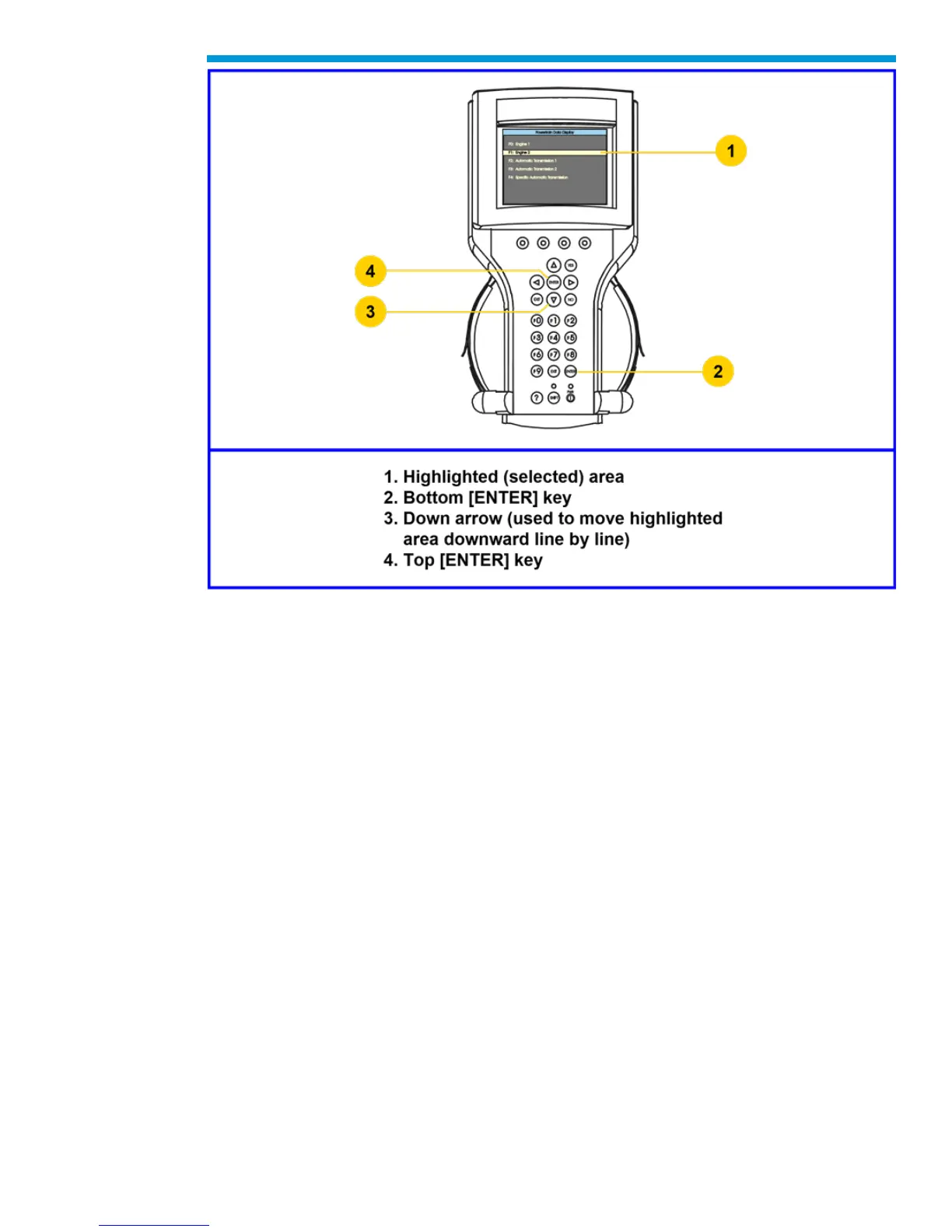
Action Keys
Action keys are used to respond to a specific question, initiate an action, or to exit from the
Tech2 program. Specific “yes or no” questions will often appear on the Tech2 screen. The
[YES] and [NO] keys are used to respond to these questions. Either of the two [ENTER]
keys may be pressed to activate a menu selection. Either of the two [EXIT] keys may be
pressed to leave the current Tech2 screen and return to a previous screen.
Function Keys
Ten function keys (F0 to F9) are located on the Tech2 keypad. A function key may be
pressed to initiate a specific Tech2 function. In some cases the function keys are used for
numeric data entry. The arrow keys and [ENTER] may also be used to initiate a function
selection, but this will require multiple keystrokes as opposed to only one.
Help Key
The help key [?] may be pressed at any time to obtain a help screen. The help screen will
provide specific information relating to the operation of the Tech2.


 To Next Page