General Motors Tech2 User Guide
57
0 – Pass
1 – ROM read fail
2 – RAM read fail
3 – RAM write and read do
not compare
Record type of failure.
Cycle Tech2 power (press
[PWR] and retest.
If problem persists, contact
Customer Support
Pass
Fail – Loopback may not be
connected
Check loopback connection.
If problem persists, contact
Customer Support
Pass
Fail – Loopback may not be
connected
Check loopback connection.
If problem persists, contact
Customer Support
Test successful
Keypad failed
Exiting the test before all
keys are pressed results in a
failed keypad test.
Cycle Tech2 power and retest
If problem persists, contact
Customer Support
PCMCIA
(Tests both
card slots)
Card detected
Card not present
Fail
Check that card is inserted
properly.
Cycle Tech2 power and retest
If problem persists, contact
Customer Support
Display
controller
(Contrast and
Characters)
User determines if display is
correct.
If the display shows a noticeable
failure during tests, contact
Customer Support
User determines if
transducer is working
If no sound is emitted by
repeatedly selecting Automated
Test or Sound On, contact
Customer Support
Time is displayed correctly.
Invalid values are displayed
for date, year, hour, minute,
or second
Reset clock. Cycle Tech2
power and retest. If time is not
retained, contact Customer
Support
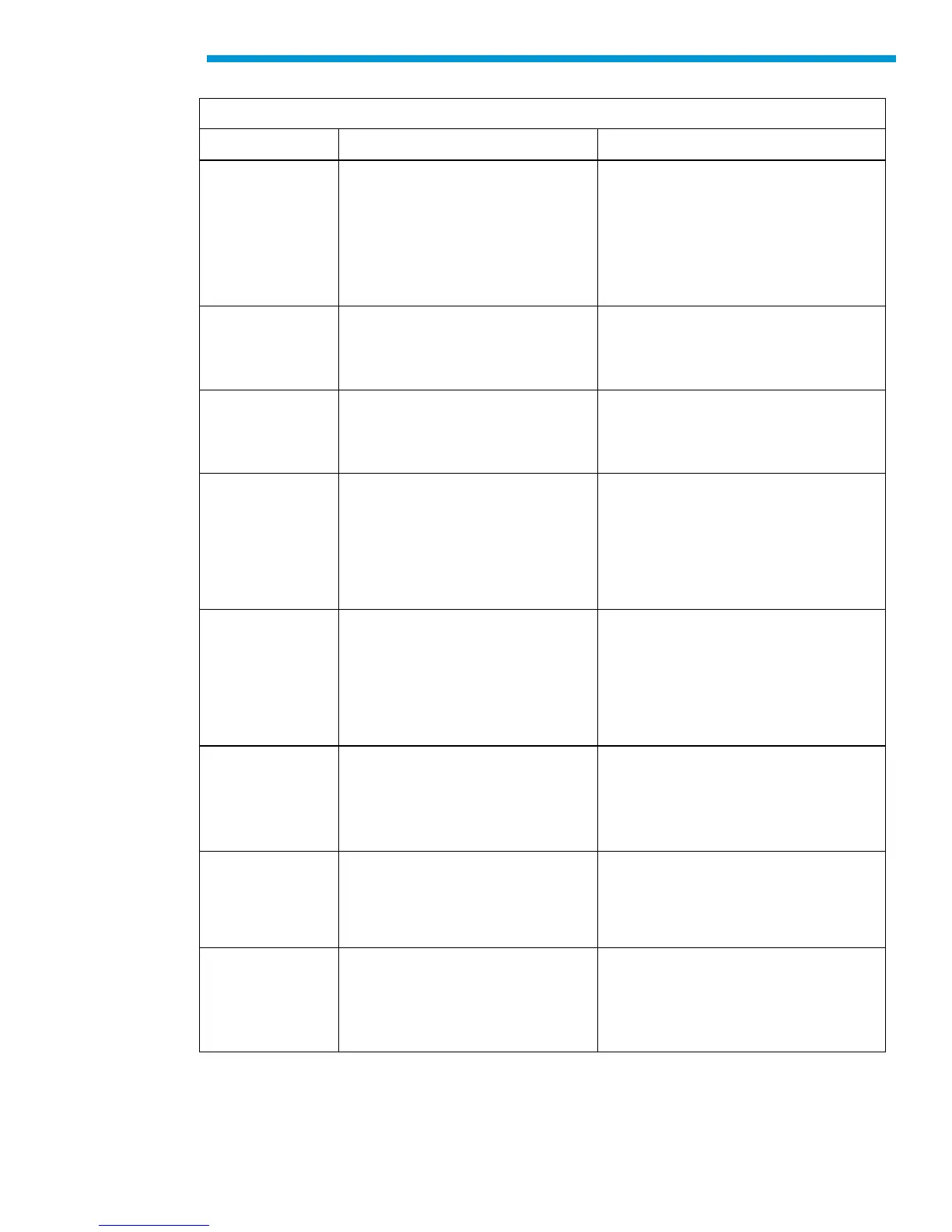
Diagnostic chart for Tech2 Main Printed Circuit Board (PCB)


 To Next Page