Standard Control Elements and LED Indicators
Page 12 (40)
atos_cs_rev01_en_rev-c 2012-09-03
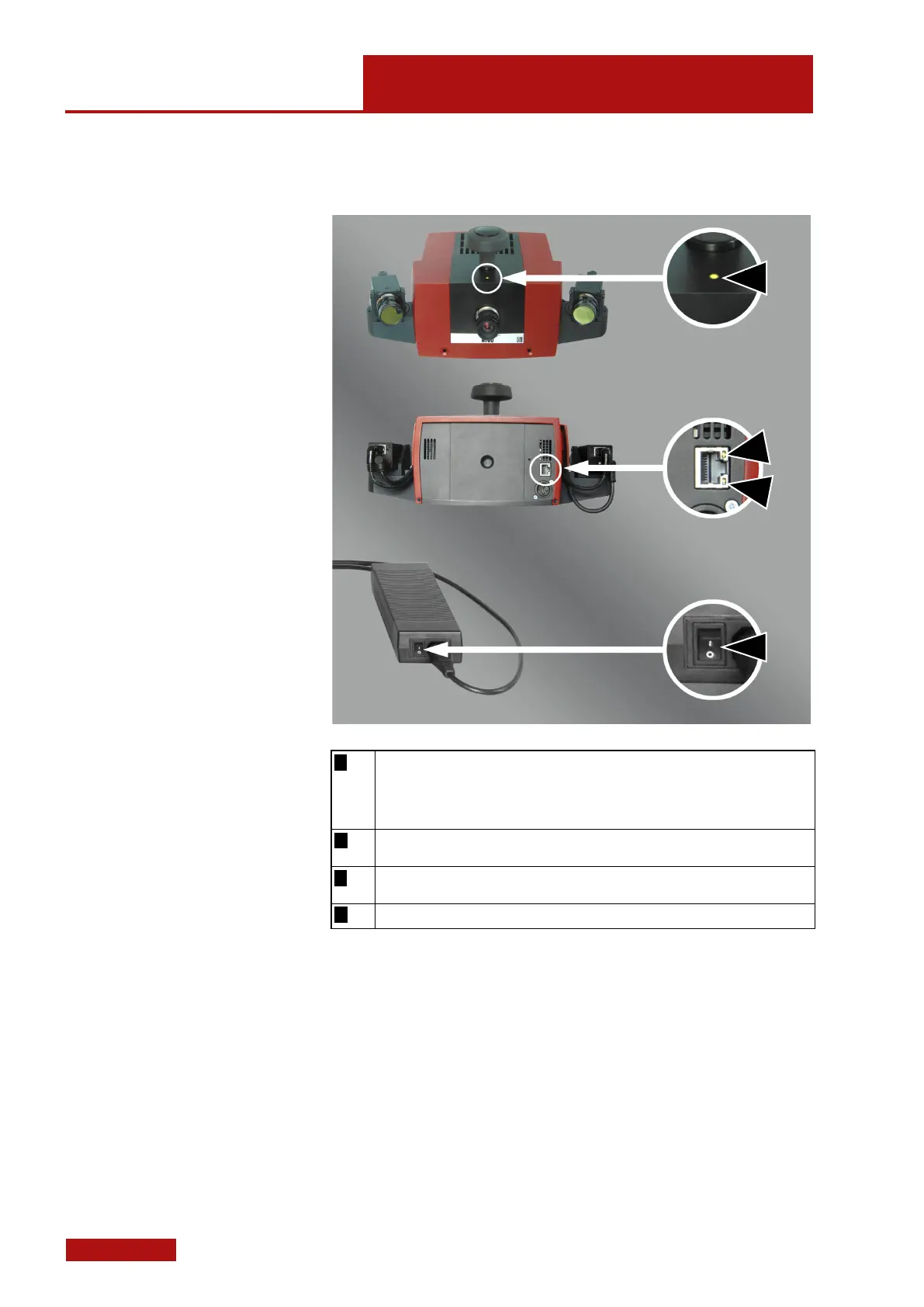
6. Standard Control Elements and LED Indicators
Shows green light if the sensor is ready for operation.
• Shows orange light while the operating system of the sensor starts.
• Shows red light in the moment of being switched on or in case of a failure. You
will find additional status information on the Web interface of the sensor, see 6.1.
• Yellow LED, illuminates in case of active Gigabit transmission at interface CAM L.
• Green LED, illuminates in case of data transmission at interface CAM L.
Power switch to switch the sensor on and off.


 To Next Page