Standard Control Elements and LED Indicators
Page 13 (40)
atos_cs_rev01_en_rev-c 2012-09-03
6.1 Web Interface
You reach the Web interface in the ATOS software under Help ► Sys-
tem Analysis ► ATOS Sensor ► Analyze System ► Sensor
Status ► ...
Prerequisite:
The sensor must be switched on and connected to the computer.
The ATOS software is running but the sensor is not initialized ( )!
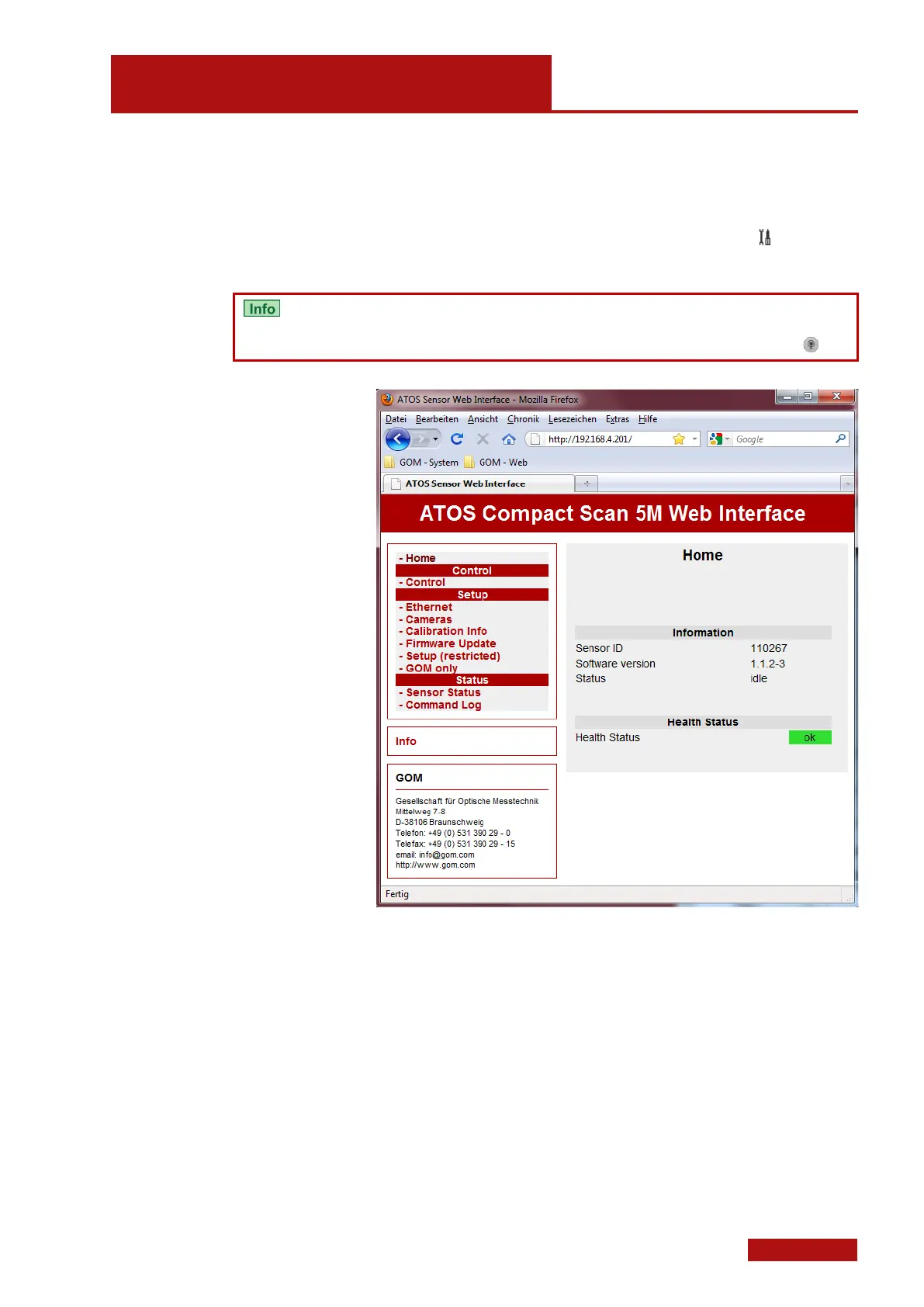
Start screen of the Web interface
Alternatively, you may also use the installed Firefox web browser. In
factory-adjusted measuring computers, a corresponding bookmark is
available.


 To Next Page