MDE-LEDI-NETWORK-TDS-4099V3.0
4.1. LIGHTS AND BUTTONS
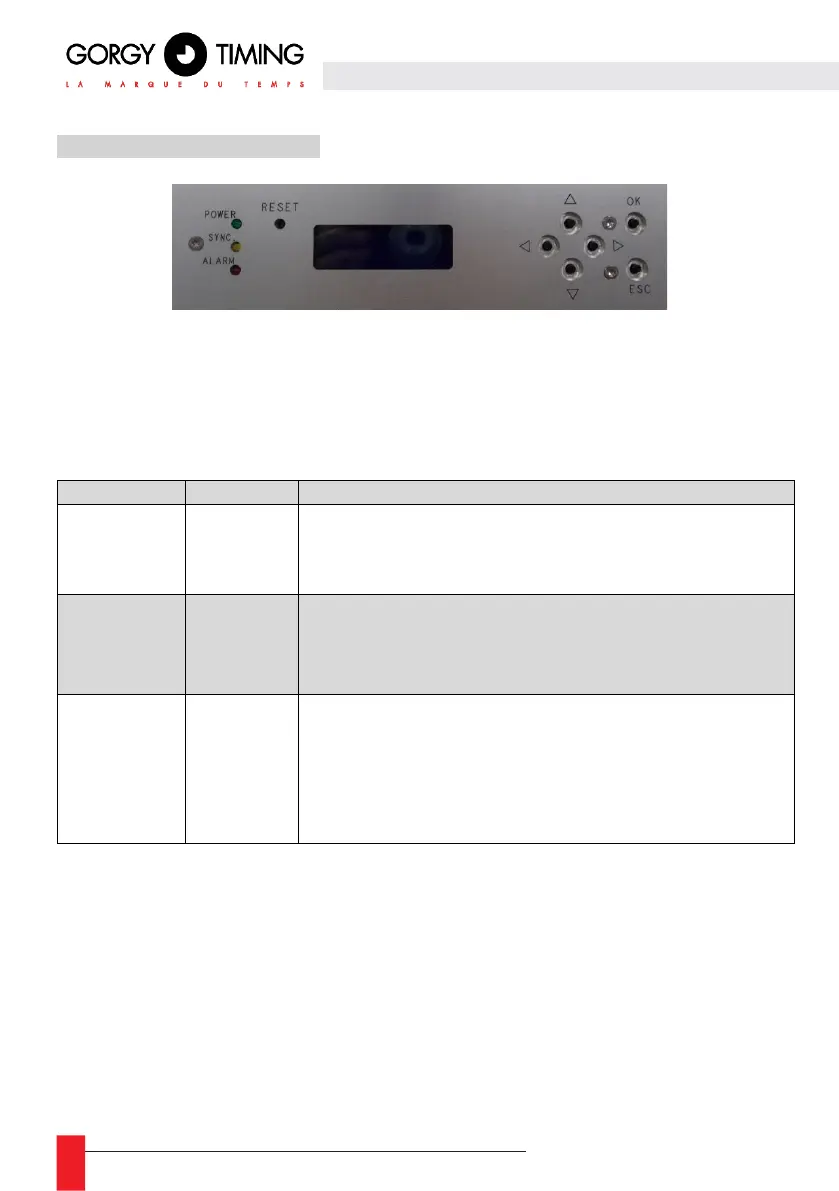
The front panel display can show 4 lines of up to 20 characters each. There are 6 buttons
which are used to navigate through the menus and to change the IPv4/IPv6 settings (see
section 4.5.2. ”Menu”) There is a “RESET” button to restart the product with the with the
exception of the GPS input card.
There are three light indicators on the front panel. There meanings are stated below:
ON: Normal operation
The device is connected to an external power supply.
OFF: No external power supply is detected by the server.
ON: Normal operation
The device controls its internal clock based on its time input.
OFF: Time input is not available.
FLASHES EVERY SECOND:
At least one alarm is currently active on the device. See section
5.2.4 “Alarms” page for more details.
OFF: Normal operation. No alarms are activated.


 To Next Page