The tables can be considered as files containing only variables. To raise an SNMP query,
you must give an OID variable followed by “.0” if the variable is not in the table, otherwise
the input index must be given in the table.
There are several possible forms of query:
► GetRequest asks for the value of a variable
► GetNextRequest asks for the value of a following variable
► GetBulk asks for grouped values of a set of variables
► SetRequest changing the value of a variable
► Walk absent from RFC, request for all of the following variables
If the requested variable is not available, responses to queries are accompanied by a
noSuchObject error.
3.7 TIME INPUT INSTABILITY DETECTION
Instability detection is performed independently on each synchronisation input when it is
selectable, and the time server is synchronised or has remaining autonomy but not in free-
running mode. It does not apply the NTP input because it can change the source server in
case of a problem.
When a deviation of more than 500 ms from the time server is detected on an input and until
the input returns below 500 ms, the server reaches the end of autonomy, the jump is
validated by a user or the free-running mode is activated, the time server has 2 contradictory
time indications. It therefore informs its users of this anomaly by switching the shifted entry
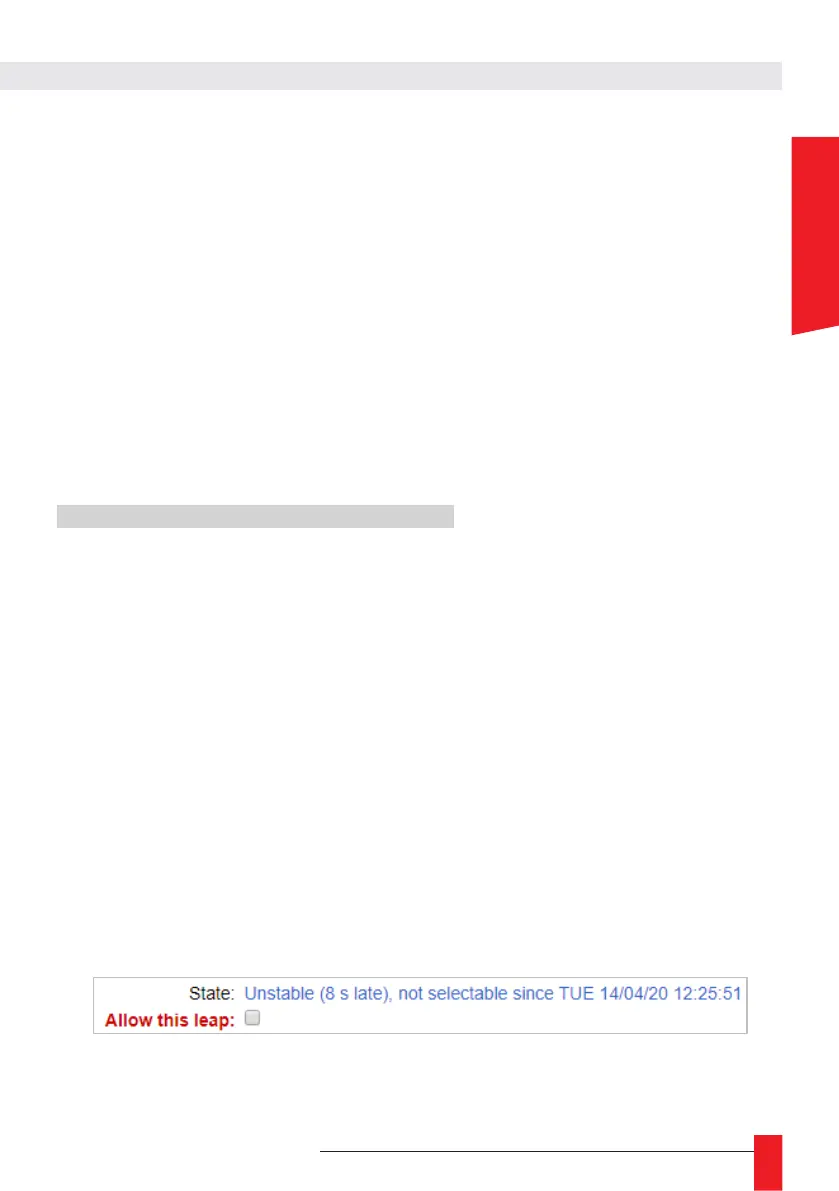
to the “Unstable” state and invalidating it. An external action is then required to return to a
consistent state by correcting or invalidating the incorrect time inputs and/or validating the
new time of the entries in the “Unstable” state.
In order to validate the new time of an “Unstable” entry, an “Allow this leap” checkbox is
displayed in the configuration of this entry in the “Input webpage as shown below. Once
checked and validated by clicking “Save Settings”, the time server accepts that the new time
for this input is correct and that this entry can be selected again to synchronise it.



 To Next Page