► Each detected card has its own configuration page which can be accessed by clicking
on the box containing the card’s name.
► The box with the thicker edges is the one currently displaying the configuration settings.
► The boxes also indicate the availability of the cards on the internal bus. A green
coloured box indicates that the output card is communicating properly with the main
card. A red coloured box indicates that there is an internal communication issue. In this
case, the card settings are not readable, and it is very likely that the card is not providing
the time code on its outputs.
In case of no internal communication with the output card, the front screen displays the
message “Output Alarm!”. If this issue persists over time or after restarting the device,
please contact Gorgy Timing Customer Service.
The previous image shows the configuration page of a 4 IRIG output card. It contains
information common to all the output cards: its address (internal to the rack), its type and its
firmware version (here the 4/1350 version of the 4AFN firmware).
Common standard options
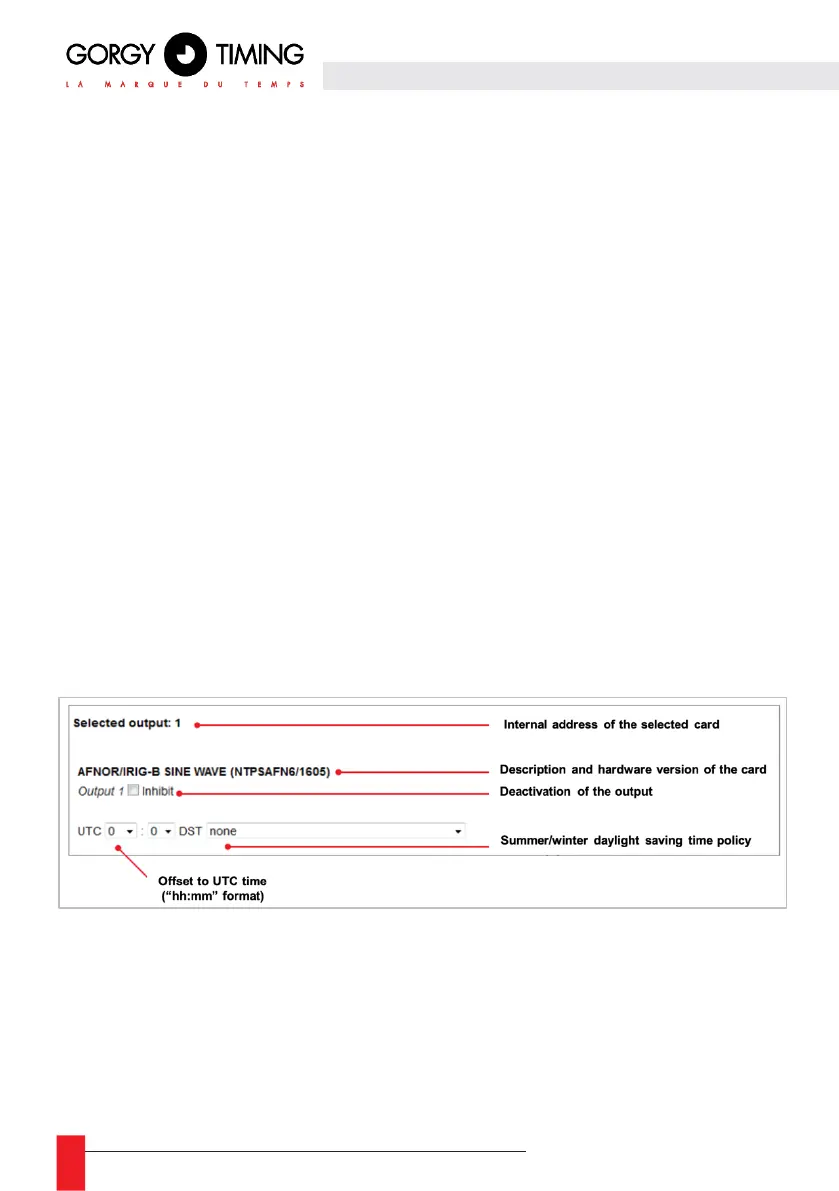
The following image shows the information fields common to the configuration cards. All or
part of these fields can be found on each card configuration page.
Selected output
► Sends the card’s addresses on the internal communication bus. Also corresponds to the
physical location number of the output card.
Disable the output card
► All outputs can be disabled except the ALARM card. Disabling cards will have the
following effects:



 To Next Page