6 – 11
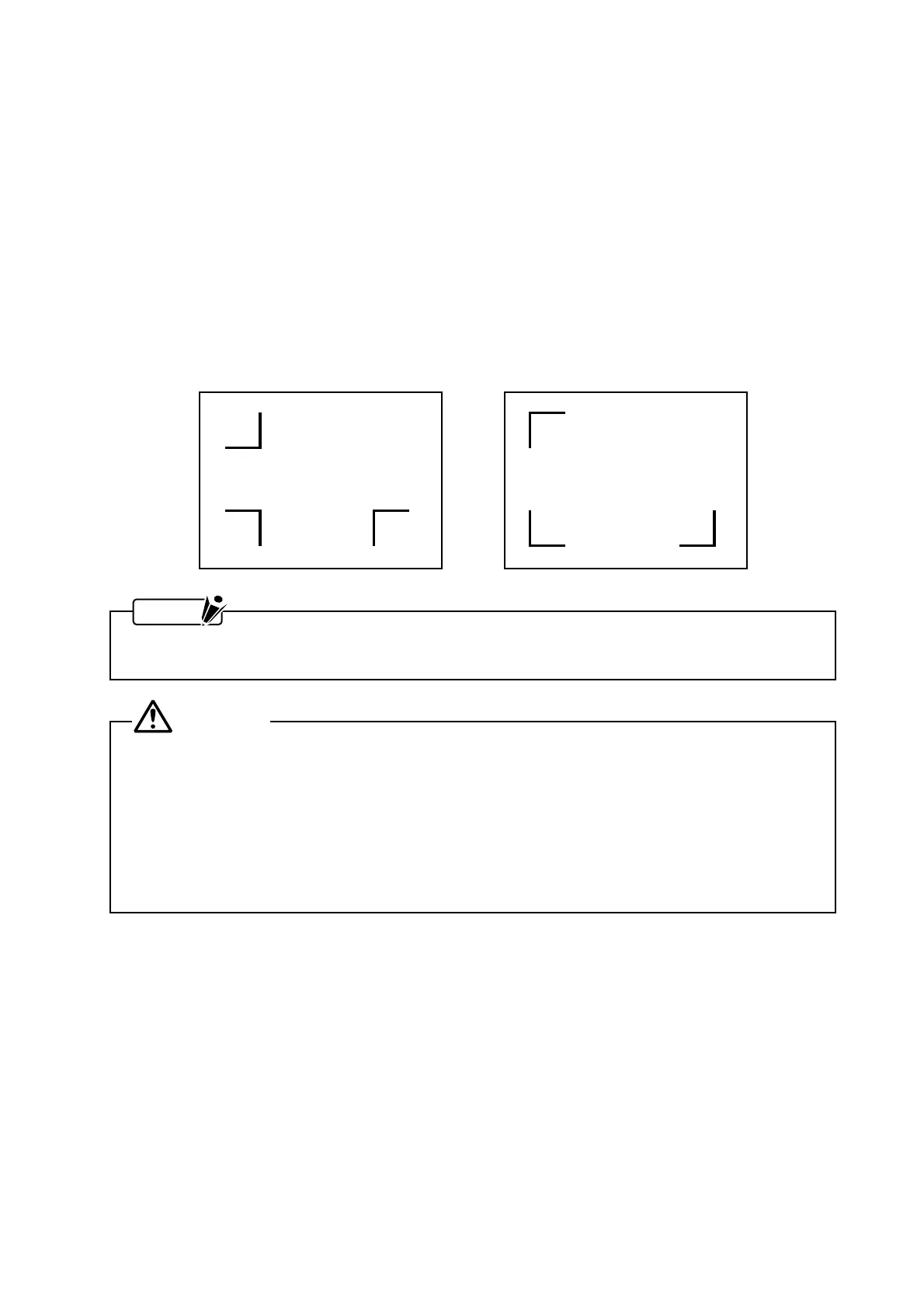
Registration mark pattern 1 Registration mark pattern 2
6.7 Overview of Automatic Registration Mark Recognition
When the plotter has been set up for automatic registration mark recognition, be careful regarding the
following points:
•
The registration mark pattern
•
The reading area required for registration mark detection
•
The position of the origin point
•
Media for which registration marks cannot be detected
•
If registration marks cannot be automatically recognized
(1) The Registration Mark Pattern
This plotter can read (recognize) the designated registration mark patterns shown below.
NOTE
For instructions on how to change the registration mark pattern, see Section 6.9, “Selecting the
Registration MARK TYPE.”
CAUTION
• This plotter cannot recognize the pre-defined registration marks of software applications.
• The registration marks must be generated by a software application as plotting data.
• When generating registration marks, be sure to heed the following notes on registration mark
requirements.
• The line width of registration marks must fall in a range from 0.3 to 1.0 mm.
• The registration mark size must fall in a range from 5 to 20 mm (for details, see Section 6.10,
“Specifying the Registration MARK SIZE”).
• The registration mark pattern must conform to Pattern 1 or 2.










 To Next Page