6 – 24
(6) When the displayed setting is satisfactory, press the ENTER key to register your setting.
(7) Press the PAUSE key to return the plotter to READY status.
6.11.2 Adjusting the Registration Mark Sensor
The MARK ADJ. SEN function lets you adjust the registration mark recognition sensor by plotting a cross
symbol, reading it, and plotting another cross symbol for use in adjustment. The sensor’s precision can be
adjusted by inputting a corrective value to compensate for any error.
Setting Procedure
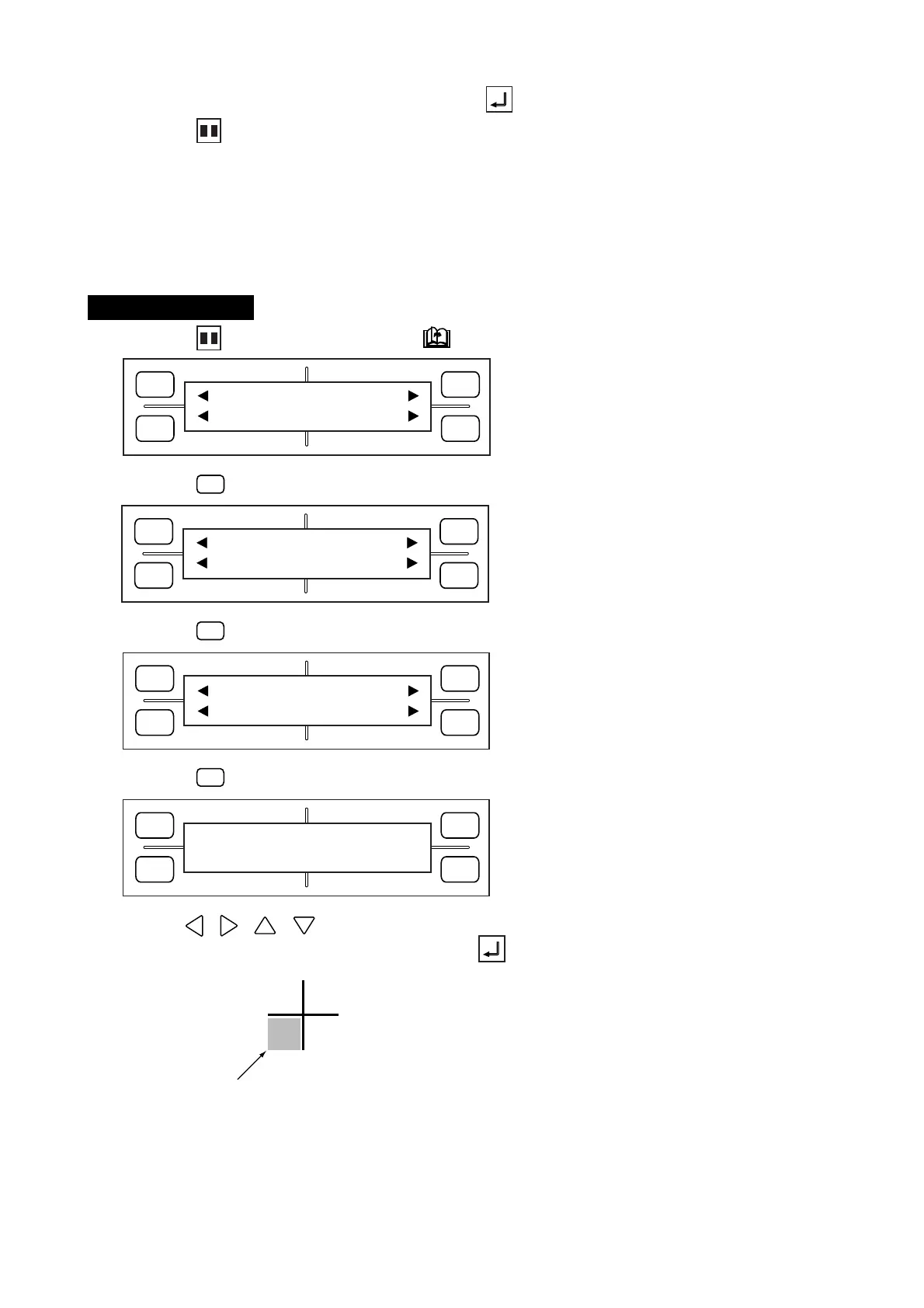
(1) Press the PAUSE key, then press the NEXT PAGE key until the menu below appears.
(2) Press the
F1
(MARK) key to display the menu below.
(3) Press the
F4
(EXPAND) key to display the menu below.
(4) Press the
F2
(ADJ. SENS) key to display the menu below.
(5) Use the , , , POSITION keys to move the pen carriage to the position near the cross
symbol indicated in the figure below, then press the ENTER key.
Align the pen’s tip to this area
FORCE
SPEED
OFFSET
QUALITY
F1 F3
F4
F2
MARK PEN U/D
CLEAR SELECT PEN
FORCE
SPEED
OFFSET
QUALITY
F1 F3
F4
F2
MODE MARK SIZE
TYPE EXPAND
FORCE
SPEED
OFFSET
QUALITY
F1 F3
F4
F2
DIST ADJ. OFFSET
ADJ.SENS ADJ.SENS+
FORCE
SPEED
OFFSET
QUALITY
F1 F3
F4
F2
ADJUST SENSOR
PRESS ENTER KEY










 To Next Page