6 – 13
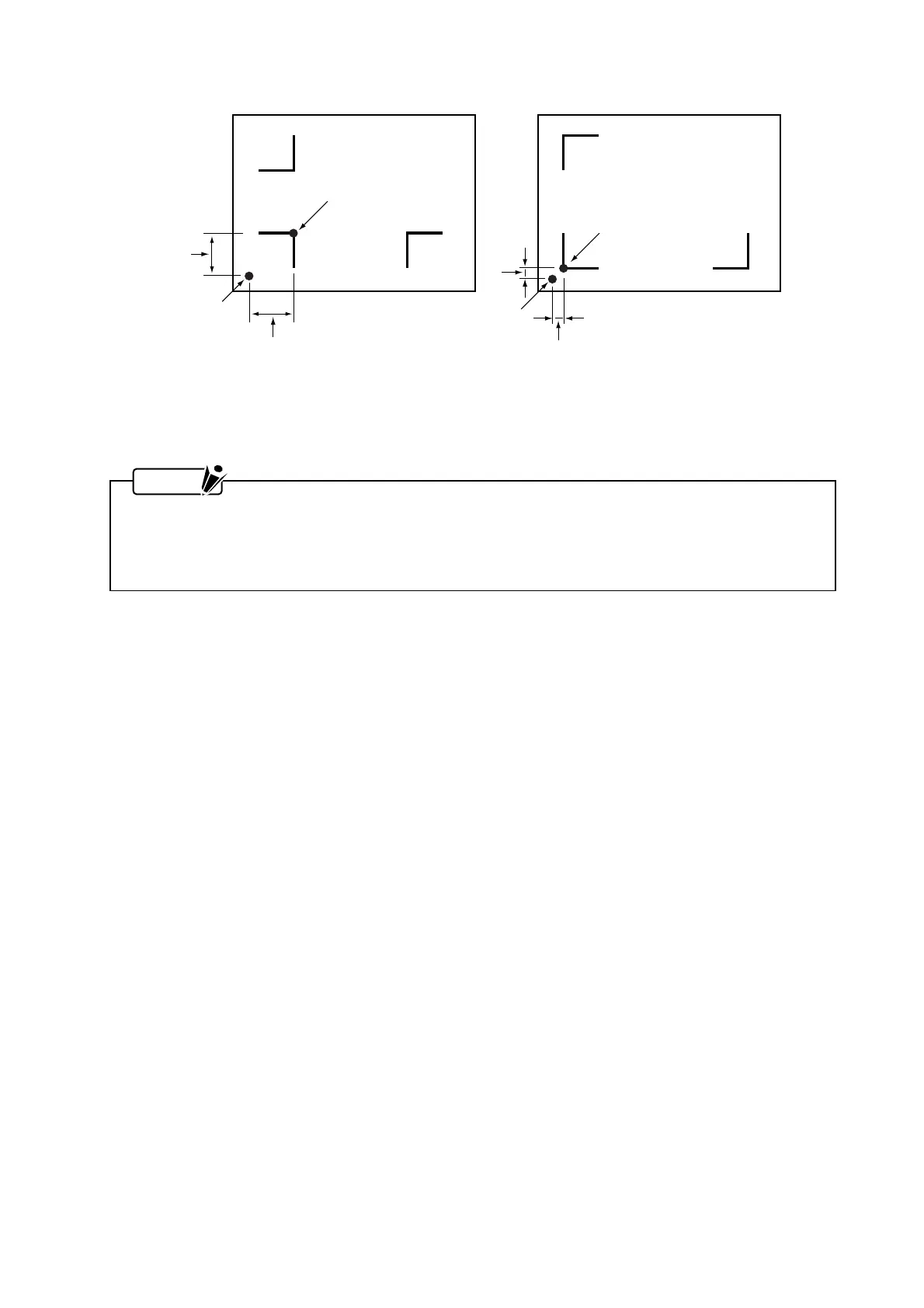
Registration mark pattern 1 Registration mark pattern 2
Registration mark origin
Output origin
Output origin
Origin
XX
Y
Y
To align the output origin with the registration mark origin, measure the offset between the output
origin and the registration mark origin, then input the measured distance when setting the OFFSET
function (for details, see Subsection 6.11.3, “Specifying the Registration Mark OFFSET”).
NOTE
You can measure the registration mark offset using one of the two methods below.
• Read the numeric values (representing the distance from the output origin to the registration mark
origin) on the screen display of your software application; or
• Plot your registration mark data and actually measure the distance between the two origin points.
(4) Media for Which Registration Marks Cannot Be Detected
This plotter cannot detect registration marks for the following types of media.
•
Transparent media
→ The sensor also detects the surface of the plotter’s writing panel, preventing accurate recognition
of registration marks.
•
Plotting that does not consist of black ink on white paper
→ Use of a colored medium or registration marks of a color other than black prevents the recognition
of registration marks.
•
Coarsely textured drawings or media
→ A medium with a stained or wrinkled surface or faintly plotted registration marks prevents the
recognition of registration marks.
•
Improperly secured media
→ If the medium comes loose, the registration marks cannot be recognized.
•
Excessively thick media
→ Registration marks cannot be recognized if the medium’s thickness is greater than 0.3 mm.
(5) If Registration Marks Cannot Be Automatically Recognized
Registration marks can also be recognized by a manual operation. For details, see Section 6.8,
“Specifying the Registration MARK MODE.”










 To Next Page