ENGLISH
29
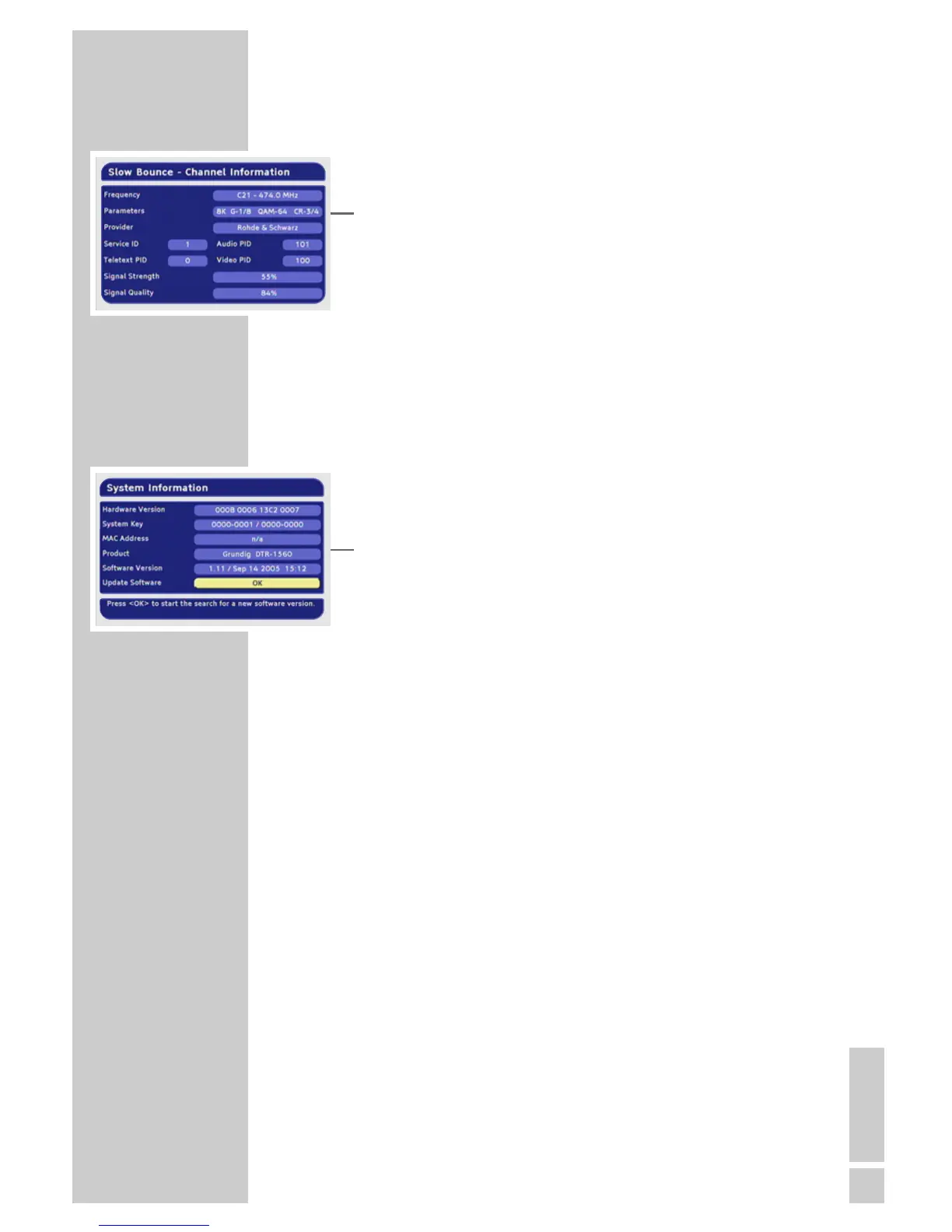
Displaying station reception properties
1 In the main menu, select »Technical Information« with »P-« or
»P+« and press »OK« to confirm.
2 Select »Channel Information« with »P-« or »P+« and press
»OK« to confirm.
– The »Channel Information« menu appears.
Notes:
The signal strength not only depends on the settings of your
receiver unit, but also on the channel which is currently active.
Remember this when aligning your antenna using the signal
level display.
3 Press »i« to quit the menu.
Displaying device information
1 In the main menu, select »Technical Information« with »P-« or
»P+« and press »OK« to confirm.
2 Select »System Information« with »P-« or »P+« and press
»OK« to confirm.
– It contains information on the product designation, the hard-
ware version and the software version.
3 Press »i« to quit the menu.
INFORMATION_____________________________________



 To Next Page