ENGLISH
7
OVERVIEW
_________________________________________________
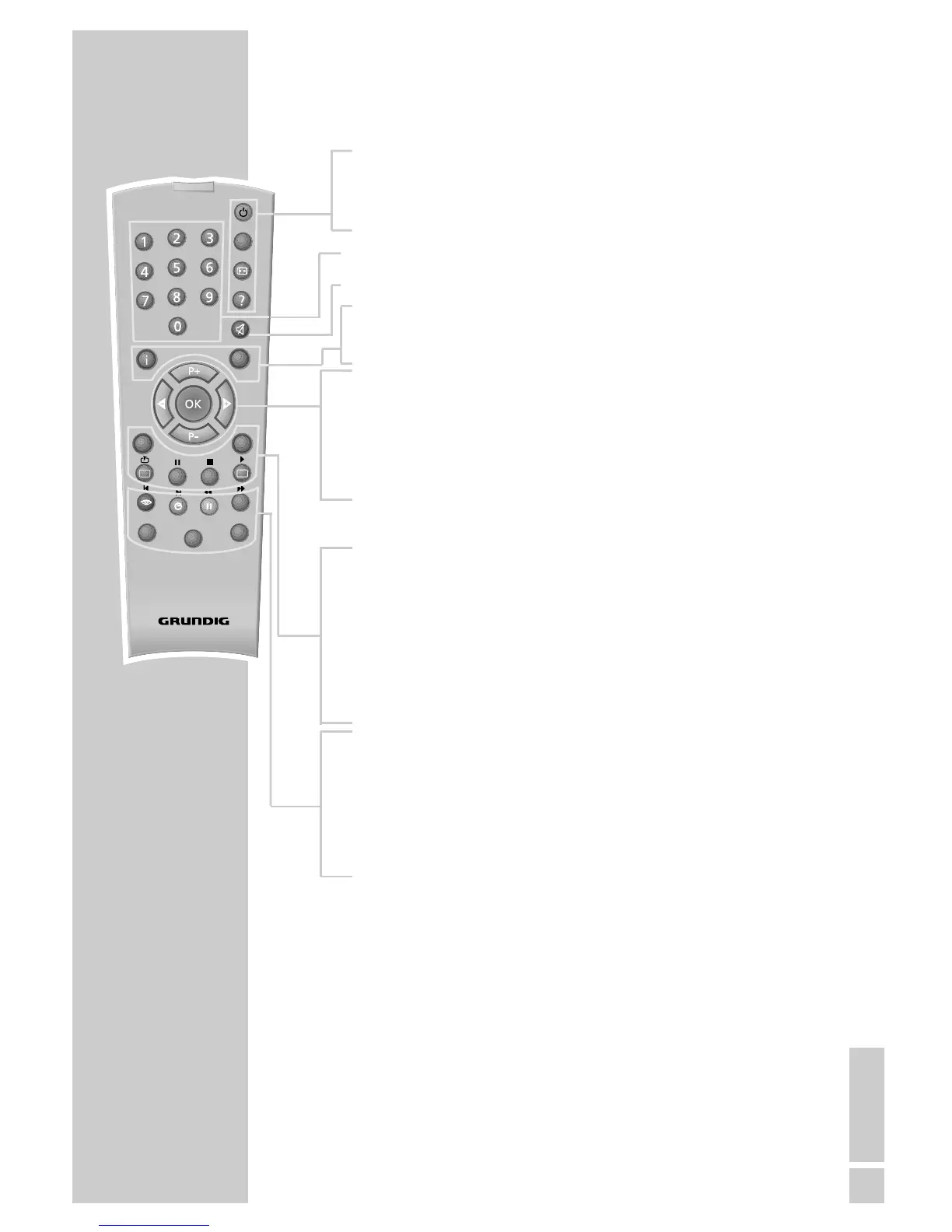
The remote control
Ǽ Switches the digital receiver to standby, and from
standby to the channel last selected.
? Displays programme information.
1 … 0 Select stations.
d Switches the sound to mute and on again.
i Opens the main menu.
z Exits the current menu level.
Ǹ Adjust the volume.
Ƿ
P+ Switch channels up and down one by one.
P-
OK Calls up the station list.
Press
A/B
to switch between the station list and the
favourites list.
TXT Switches from television mode to teletext mode.
TV-G Calls up the TV guide.
TV
Switches to TV mode.
A/B
Switches between the two most recently selected
channels.
RADIO Switches to radio mode.
Ȅ Displays the time.
ǷǷ
Switches between audio channels.
F
Calls up options (not available for all stations).
AVR, TV Switches to operating a GRUNDIG AV receiver,
DVD GRUNDIG television or GRUNDIG DVD player.
Keep the appropriate button (»AVR«, »TV«, »DVD«)
pressed down. Then press the appropriate button.
Note:
The functions available depend on the model of the
device you are using.
Just try it out.









 To Next Page