22
SETTINGS
_________________________________________________
Selecting the colours of the OSD
You can adjust the colours of the OSD menu.
1 Select »Colour Scheme« with »P-« or »P+«.
2 Select desired station position with »
Ǹ
« or »
Ƿ
«.
Ending the settings
1 Press »i« to finish the setting.
General settings
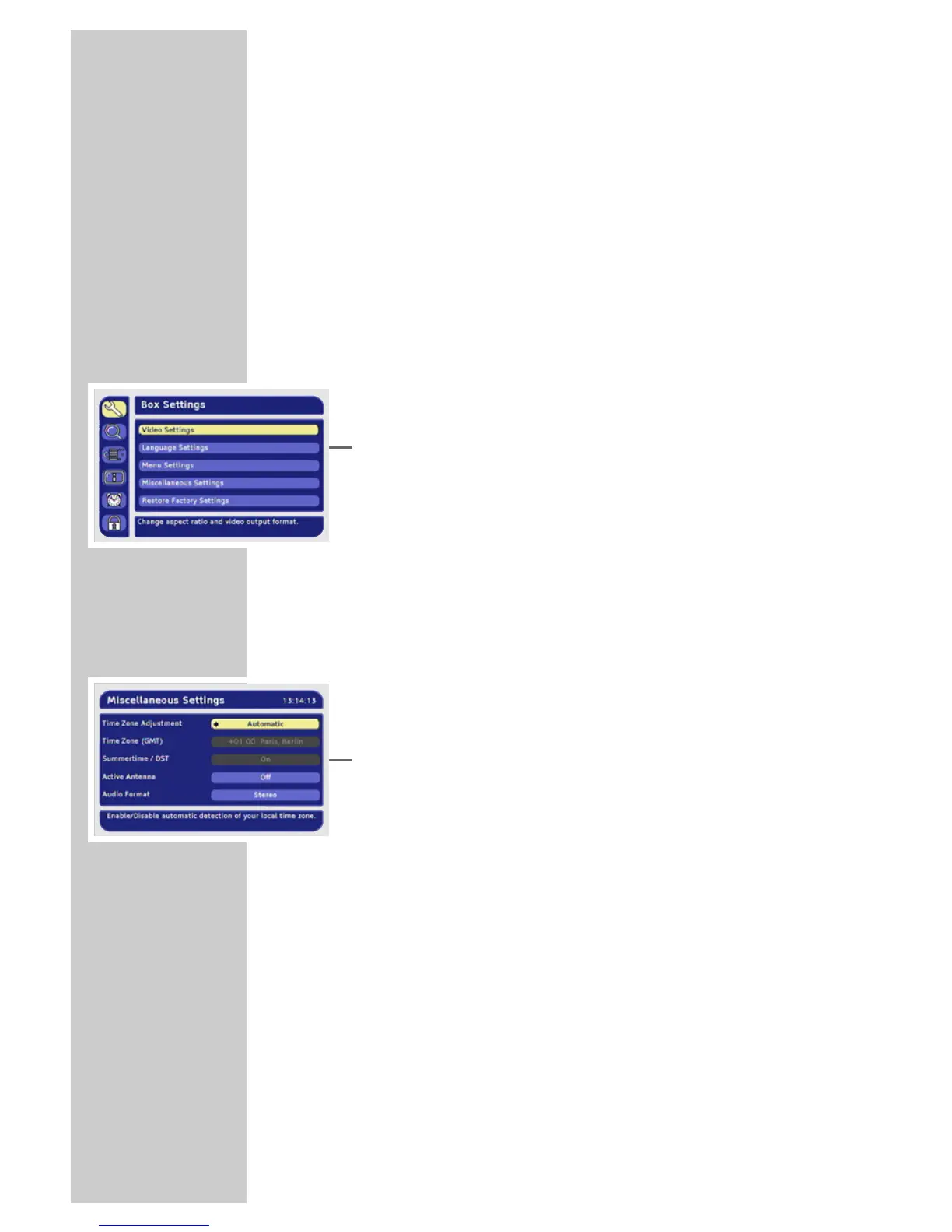
1 Press »i« to open the main menu.
– The main menu is displayed.
2 Select »Box Settings« by pressing »P+« or »P-« and press
»OK« to confirm.
– The »Box Settings« menu appears.
3 Select »Miscellaneous Settings« with »P-« or »P+« and press
»OK« to confirm.
Note:
Additional operations are explained in the following sections.
Automatic or manual time zone
You can set the time difference to Greenwich meantime yourself or
let the receiver set it automatically.
1 Select »Time Zone Adjustment« with »P-« or »P+«.
2 Press »
Ǹ
« or »
Ƿ
« to select »Automatic« or »Manual«.
Setting the time zone
You can only set the time zone if the »Manual« option is selected in
the »Set time zone« menu option.
1 Select »Time Zone (GMT)« with »P-« or »P+«.
2 Press »
Ǹ
« or »
Ƿ
« to select your time zone.
Selecting summer time
You can only select summer time if the »Manual« option is selected
in the »Set time zone« menu option.
1 Select »Summertime / DST« with »P-« or »P+«.
2 Press »
Ǹ
« or »
Ƿ
« to select »On« or »Off«.









 To Next Page