Hermiankatu 6-8G, 33720 Tampere, Finland
©2019 Grundium. All rights reserved.
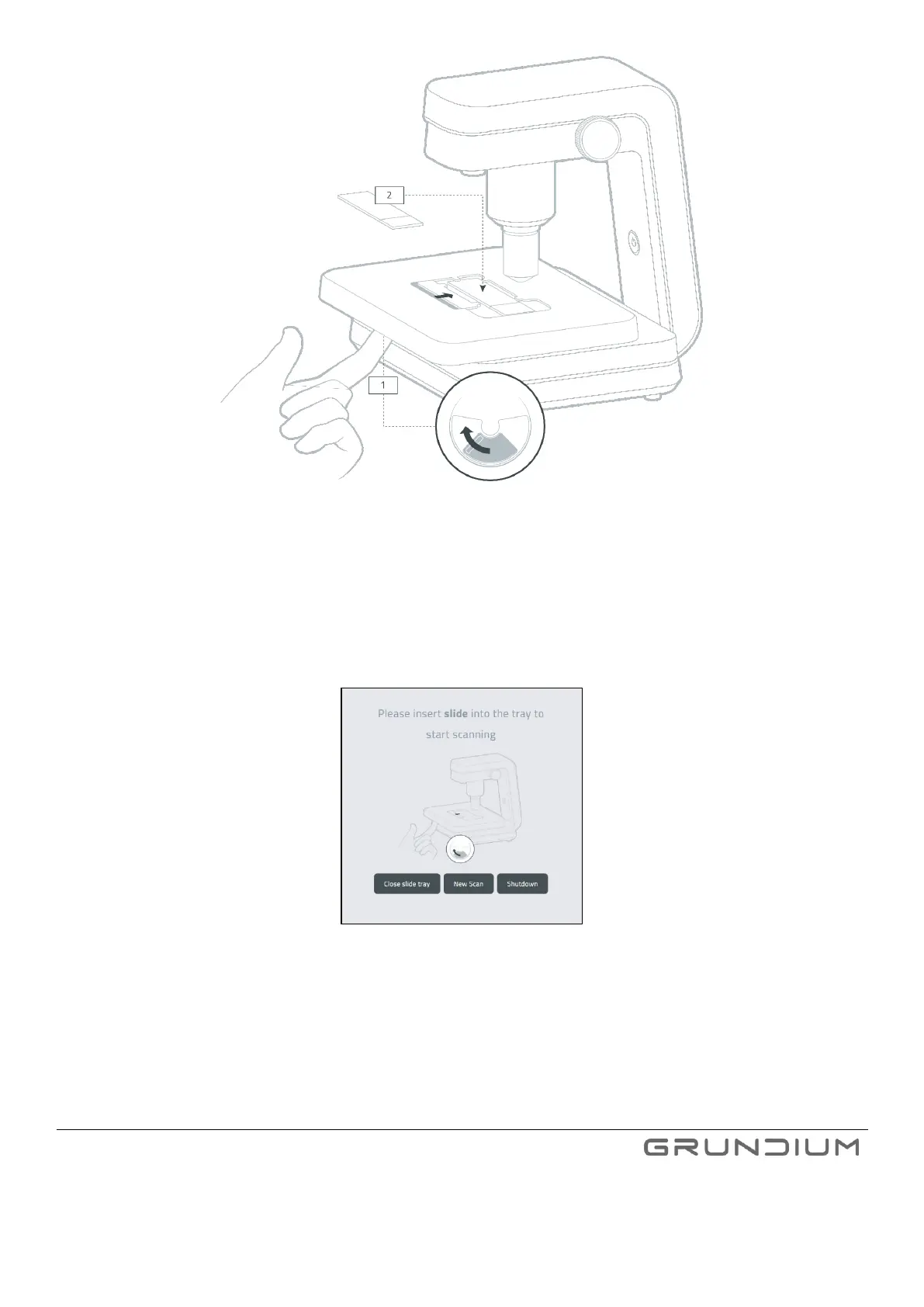
Image 8 Open the slide holder and place the slide in the scanner.
3. Place the slide on the scanner so that the sticker end is on the right.
4. Push the lever right to secure the slide.
5. Press New scan to take an overview image.
Image 9 Start taking an overview image by selecting New Scan.
6. To zoom the specimen, use your mouse scroll, or press +, - or 5x/10x/20x quick buttons next to zoom bar
on display. To pan the image, use your fingertip or mouse left button to move it.


 To Next Page