32
Step P4:
Now go back and follow the instructions for the rest of the installation from page 14 “Installing the Open and Closed Position
Stops”.
NOTE: When programming the gate operator (pages 20-22) be sure to program it for PUSH-TO-OPEN under Type
of Installation.
Step P3:
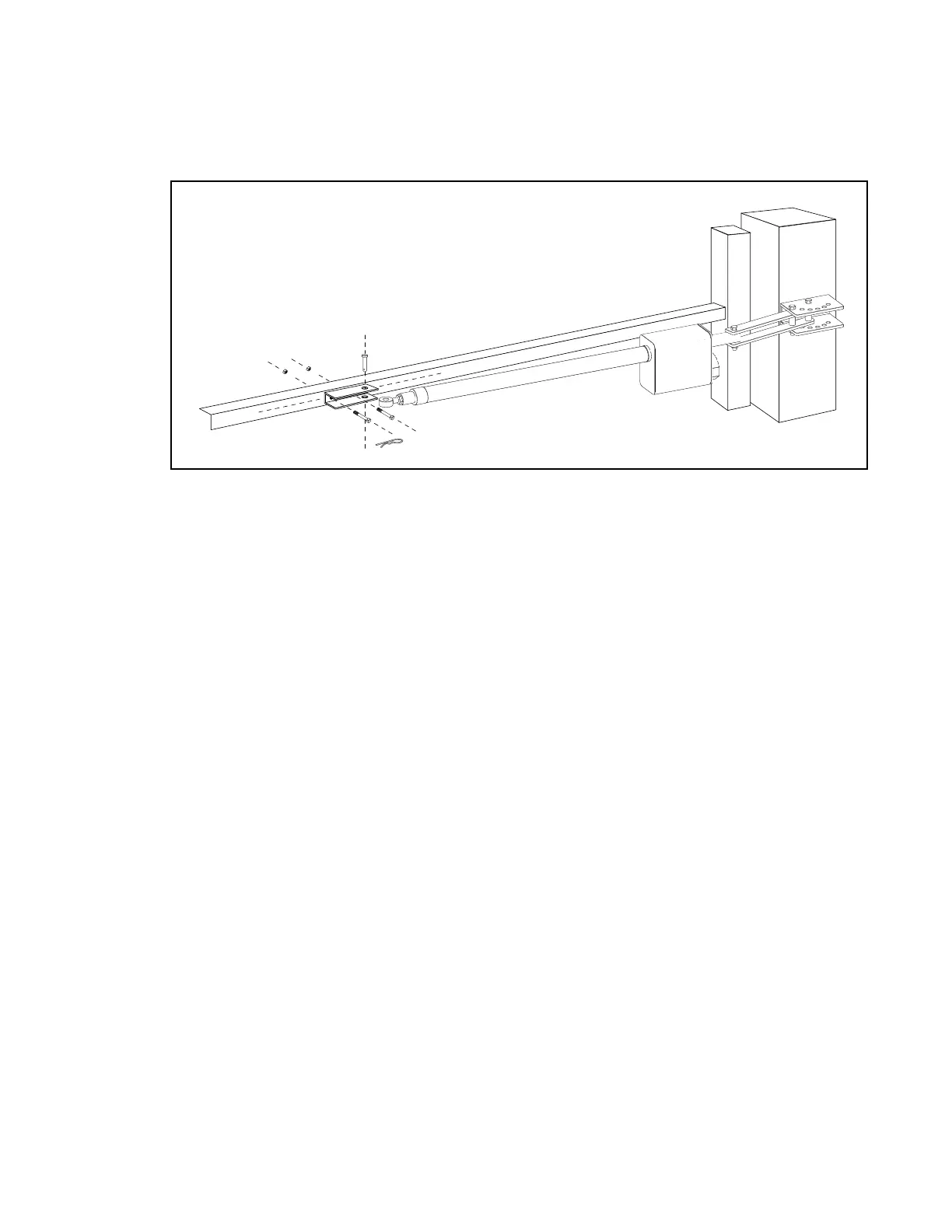
With the gate in the closed position, connect operator to gate bracket assembly as in Step 12 on page 13
and clamp into position. Mark the point where the gate bracket will be attached to the gate. Drill the holes
and mount the gate bracket. Reattach gate bracket to arm with clevis pin and hair pin clip.



 To Next Page