Customer Help Line
TEL: 1300 886 649
11
Remote control (Cont.)
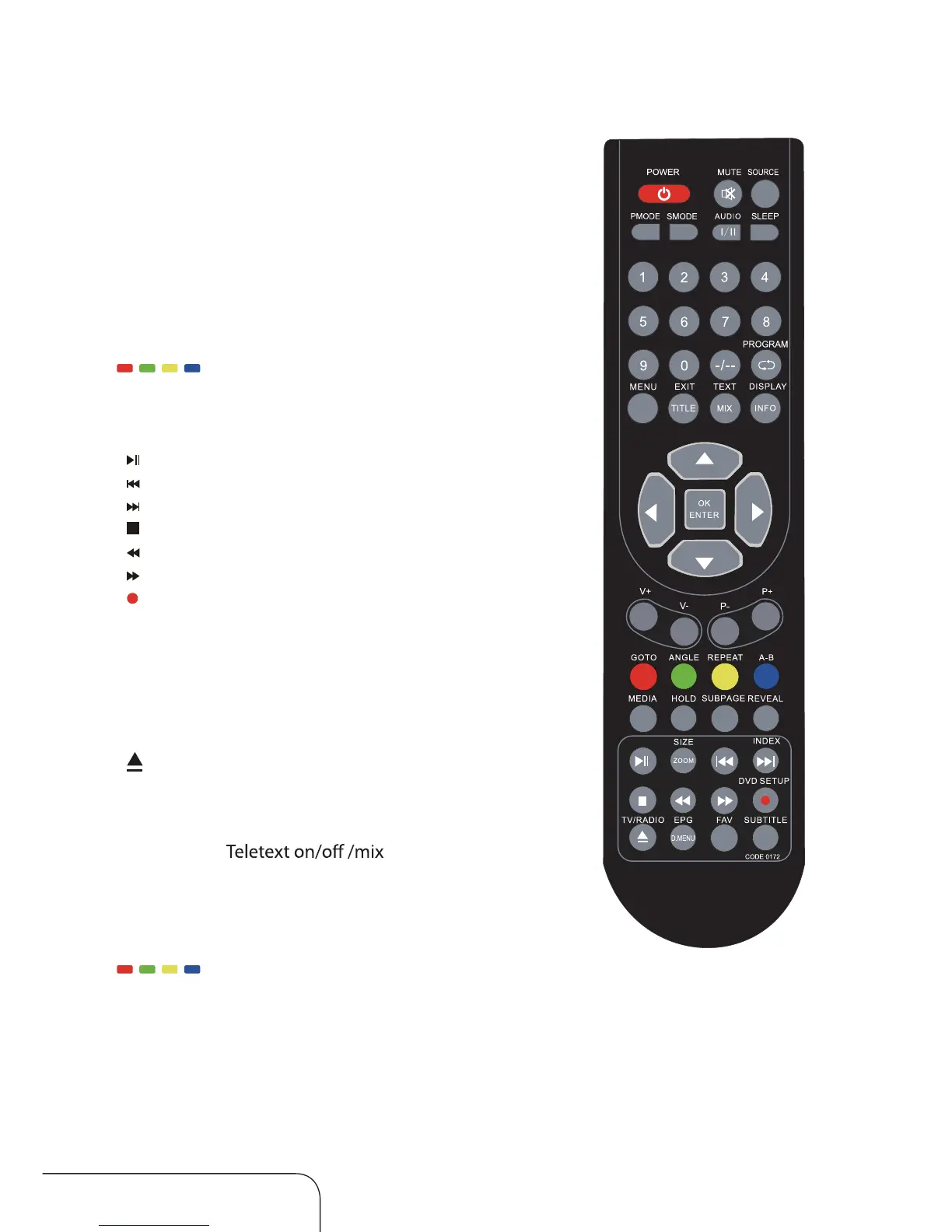
TITLE Return to the title in DVD mode (TITLE)
GOTO Select the GOTO time in DVD mode
ANGLE Change the angle in DVD mode
(only when it is available)
REPEAT Select repeat mode in DVD mode
A-B Repeat from A to B in DVD mode
/ / / Shor tcut buttons in TV and Media mode
MEDIA Media select
HOLD Picture freeze (in DTV mode only)
ZOOM Picture zoom
[
] DVD/USB Play/pause / Time-shift recording
[
] DVD/USB Previous
[
] DVD/USB Next
[
] DVD/USB Stop
[
] DVD/USB Fast-backward
[
] DVD/USB Fast-forward
[
] DTV recording
DVD SETUP Display DVD setup menu in DVD mode
TV/RADIO TV/Radio Select
EPG Electronic program guide
FAV Favourite channel list
SUBTITLE DTV subtitle
INDEX Recorded list
[
] Open/Close the DVD
D.MENU Return to the ROOT menu in DVD mode
Teletext buttons *
TEXT/MIX
HOLD Teletext hold
SUBTITLE Subtitle
INDEX Teletext index
SIZE Teletext size
/ / / The RED, GREEN, YELLOW and BLUE buttons
are used for quick access to colour-coded pages transmitted by FAST
TEXT broadcast. For example:RED selects city information, BLUE travel
information, GREEN weather information and YELLOW selects TV
programming.
Media, PVR and other buttons



 To Next Page