Customer Help Line
TEL: 1300 886 649
28
NOTE: All your pic ture, sound, time and option settings will be lost when
restoring factory defaults.
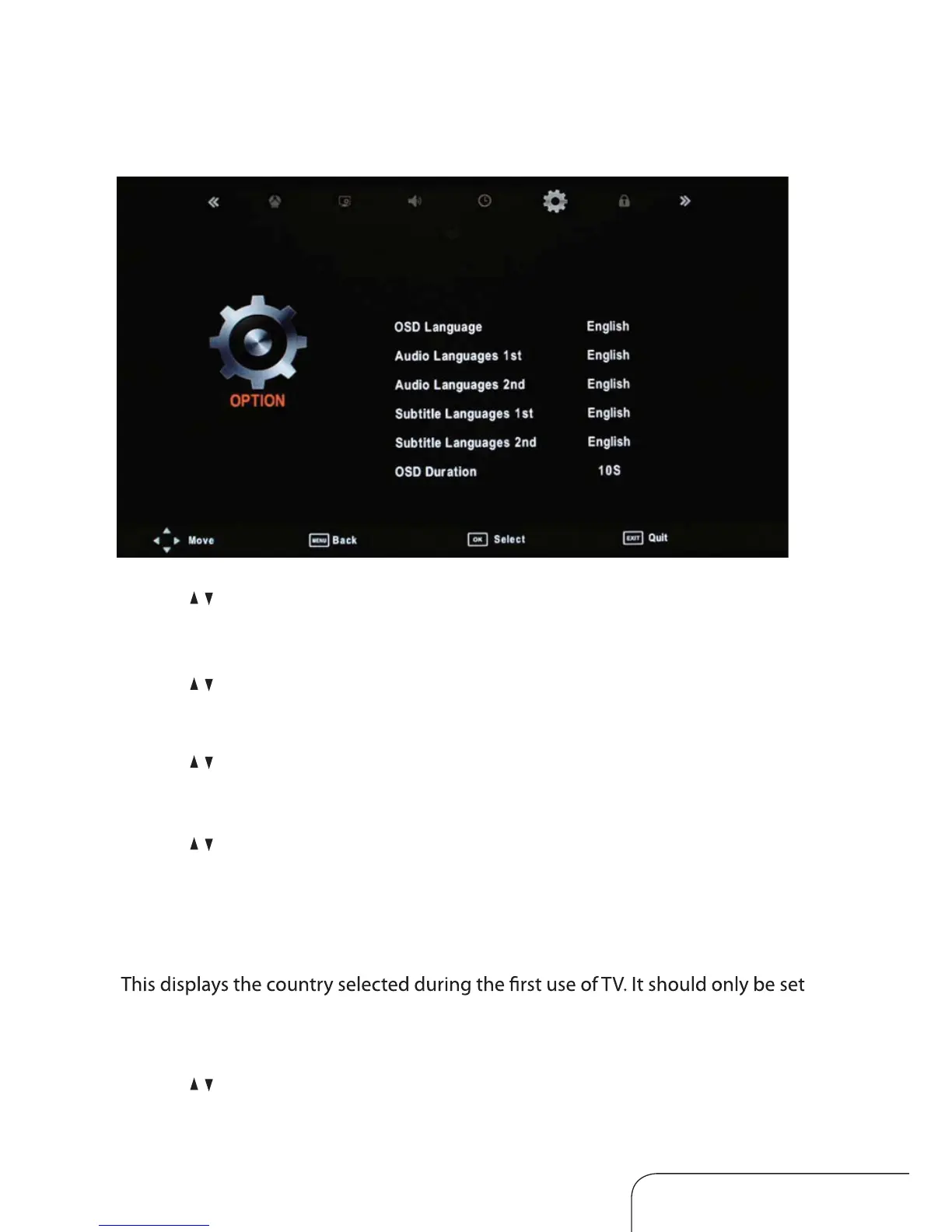
Option menu
Operating the menus (Cont.)
OSD language
Use the / keys to select this option, then select your preferred on-screen display
language.
Audio language 1st/2nd
Use the
/ keys to select this option, then select your preferred 1st and 2nd audio
language (in DTV mode only).
Subtitle language 1st/2nd
Use the
/ keys to select this option, then select your preferred 1st and 2nd subtitle
language (in DTV mode only).
OSD duration
Use the
/ keys to select this option, then set your preferred duration for on-screen
display messages.
Country
to ‘Australia’. This can only be changed by performing the ‘Restore Factory Default’
option below.
Restore factory default
Use the
/ keys to select this option to restore factory default settings.
Blue Screen
Control the screen blue automaically when no signal that you turn the function “On”.



 To Next Page