Customer Help Line
TEL: 1300 886 649
41
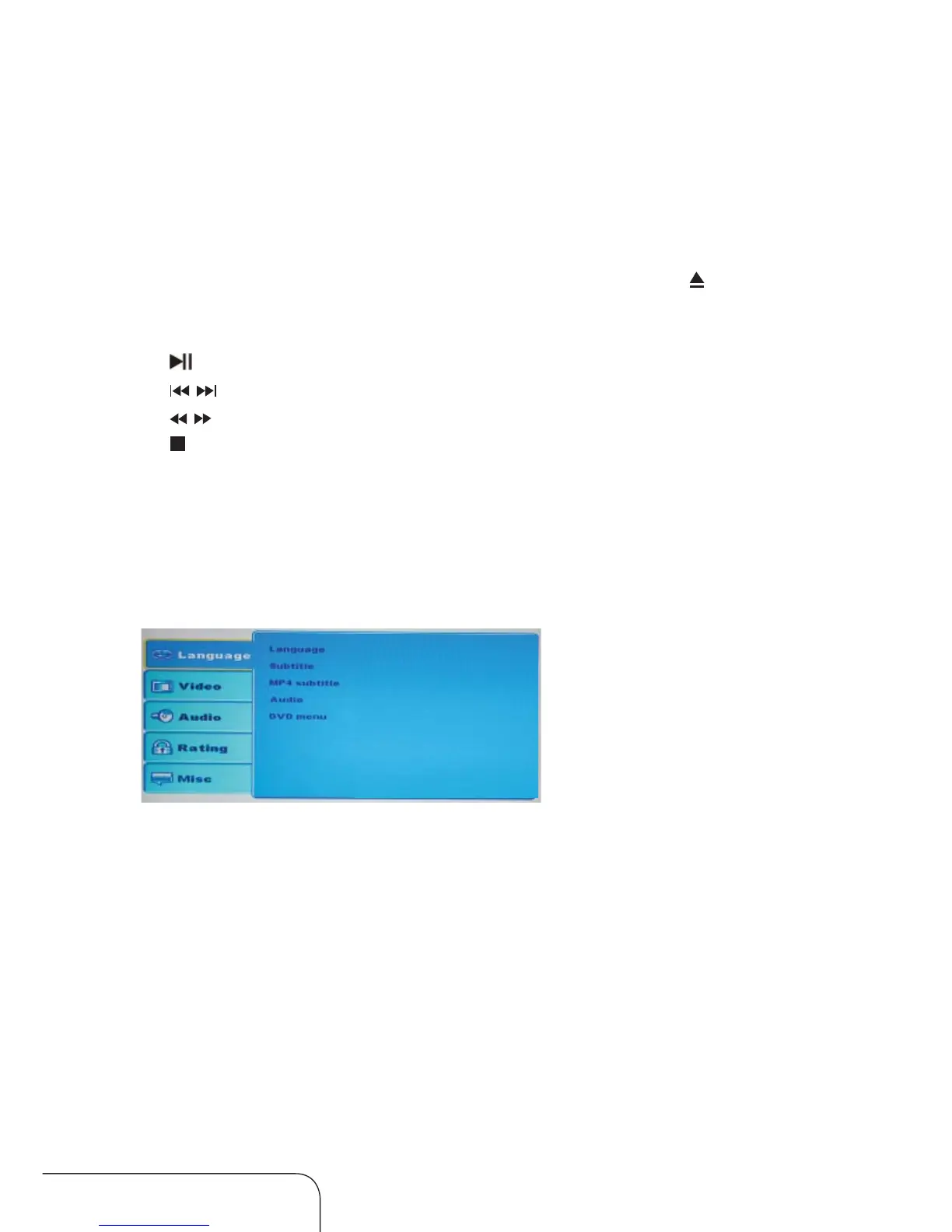
Language setting
Operating the menus (Cont.)
English
English
Western European
English
English
Language: Select language for the OSD menus and messages.
Subtitle: Select subtitle language(DVD only).
Mp4 subtitle: Select MP4 subtitle.
Audio: Select audio language(DVD only).
DVD menu: S
elect DVD menu language(DVD only).
Using the in-built DVD player
Insert the DVD disc into the DVD slot. Be sure to have label side of DVD
facing the front of the TV. If the disc is inserted incorrectly, it will be ejected.
The DVD Player will accept and play your DVD
disc automatically, even
when the TV is in DTV mode.
To eject the disc at anytime, press the OPEN key on the TV or
key on the
remote control.
Press
key to Play/ Pause the program.
Press / key to go to the previous chapter/next chapter
Press
/ key to go backward/forward.
Press
key to Stop playing the program.
The keys for DVD SETUP, A-B, ANGLE, REPEAT, D.MENU, SUBTITLE,
PROGRAM, GOTO are used in the DVD mode, more detail please see the
instruction of Remote control (Page 10 and 11).



 To Next Page