Customer Help Line
TEL: 1300 886 649
14
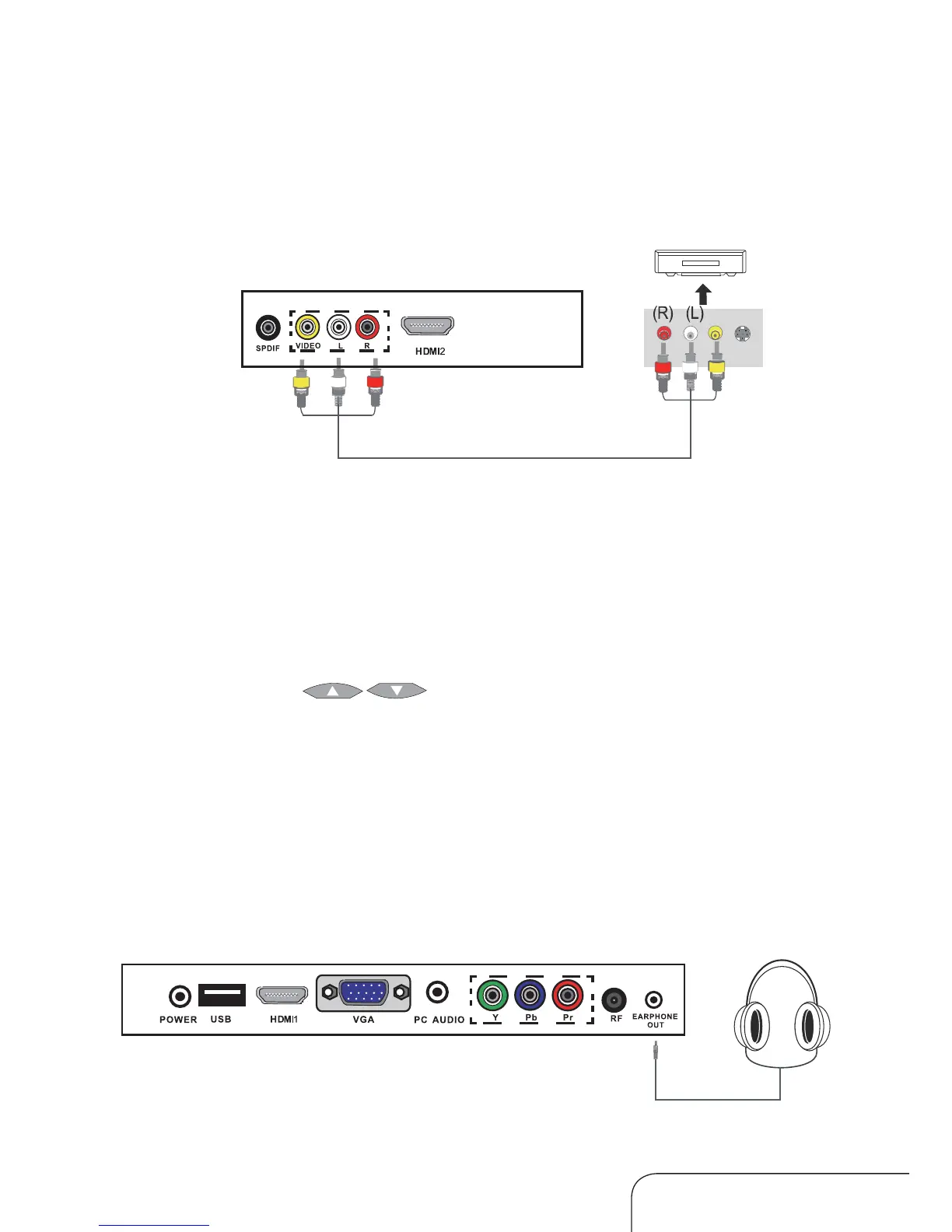
Connecting a VCR or video camera
Connection to the terminals of other equipment may differ depending on
the brand and model.
Connect the earphone jack into the Earphone Out terminal.
Watching a video tape
1. Turn on the LED LCD TV.
2. Turn your VCR on.
3. Press the SOURCE button on the TV remote control and use the up/down
navigation keys [
] to select AV; then press OK.
4. Press the PLAY button on your VCR (or its remote control).
Connect a composite cable from the LED LCD TV’s Composite In terminal to
the VCR’s Composite Out terminal, making sure to match the colours of the
terminals to the colours of the plugs.
Composite cable
Audio cable
Earphones
Video
Connecting your equipment to the TV
Connecting earphones



 To Next Page