Customer Help Line
TEL: 1300 886 649
25
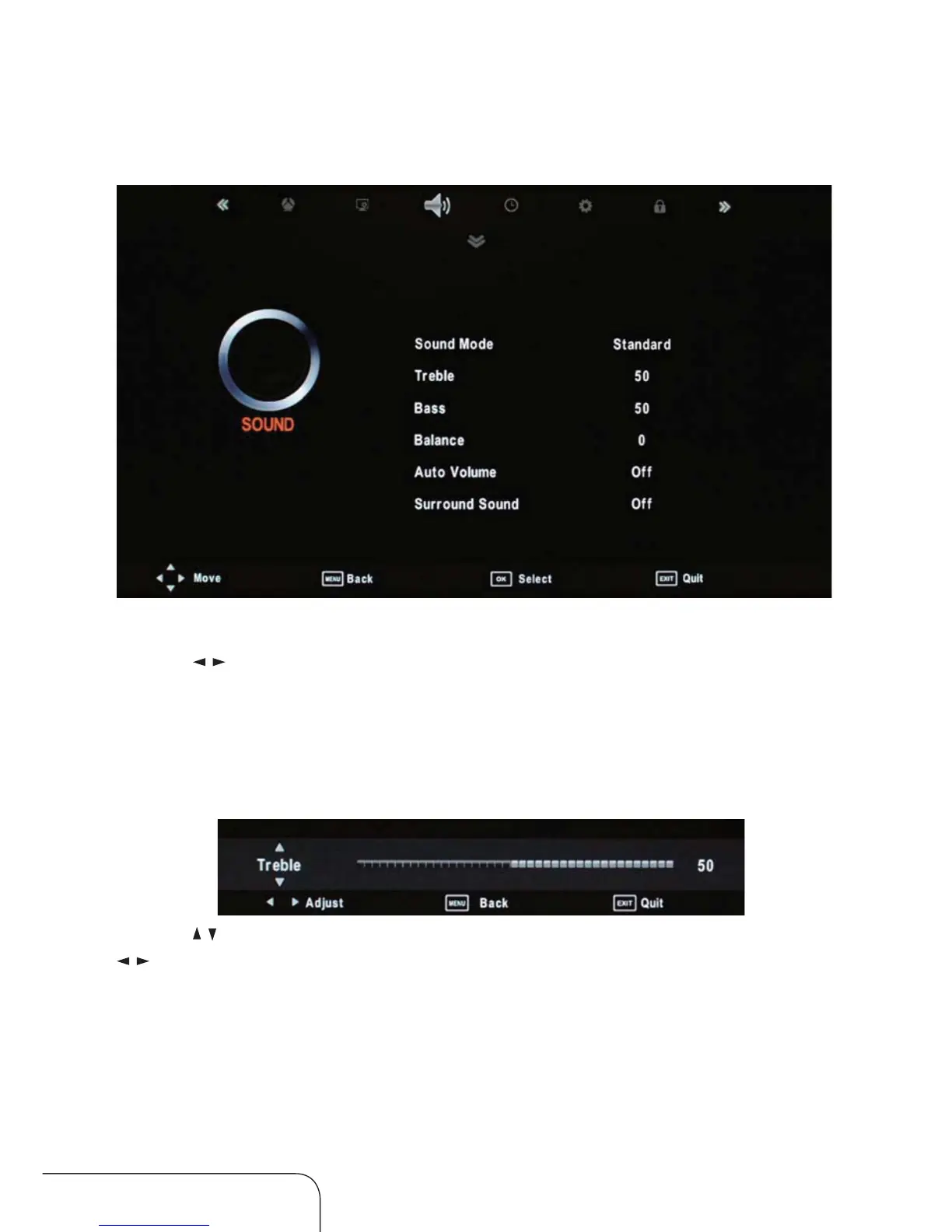
Sound menu
Sound Mode
Use the / keys to change modes, you can select from Standard, Music,
Movie, Sports or User.
NOTE: You can select treble, bass, balance. To adjust the setting, change the
mode turn to user automatically
Treble/ Bass/ Balance
Use the / keys to switch between treble, bass and balance, then use the
/ keys to adjust the value.
Auto Volume
When set to “On”, the volume of the channel is automatically controlled.
Surround sound
Choose to turn the surround sound “On” or “O”.
Operating the menus (Cont.)



 To Next Page