Customer Help Line
TEL: 1300 886 649
12
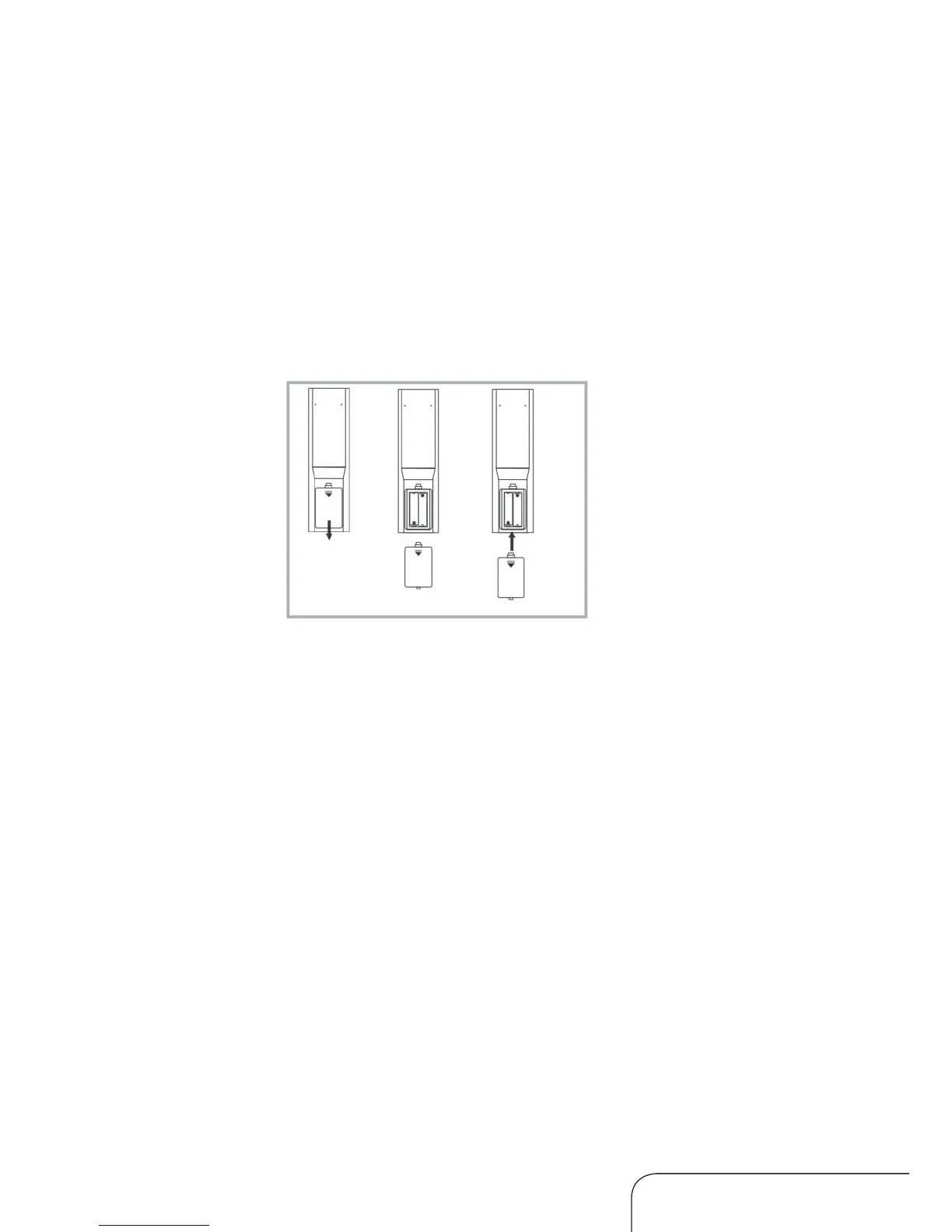
1. Open the cover at the back of the remote control unit completely.
2. Insert two 1.5V AAA batteries, ensuring the polarities (+ / -) of the
batteries are correctly aligned and the batteries are properly pushed
into place so they can power the remote control unit.
3. Slide the cover back into position.
NOTE: When testing the remote control unit after replacing the batteries,
make sure the TV is properly connected to the mains power supply.
Precautions when using batteries
t Do not use old and new batteries together.
t Do not use different types of battery (for example, Manganese and
Alkaline batteries) together.
t Note that there are chargeable and non-chargeable batteries. Do not
attempt to charge non-chargeable batteries.
t Remove the batteries from the remote control unit if you do not intend to
use the unit for a long time.
t When disposing used batteries, follow any guidelines for recycling and
disposal of batteries that apply in your local area.
Using the remote control
To use the remote control, point it towards the remote sensor at the front of
the television. The remote control has a range of up to approximately ve
metres from the TV at an angle of up to 30 degrees each to the right and left
of the sensor. The remote control will not operate if its path is blocked.
Inserting batteries
Remote control (Cont.)



 To Next Page