Customer Help Line
TEL: 1300 886 649
33
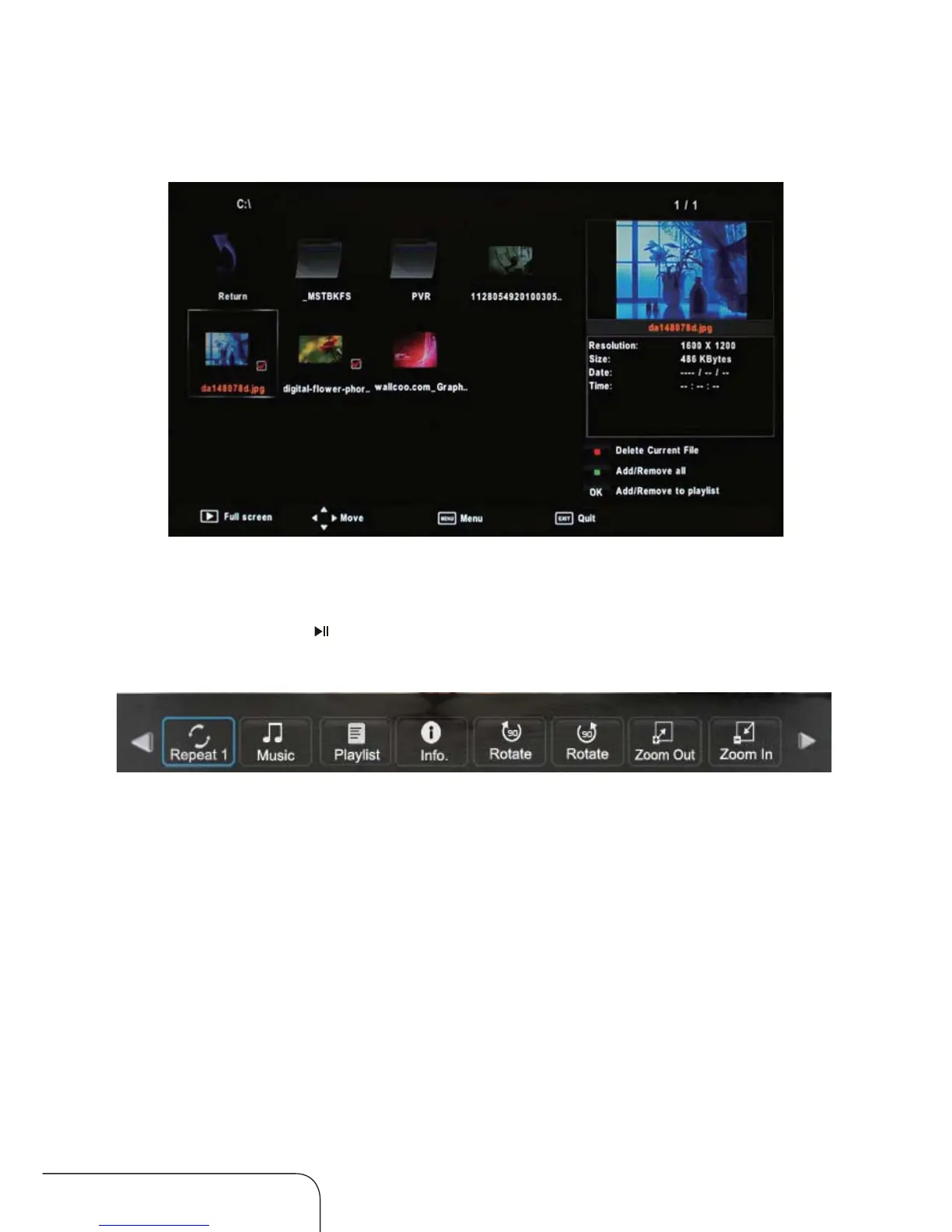
Photo submenu
In the Photo submenu, your chosen picture and details will be displayed in a
preview frame. Press to display it in full screen mode, press OK again for
more options, as below:
Repeat: Press OK and choose between three repeat modes: Repeat 1,
Repeat All, Repeat none.
Music: Press OK to play background music.
Playlist: Press OK to display a playlist.
Info: Press OK to display the information about the picture.
Rotate: Press OK to rotate the picture.
One option rotates the picture in
a clockwise direction, the other option rotates it anti-clockwise.
Zoom Out/In: Press OK to zoom out of the picture, or choose the other
option to zoom in on the picture.
Operating the menus (Cont.)



 To Next Page