5.3.3 NTP
Server IP:Enter the NTP server address..
Port:Default: 123. You can set the port according to NTP server.
Time zone:London GMT+0 Berlin GMT +1 Cairo GMT +2 Moscow GMT +3 New Delhi GMT +5 Bangkok
GMT +7 Hong Kong Beijing GMT +8 Tokyo GMT +9 Sydney GMT +10 Hawaii GMT-10 Alaska GMT-9 Pacific
time GMT-8 American mountain time GMT-7 American mid time GMT-6 American eastern time GMT-5 Atlantic
time GMT-4 Brazil GMT-3 Atlantic mid time GMT-2.
Update Period:Interval of adjusting same time as the NTP server . Default: 10minutes.
【EMAIL setup】
If the alarm occurs or the alarm linkage photos are taken, will send an email about the alarm information and the
photos to the appointed address.
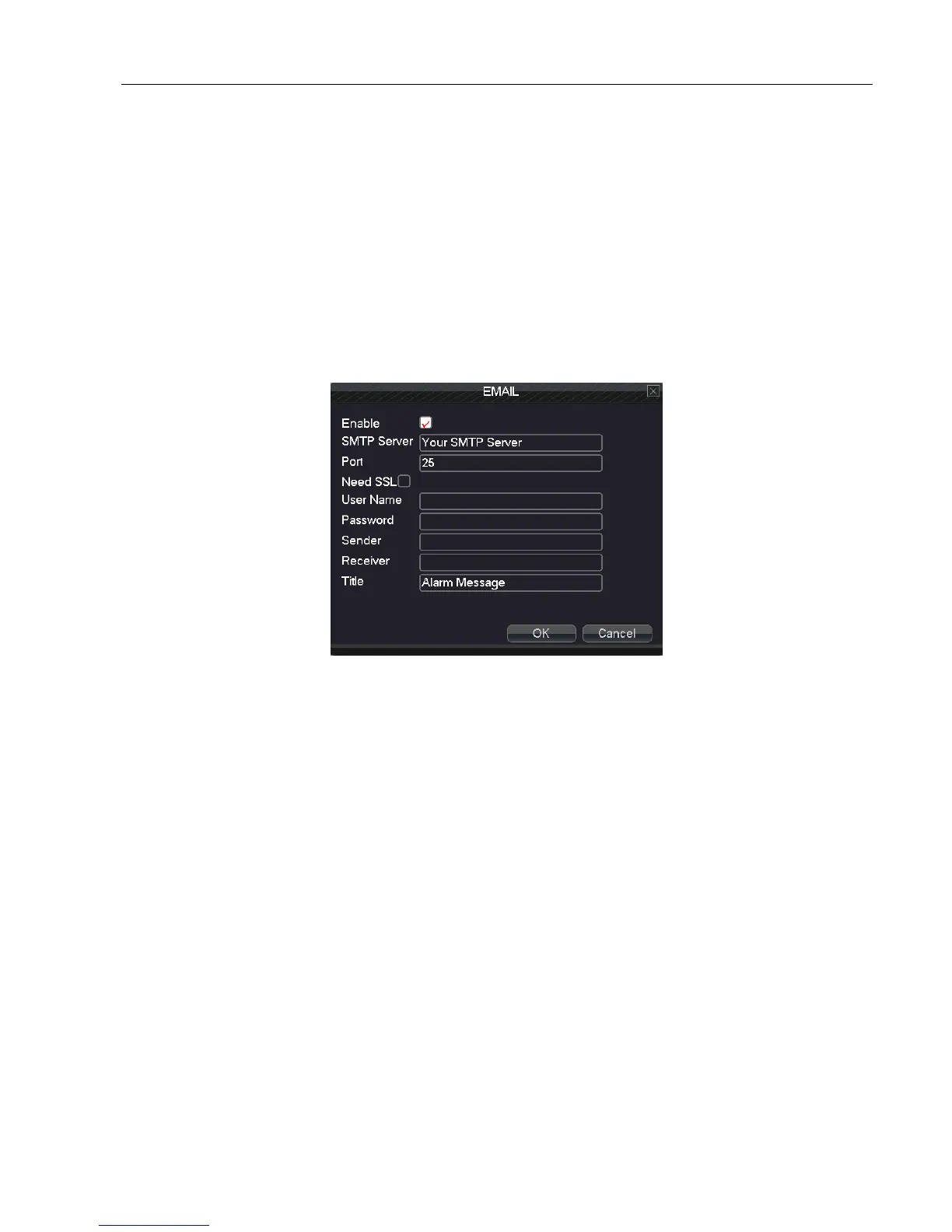
5.3.4 Email
SMTP server:for example, SMTP server address of 126 email is: smtp.126.com.
Port:Email server port number.
Need SSL:Decide whether using Secure Socket Layer protocol to login.
User Name:Input the applied user name of email server.
Password:Input the password corresponding to the user.
Sender:Set the email sender address.
Receiver:Send the email to appointed receivers when the alarm occurs. You can set three receivers at most, and
each receiver separate by “;”( Semicolon + Space), receiver and sender email can be same.
Title:The subject of the message, you can set by yourself.
【IP FILTER】
When choosing the white list, only the IP addresses in the list can connect the DVR. Can set 64 IP addresses in the
list.
When choosing the black list, the IP addresses in the list can not connect the DVR. Can set 64 IP addresses in the
list.
You can delete the setted IP addresses by √ in the options.
Note:When the IP address is in the white and black list at the same time, the black list precedence is higher.



 To Next Page