5
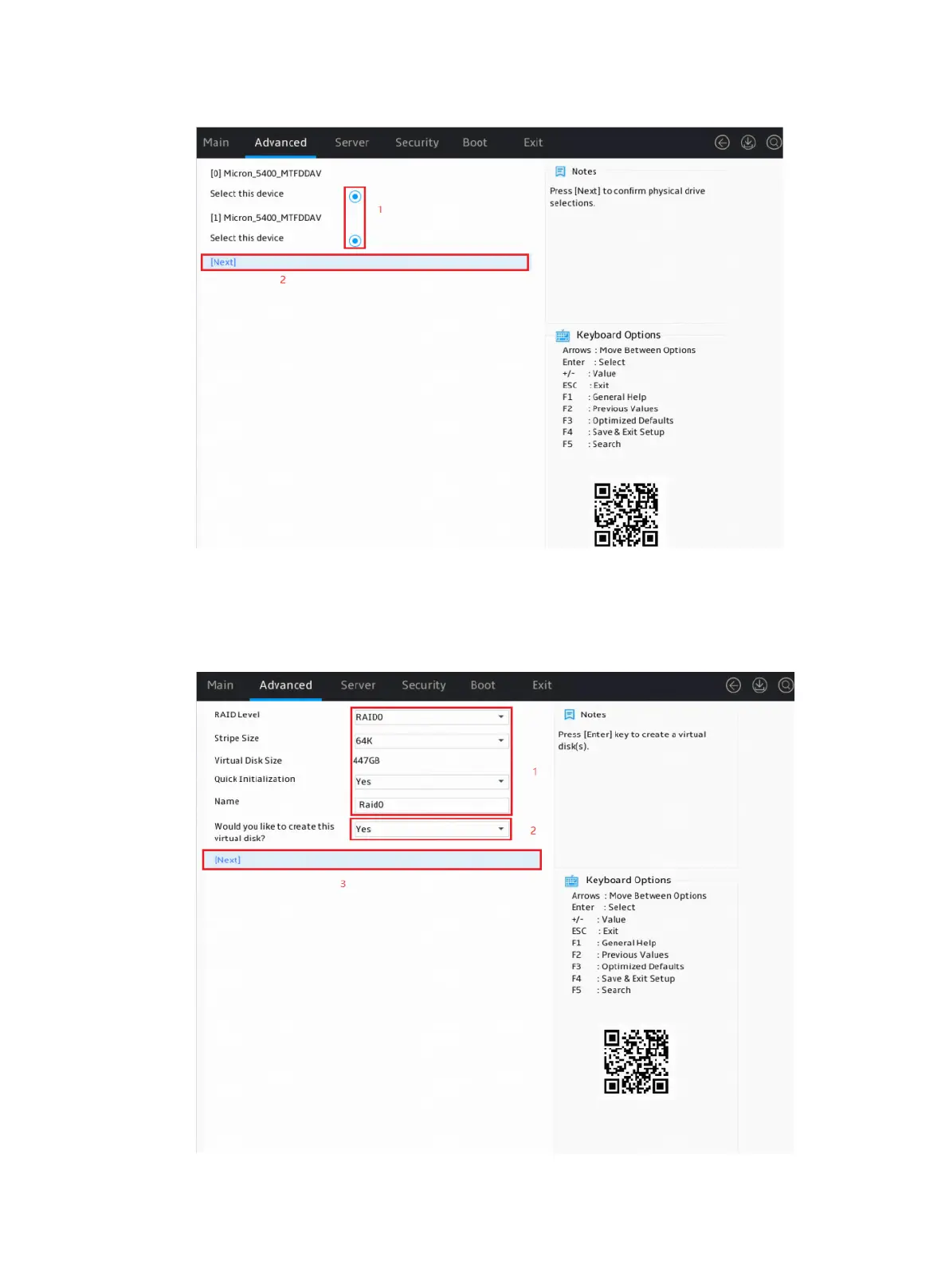
Figure 5 Selecting member drives
3. Configure parameters as needed and set the Would you like to create this virtual disk? field
to Yes. In the dialog box that opens, press Enter. Then, select Next and press Enter.
The parameter description is in Table 3.
Figure 6 Configuring RAID information











 To Next Page