Chapter 7, Protocol Settings 123
Haemonetics
®
Cell Saver
®
Elite
®
User Manual P/N 120745-IE, Manual revision: AA
Working with Settings Groups
From the Settings screen you can do the following:
View the parameters for a settings group
Create a new settings group
Edit a settings group
Lock a settings group
Apply a settings group to the current procedure
Delete a settings group
Haemonetics configures each device with a default settings group called
Haemonetics Default and a specialized settings group called Fat Reduction.
These groups cannot be changed.
Creating a New
Settings Group
Once you have accessed the Settings screen, follow the steps below to create
a settings group:
1. Touch Cell Salvage or Sequestration to select a protocol.
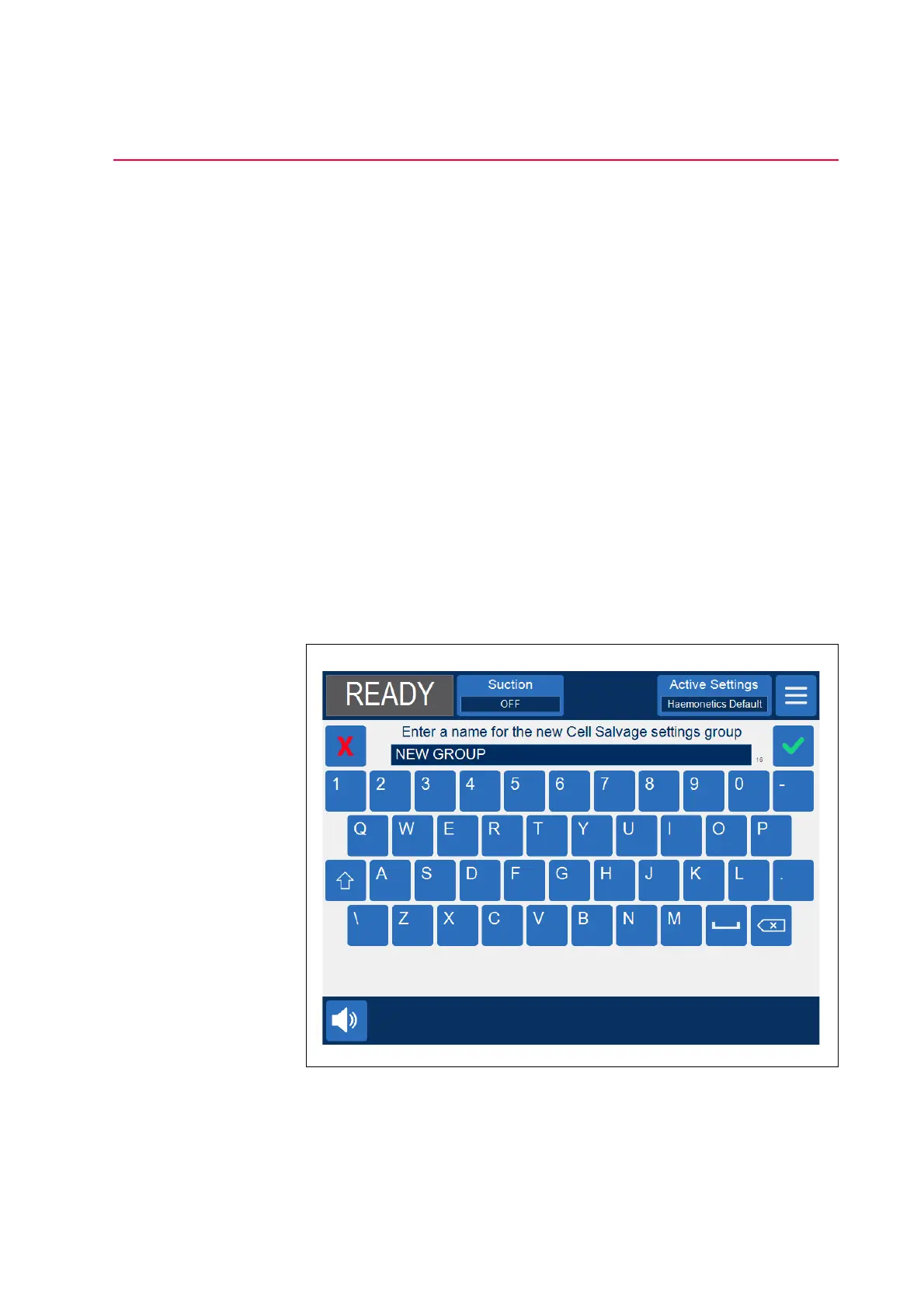
2. Touch New. A keyboard appears.
3. Enter a name for the new settings group.
Figure 64, Creating a new settings group


 To Next Page