124 Chapter 7, Protocol Settings
P/N 120745-IE, Manual revision: AA Haemonetics
®
Cell Saver
®
Elite
®
User Manual
4. Touch (Accept). The parameter list for the new settings group
appears.
5. Set the parameters for the new settings group, then touch Done. For
more information, see “Editing a Settings Group.”
Editing a
Settings Group
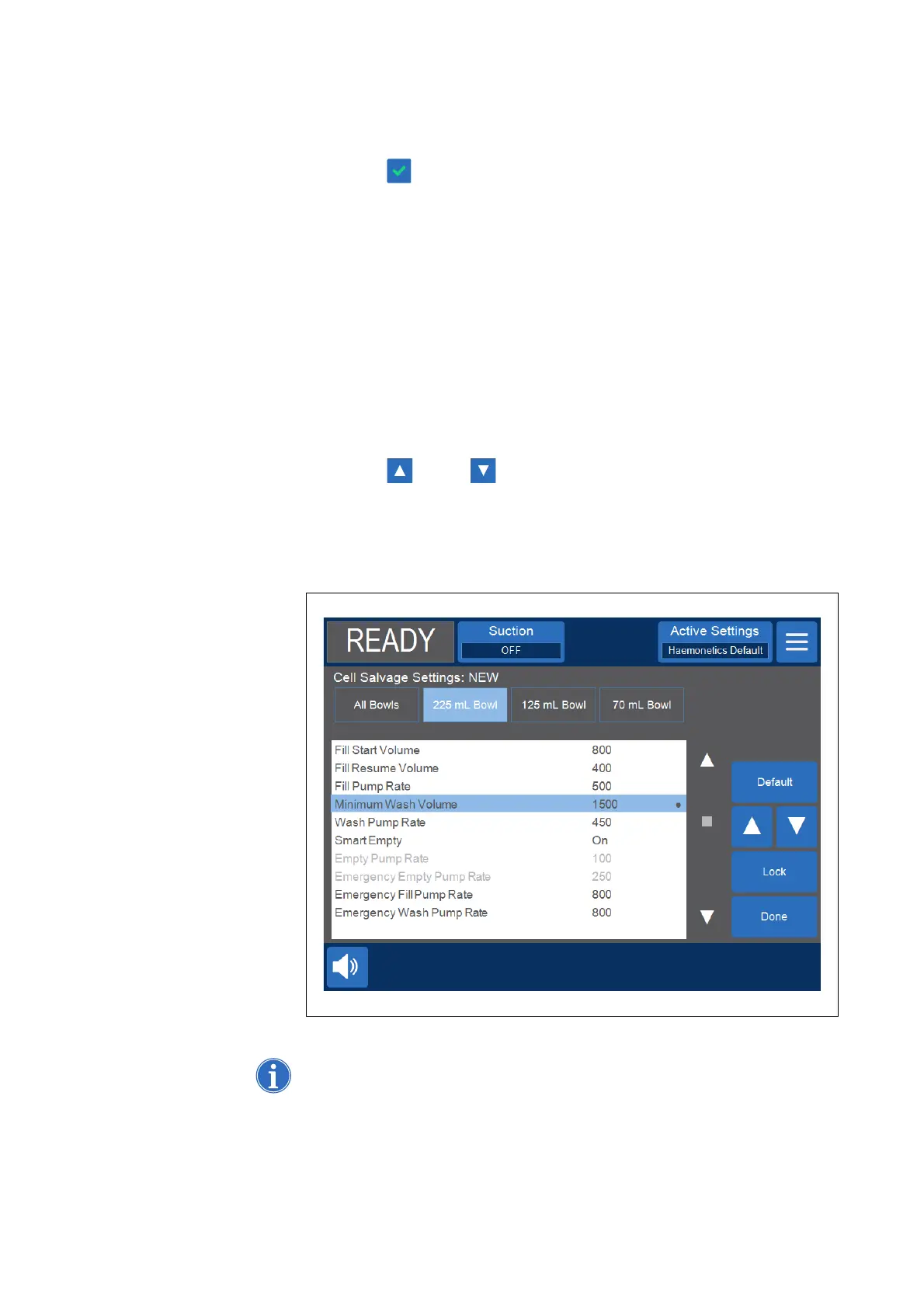
The parameter list displays the individual settings in a settings group. Follow
the steps below to edit the settings in a settings group.
1. Select a settings group to edit.
2. Touch View. The parameter list appears.
3. Touch a tab to select a bowl size.
4. From the list, select a setting to modify.
5. Touch (Up) or (Down) to change the value for that setting.
Parameters that have been changed from the default setting will have a
dot next to the value.
6. To reset a setting to its default value, select the setting and touch Default.
7. Touch Done to save the changes and return to the Settings screen.
Figure 65, Example of the parameter list
Note: If you navigate to a different screen without touching Done, your changes
will still be saved. All changes will take place immediately, except target volume



 To Next Page