59
HDE 04.10.2021 732.22.024
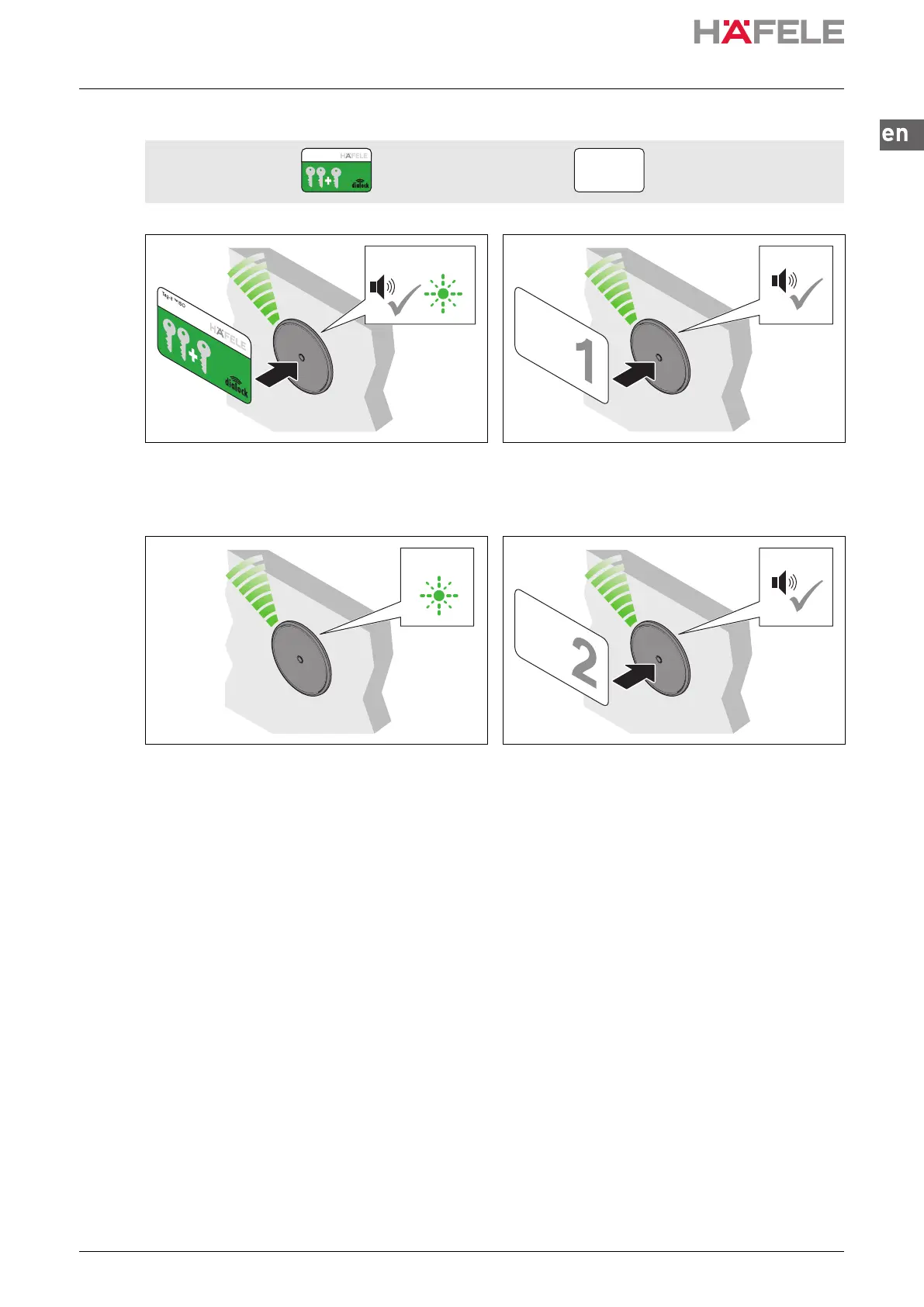
6.1 Programming a normal user key
Prerequisites: Programming key card User keys
1. Hold the programming key card in front of the
antenna.
Acoustic signal is heard. LED flashes green
for max. 5 seconds.
2. Hold the user key in front of the antenna during
this 5-second period.
Acoustic signal is heard. Locking
authorisation is allocated.
3. Remove user key.
LED flashes green for a further 5 seconds.
4. Hold another user key in front of the antenna
during this 5-second period.
5. Repeat steps 2 to 4 until all necessary user keys have been granted the locking authorisation.
6. The LED switches to red once the 5 seconds have elapsed.
Tag-it ™ISO
5 s
5 s
ins-src-732.22.024.book Seite 59 Mittwoch, 13. Oktober 2021 1:58 13


 To Next Page