69
HDE 04.10.2021 732.22.024
8.5 Adjusting the open time
If no lock is unlocked when the user key is presented, an acoustic signal will sound:
• Two short acoustic signals sound and the LED switches briefly to red.
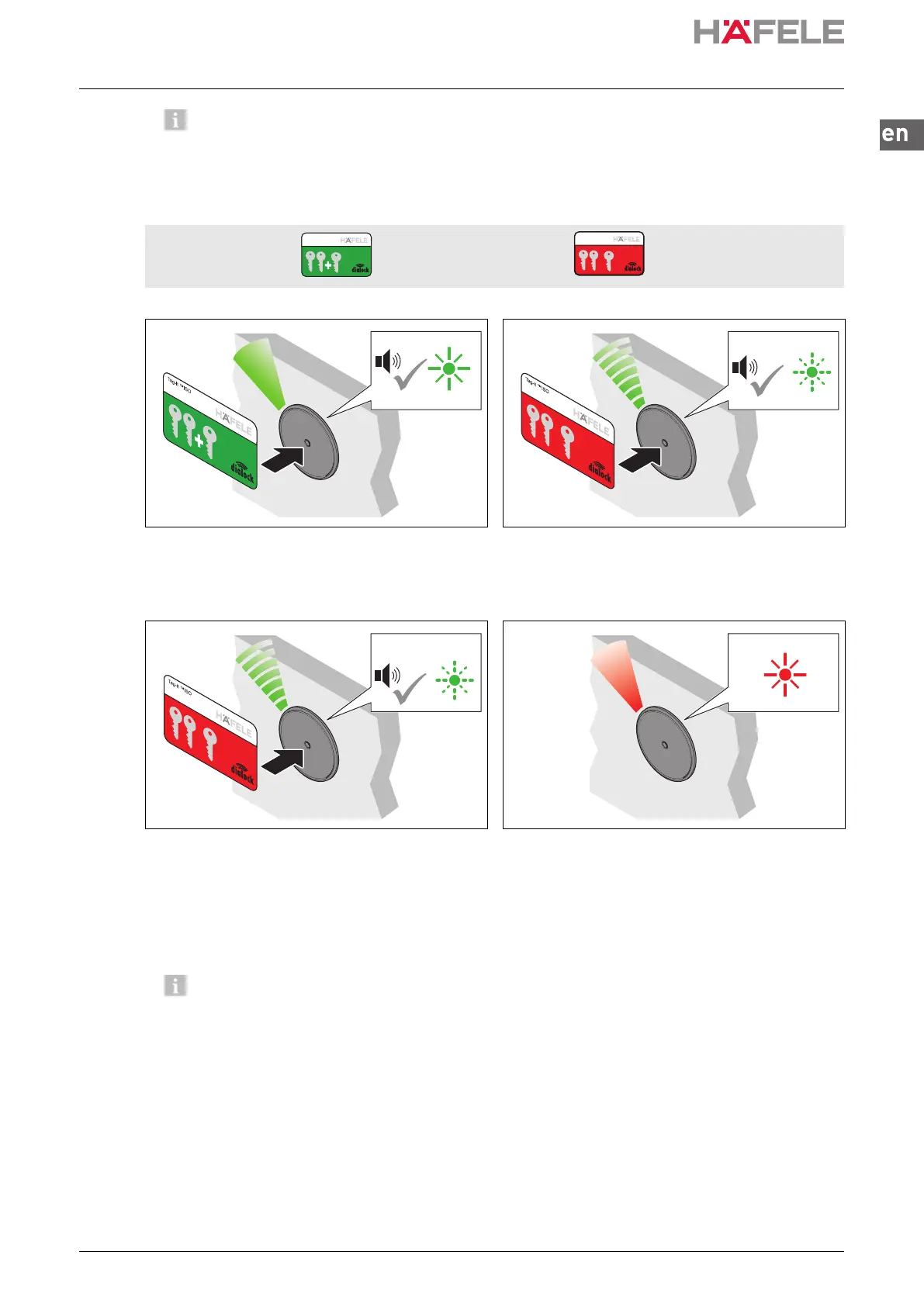
Prerequisites: Programming key card Clearing key card
1. Hold the programming key card in front of the
antenna.
Acoustic signal is heard. LED illuminates
green.
2. Hold the clearing key card in front of the
antenna.
Acoustic signal is heard. The LED flashes
quickly in green.
3. Hold the clearing key card in front of the
antenna again.
An acoustic signal is heard at one second
intervals.
The LED flashes in green in parallel to the
acoustic signal every second (max. 30 sec).
4. Remove clearing key card after the required
time.
The LED illuminates permanently in red.
The open time is set for all locks and
authorised user keys.
The open time can be adjusted at any time, and is also retained after a power supply
interruption or a simple reset.
The open time can be extended beyond 30 sec. with the MDU 110 using a special
function or a macro (
Macros, page 48).
After a complete reset or setting the FT 200 / FT 200 CAP furniture terminal to
“permanent deadbolt lock operation”, the set opening time is cleared and the factory
setting of 3 sec or deadbolt lock operation are activated.
Tag-it ™ISO
Tag-it ™ISO
x
x
ins-src-732.22.024.book Seite 69 Mittwoch, 13. Oktober 2021 1:58 13


 To Next Page