Rev.7 5
OPERATION CONTROLS (Electrical Control Panel) (See Figure 1, pg 9)
1. Low Level Indicator Light - when the light is “on” indicates that the level of product in the Volumetric
Hopper is below that of the detector.
2. Main Disconnect - shuts the machine down when the Control Panel is open. The Panel must be closed
and the disconnect turned to the “on” position before the machine will operate.
3. Emergency Stop Button - when this E-Stop button is depressed, the machine will stop immediately. The
button must be pulled out for the machine to operate.
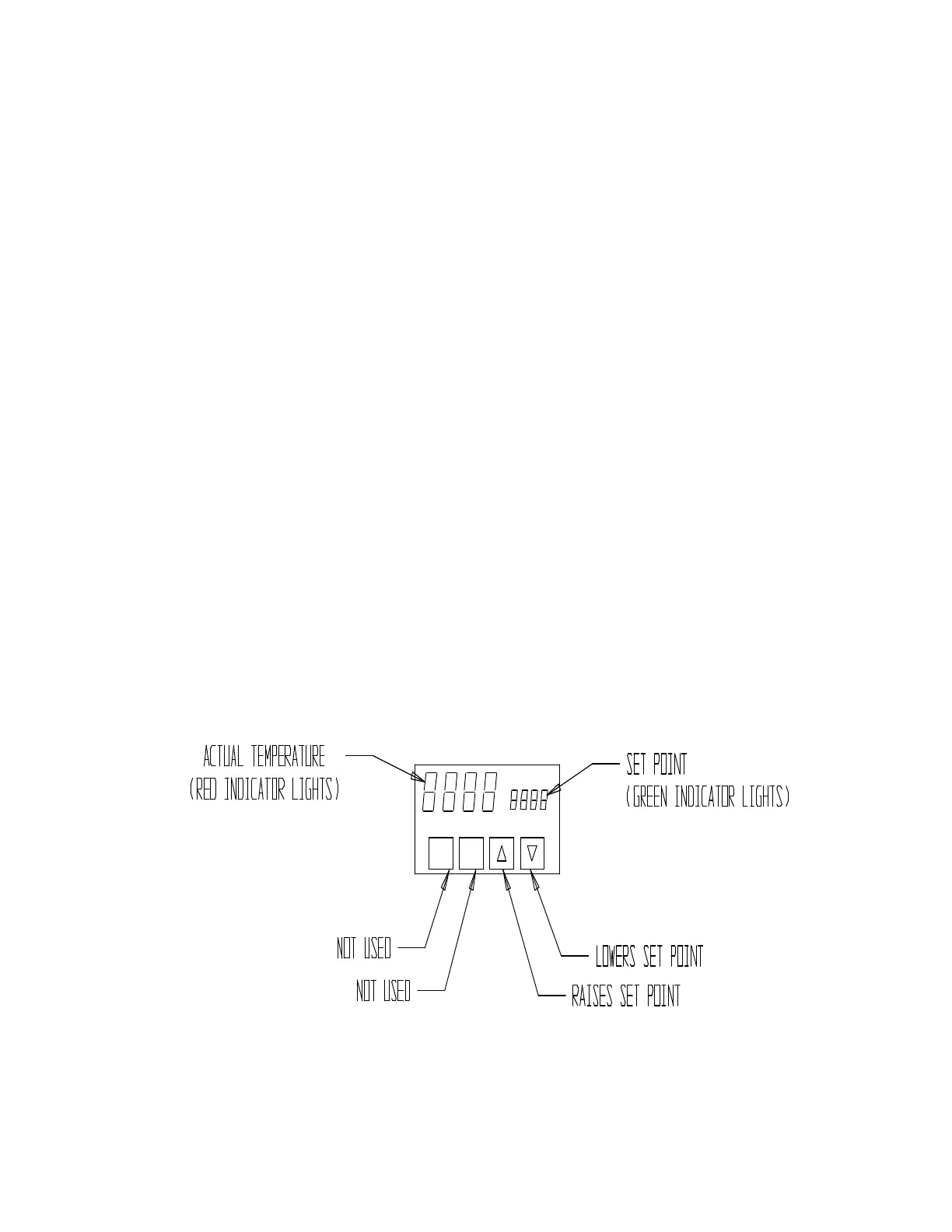
4. Temperature Controller (Side Seal) - - controls the amount of heat required for the Vertical Heat Sealer to
seal the sides of a bag (See Figure 2). Proper setting will depend on bag rate (which is production rate), film
thickness, and type of film. Testing the bags at various temperature settings will yield the best results. 575° F
is a good starting temperature. Set the Temperature Controller as described in the “Adjustments” section.
5. Bag Totalizer - the Totalizer located on the Control Panel maintains the bag count and can be reset
anytime during machine operation. A second Bag Totalizer located on the subpanel inside is constant and non-
resetable.
6. Start Button - when the Selector Switch is in the Auto mode and product filling is ready to begin, the Start
Button activates the automatic mode of the machine. The Start Button must be used to restart the machine
whenever it has been stopped.
7. Hand/Auto Mode Selector Switch - select the Hand Mode for operation of the machine during film change
and Auto mode for automatic product filling operation.
8. Dump Select Button (Optional) – allows the Machine Operator to select the number of times the
Volumetric will dump before the bag will advance.
9. Stop Button - one button on the Control Panel, another on the Rear Switch Box, when one of these buttons
is depressed, the machine will shut down after one complete machine cycle.
10. Jog Button - one button on the Control Panel, another on the Jog Stop Box during the film change when
the Selector Switch is in the Hand mode, the Jog Button is used to advance the film through the machine.
FIGURE 2



 To Next Page