Microlab
®
STAR User Manual
610766/02 Page 73 of 225
- “after each sample“ (multiple dispenses of the same sample are done with the same tip),
- with “one tip set“, or
- without tip handling, “none“. In this case, STAR will have to pick up tips prior to the
pipette step and eject them after pipetting, using single steps.
- Only for replicas (and pooling), the option “after transfered volume“ becomes active. This
allows you to use fresh tips even for multiple aspiration and dispense cycles being
performed with the same sample.
Finally, a WLSFRXQWHU can be specified, which enables the user to start with a set of tips,
partly used in previous runs, at the correct position. To read a tip counter, it can be specified
within the SMART Step load (see that section). A tip counter is specified by a name, e.g.,
„MyFirstStandardTipCounter“. Note that the name has to be placed between quotation
marks.
Within the SMART Step pipette, the current position of the tip sequence will continuously be
stored under the name of the tip counter, if the check box “write tip counter“ is checked. Note
that a tip counter has to be written if it is to be read by the SMART Step load within the next
run.
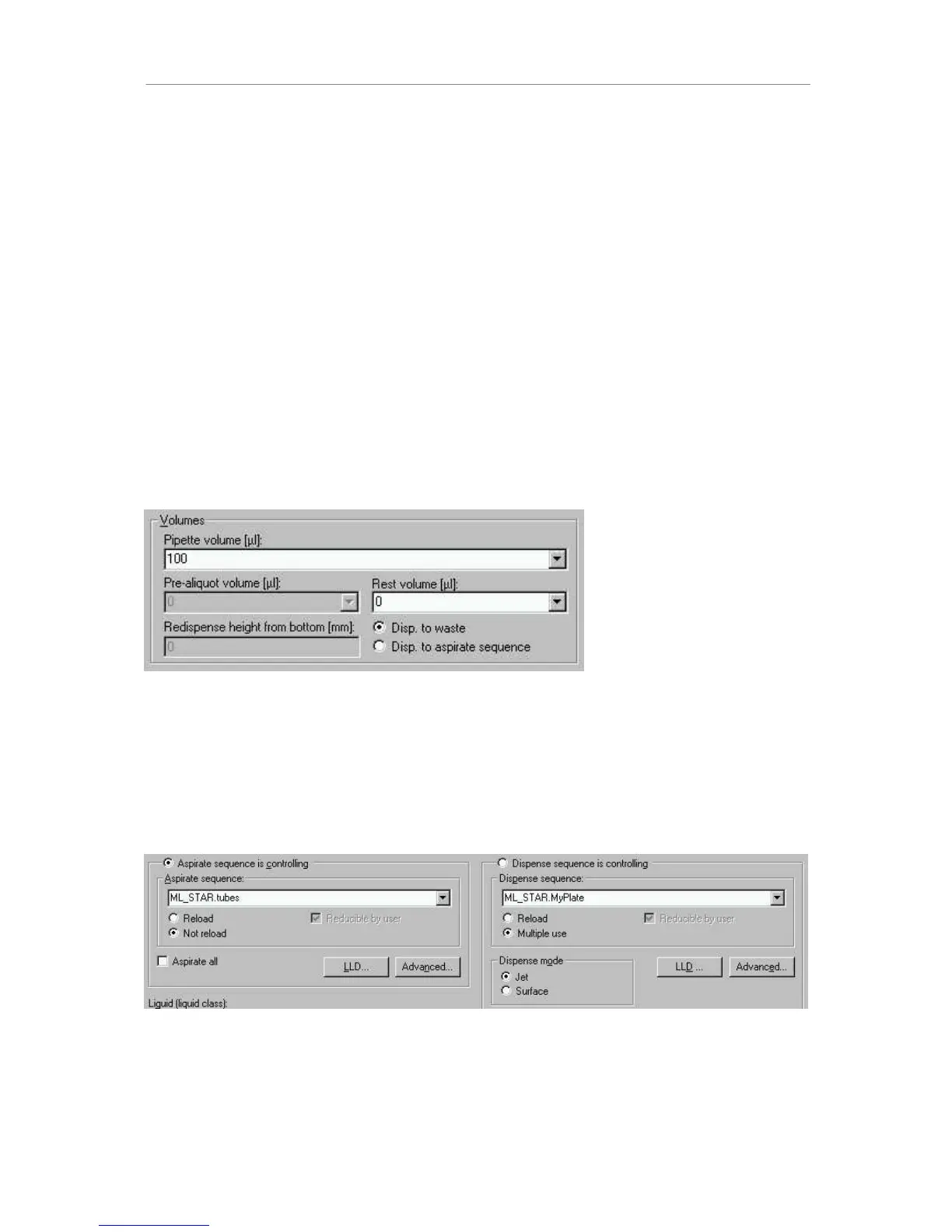
The next step is to define the YROXPHV for the pipetting process. For the SMART Step
pipette, one volume for all channels has to be defined.
If a volume for “simple transfers“ is specified that exceeds the volume of the tip, multiple
transfers with equally divided volumes will be performed automatically. A residual volume
may be used too. Then the choice is to discard the residual volume back into the aspiration
sequence, or to dispense it into the waste container.
In the case of aliquoting, a pre-aliquot has to be specified, too. This pre-aliquot is dispensed
back into the aspiration sequence. A redispense height counted from the bottom of the
container has to be given.
Now, the DVSLUDWLRQDQGGLVSHQVH locations used within this step have to be defined.
The sequence of the aspiration and dispense is to be selected from the dropdown fields. In
addition, the user can opt to reload a sequence: if during pipetting a sequence is used up (no
more tubes are present to aspirate from), the system then asks for a new carrier of tubes to
be loaded. If in addition the checkbox “reducible by user“ is checked, then the user has the
option of reducing the newly loaded sequence at runtime. This is especially helpful if the
exact amount of sample tubes varies from run to run (or from tube carrier to tube carrier).



 To Next Page