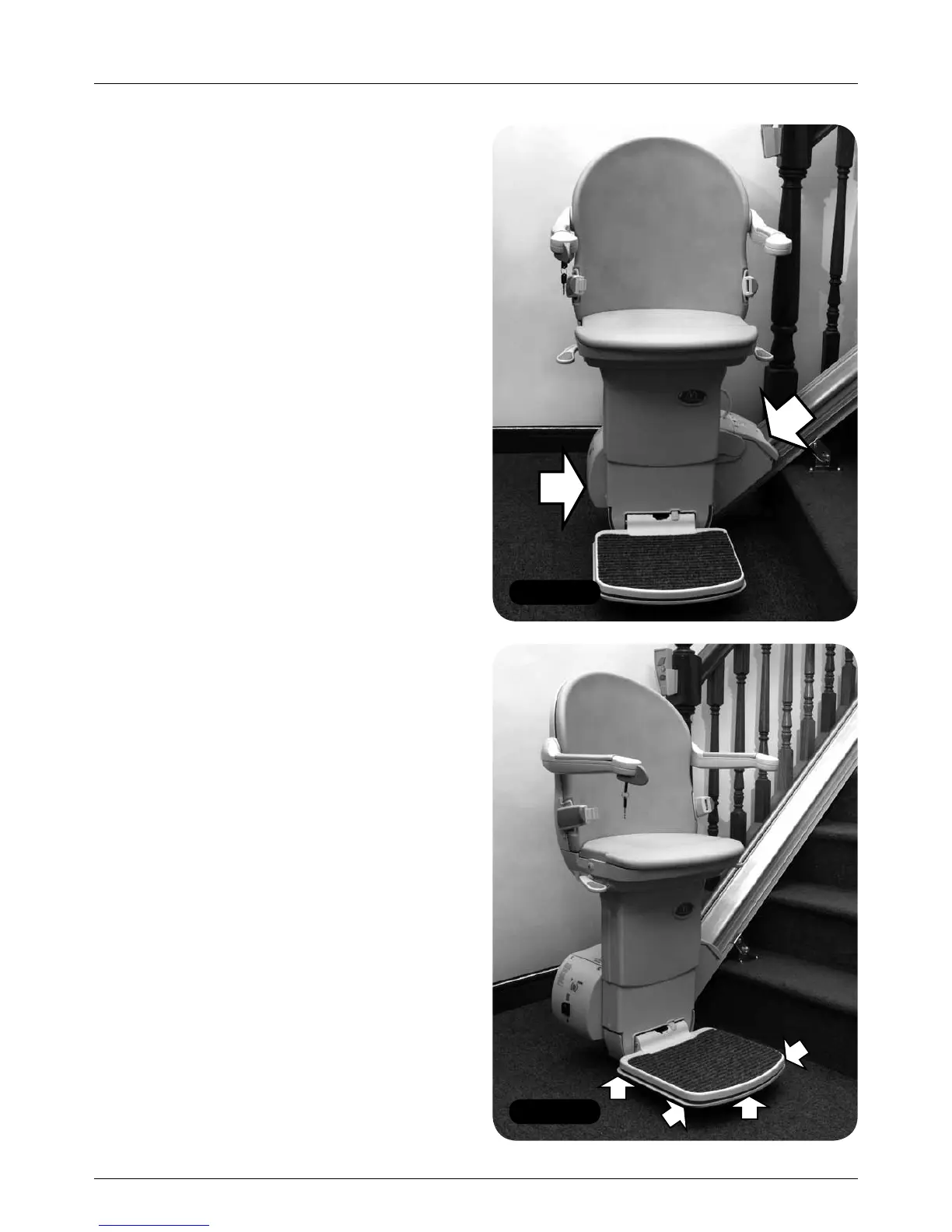
Figure 68
Figure 67
24 MINIVATOR SIMPLICITY
+
INSTALLATION MANUAL
Testing
Testing
Items required: Items required:
• Handsets • None
All variants
1 Sit on the lift and drive up and down the
track to ensure that the footplate clears
the nose of the risers along the complete
length of the track.
2 Check that the lift charges correctly:
a Drive the lift to the top charge contacts
and ensure that ‘-’ shows in the diagnostic
display.
b Drive the lift to the bottom charge contacts
and ensure that ‘-’ shows in the diagnostic
display.
3 Check the key switch operation
a Turn the key to the off position and ensure
that the lift will not drive – ‘0’ should show
in the diagnostic display when you try and
drive the lift with the key switch in the off
position.
b Turn the key switch back on.
4 Ensure that all of the safety edges on the
power pack are functioning (Figure 67).
a Drive the lift in the up direction.
b Press the top safety edge
– the lift should stop.
c Drive the lift in the down direction.
d Press the bottom safety edge
– the lift should stop.
5 Check the safety edges on the footplate
and front chassis (Figure 68).
a Drive the lift in the up direction.
b Press the upstairs edge of the footplate
– the lift should stop.
c Drive the lift in the down direction.
d Press the downstairs edge of the footplate
– the lift should stop.



 To Next Page