Harman EASY Touch Control Owners Manual
19
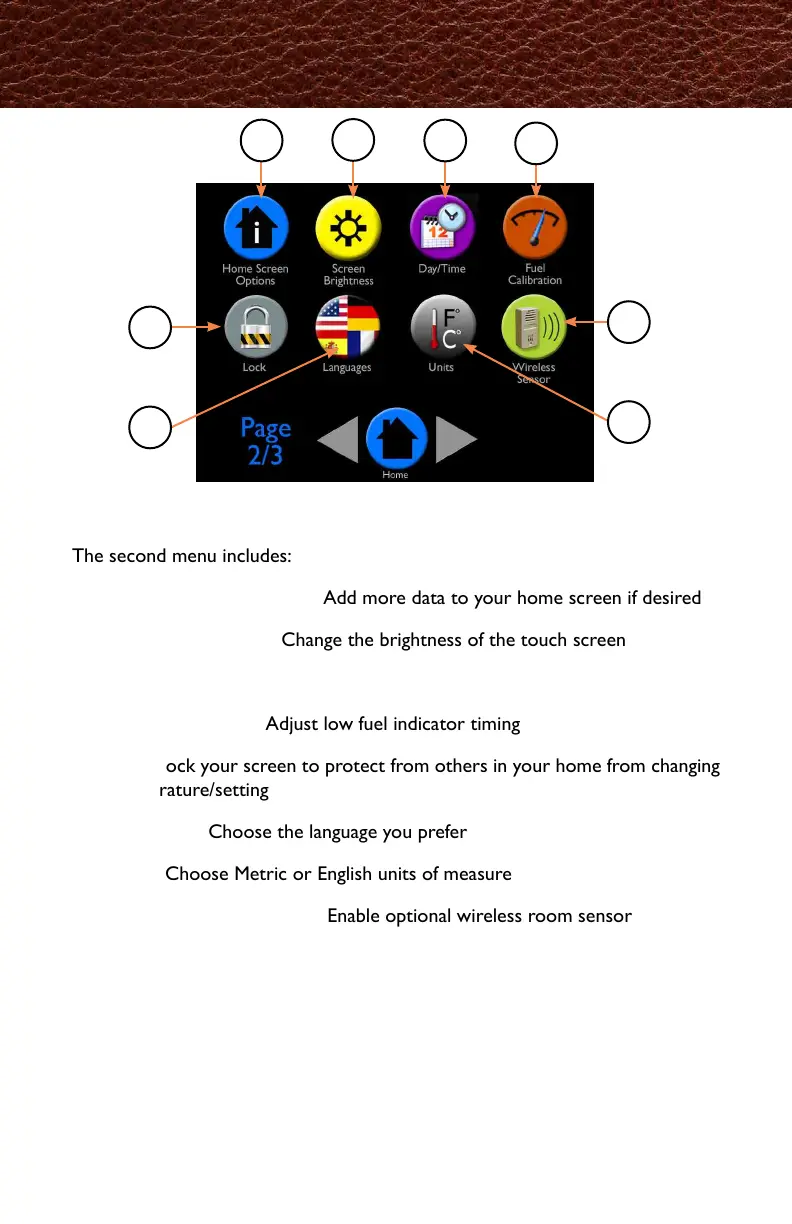
The second menu includes:
A - Home Screen Options: Add more data to your home screen if desired
B - Screen Brightness: Change the brightness of the touch screen
C - Day/Time: Set the day and time that appears on the home screen
D - Fuel Calibration: Adjust low fuel indicator timing
E - Lock: Lock your screen to protect from others in your home from changing
temperature/setting
F - Languages: Choose the language you prefer
G - Units: Choose Metric or English units of measure
H - Wireless Room Sensor: Enable optional wireless room sensor
Menu 2 Overview
A
B
C
D
E
F
H
G
ホーム画面オプション:もしホーム画面に追加したい
データがあれば、ここから追加できます。
日時設定:ホーム画面に表示される日時設定が出来ます。
燃料測定:燃料不足を示すタイミングの調整が出来ます。
ロック:不用意に設定変更されないようにロックを掛けることが出来ます。
機器:メートル/インチ、㎏/lb.の表示選択が出来ます。
ワイヤレスルームセンサー:
オプションのワイヤレスルームセンサーの設定が出来ます。



 To Next Page