Harman EASY Touch Control Owners Manual
5
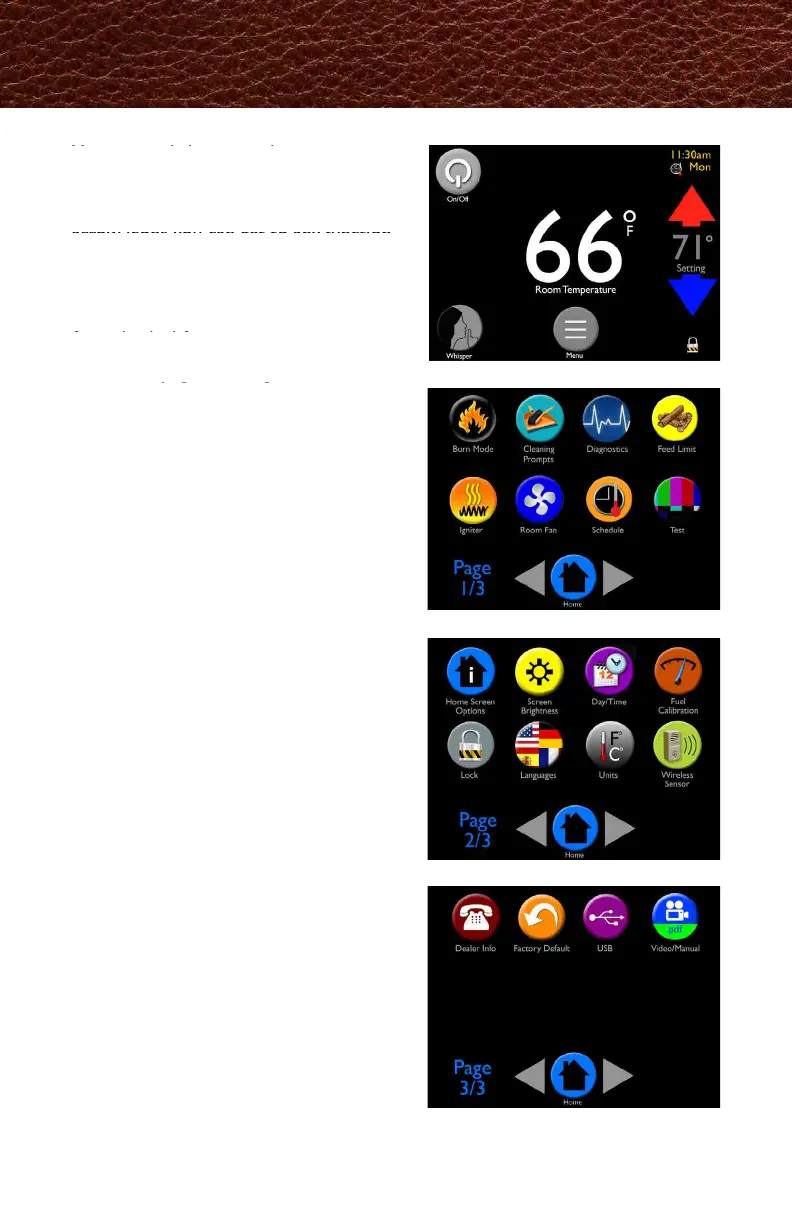
You can easily heat your home using just
the home screen functions.
Using the Menu, Home, Left and Right
arrow icons you can get to any function.
When more customization is desired, the
Menu icon allows you to scroll through
three pages of icons to access controls
for individual features.
The menu pages are organized in order
of most frequent use.
Menus
Menu 1
Menu 2
Menu 3
Home Screen
ホーム スクリーンを操作することで、簡単に
部屋を暖めることが出来ます。
メニュー、ホーム、左右の矢印を使ってあら
ゆる機能を使用できます。
お好みに設定を変更したい場合は、メニュー
ボタンを押すことで、個別設定が出来ます。
アイコンは3ページあり、左右ボタンでスク
ロール表示して下さい。
メニューページは、設定変更頻度の高い項目
から順に表示されます。



 To Next Page