Harman EASY Touch Control Owners Manual
8
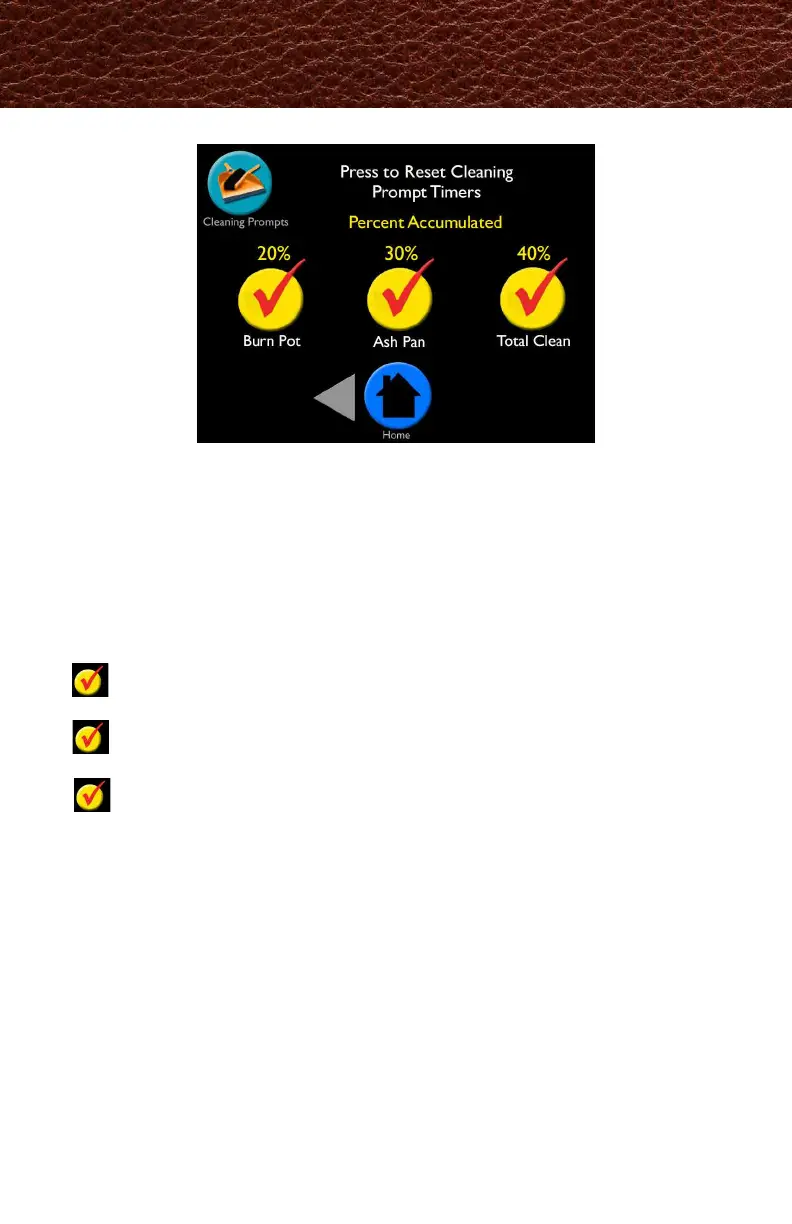
The Cleaning Prompts screen displays the percentage of time that has accumulated since
the last cleaning. When it reaches100%, you will get messages on the home screen to
perform that specic maintenance. Press the checkmark on the home screen to reset.
Resetting maintenance sets it back to 0% and tells the control to start calculating until
the next cleaning is needed.
In case you clean your stove before prompted, this menu allows you to manually reset
the percent accumulated. You can expect to see messages at the following intervals:
Burn Pot: You will be prompted to scrape the burn pot approximately every
two to three days*
Ash Pan: You will be prompted to empty it approximately every ve days,
depending on the unit*
Total Clean: You will be prompted to completely clean the unit and venting
after each ton*
It is important to perform these maintenance tasks to keep your Harman
pellet
stove/insert warming your home as efciently as possible.
*Depending on stove model and quality of the pellets burned. Five days is based on the
Absolute43 Pellet stove which has a smaller ash pan. See Fuel Calibration screen for
more details.
Cleaning Prompts
この画面では、前回のクリーニングからの累積時間はパーセンテージで表示されます。
100%になるとメンテナンスを行うようにメッセージがホーム画面に表示されます。
ホーム画面上のチェック(✓)をクリックするとリセットされます。
メンテナンスをリセットすると数値は0%に戻り、次回のクリーニングまでの時間を計算し
始めます。
もし、この表記が表示される前にクリーニングした場合は、パーセンテージを手動でリセッ
トすることが出来ます。
燃焼ポット/燃焼ポットをきれいにしてくださいという表記は、およそ
2~3日おきに表示されます。
灰受け皿/灰受け皿を空にしてくださいという表記は、およそ5日おきに
表示されます。
全体のクリーニング/本体と煙突のクリーニングは、およそ1トン使用
ごとに表示されます。
お使いのハーマンペレットストーブの熱効率を維持するためにも、これらの定期的な
メンテナンスが重要です。



 To Next Page