Harman EASY Touch Control Owners Manual
24
Fuel Calibration
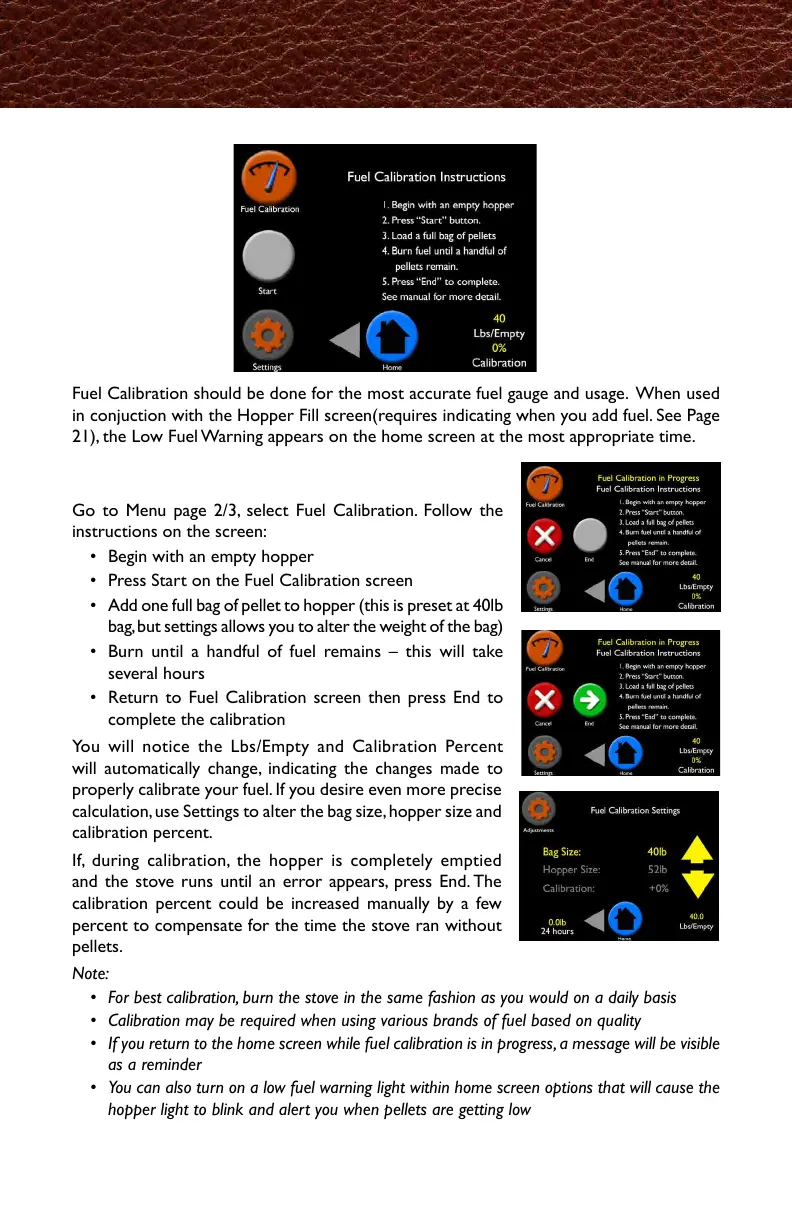
Fuel Calibration should be done for the most accurate fuel gauge and usage. When used
in conjuction with the Hopper Fill screen(requires indicating when you add fuel. See Page
21), the Low Fuel Warning appears on the home screen at the most appropriate time.
To Calibrate:
Go to Menu page 2/3, select Fuel Calibration. Follow the
instructions on the screen:
• Begin with an empty hopper
• Press Start on the Fuel Calibration screen
• Add one full bag of pellet to hopper (this is preset at 40lb
bag, but settings allows you to alter the weight of the bag)
• Burn until a handful of fuel remains – this will take
several hours
• Return to Fuel Calibration screen then press End to
complete the calibration
You will notice the Lbs/Empty and Calibration Percent
will automatically change, indicating the changes made to
properly calibrate your fuel. If you desire even more precise
calculation, use Settings to alter the bag size, hopper size and
calibration percent.
If, during calibration, the hopper is completely emptied
and the stove runs until an error appears, press End. The
calibration percent could be increased manually by a few
percent to compensate for the time the stove ran without
pellets.
Note:
• For best calibration, burn the stove in the same fashion as you would on a daily basis
• Calibration may be required when using various brands of fuel based on quality
• If you return to the home screen while fuel calibration is in progress, a message will be visible
as a reminder
• You can also turn on a low fuel warning light within home screen options that will cause the
hopper light to blink and alert you when pellets are getting low
最も的確な燃料ゲージと使用方法のためにも、燃料測定は重要です。ホッパー追加画面
(HopperFillScreen)と連動して使用すると(燃料を追加した際に表示されます。21ペー
ジを参照)適切なタイミングで燃料不足をお知らせします。
設定方法
メニューの2ページを開き、燃料測定(FuelCalibration)を
選択して、画面の説明に沿って操作してください。
・最初はホッパーを空にしてから始めます。
・燃料測定ページのスタートボタンを押してください。
・ホッパーにペレットを1袋追加します(1袋40lb.が予め
セットされていますので、設定から実際の重さに変更し
てください。メニューの2ページにあるUnitsで㎏を設定
すると、1袋10.1㎏が選択できます。)
・燃料が一握り残るくらいまで燃焼させます。(数時間を
要します)
・燃料測定ページに戻り、ENDボタンを押して完了です。
Lbs/Emptyと燃料測定の%が自動で変更になったことにお
気づきになるかと思いますが、これは燃料を適切に調整す
る為に変更が行われたことを示します。より正確に計算し
たい場合は、設定から燃料バッグのサイズ、ホッパーのサ
イズ、燃料測定の%を変更することが出来ます。
燃料測定中にホッパーが完全に空になり、本機にエラー表
示が稼働していた場合は、ENDボタンを押してください。
燃料測定の%は、ストーブが燃料の無い状態で稼働してい
た時間を修正するために、手動で数%変更できるようにな
っています。
注記
・最適な測定のために、普段お使いの設定のままで本機を稼働してください。
・メーカーや品質の異なる燃料を使用した場合、都度燃料測定が必要になります。
・燃料測定中にホーム画面に戻った場合、リマインド機能としてメッセージが表示されま
す。
・ホーム画面のオプションから、燃料が少なくなったときにホッパーライトを点滅させて
お知らせする設定をオンにすることが出来ます。



 To Next Page