Harman EASY Touch Control Owners Manual
32
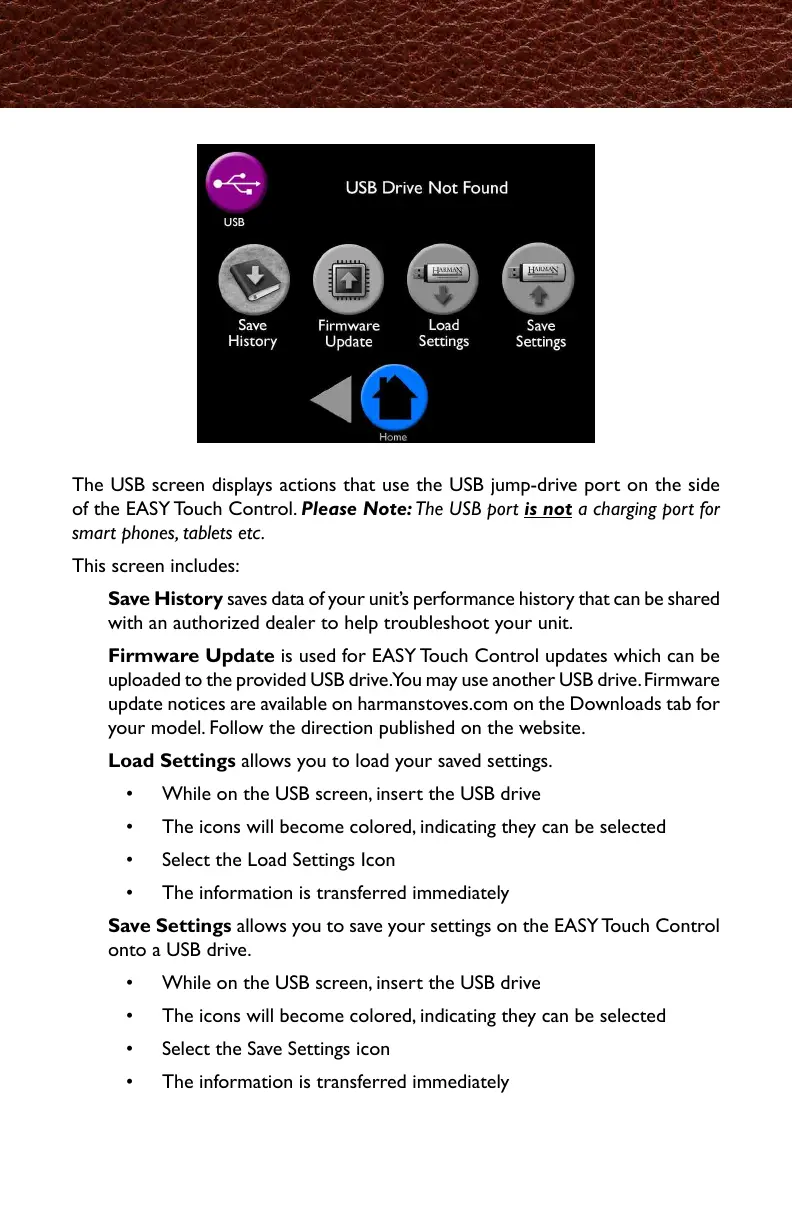
The USB screen displays actions that use the USB jump-drive port on the side
of the EASY Touch Control. Please Note: The USB port is not a charging port for
smart phones, tablets etc.
This screen includes:
Save History saves data of your unit’s performance history that can be shared
with an authorized dealer to help troubleshoot your unit.
Firmware Update is used for EASY Touch Control updates which can be
uploaded to the provided USB drive. You may use another USB drive. Firmware
update notices are available on harmanstoves.com on the Downloads tab for
your model. Follow the direction published on the website.
Load Settings allows you to load your saved settings.
• While on the USB screen, insert the USB drive
• The icons will become colored, indicating they can be selected
• Select the Load Settings Icon
• The information is transferred immediately
Save Settings allows you to save your settings on the EASY Touch Control
onto a USB drive.
• While on the USB screen, insert the USB drive
• The icons will become colored, indicating they can be selected
• Select the Save Settings icon
• The information is transferred immediately
USB



 To Next Page