Harman EASY Touch Control Owners Manual
23
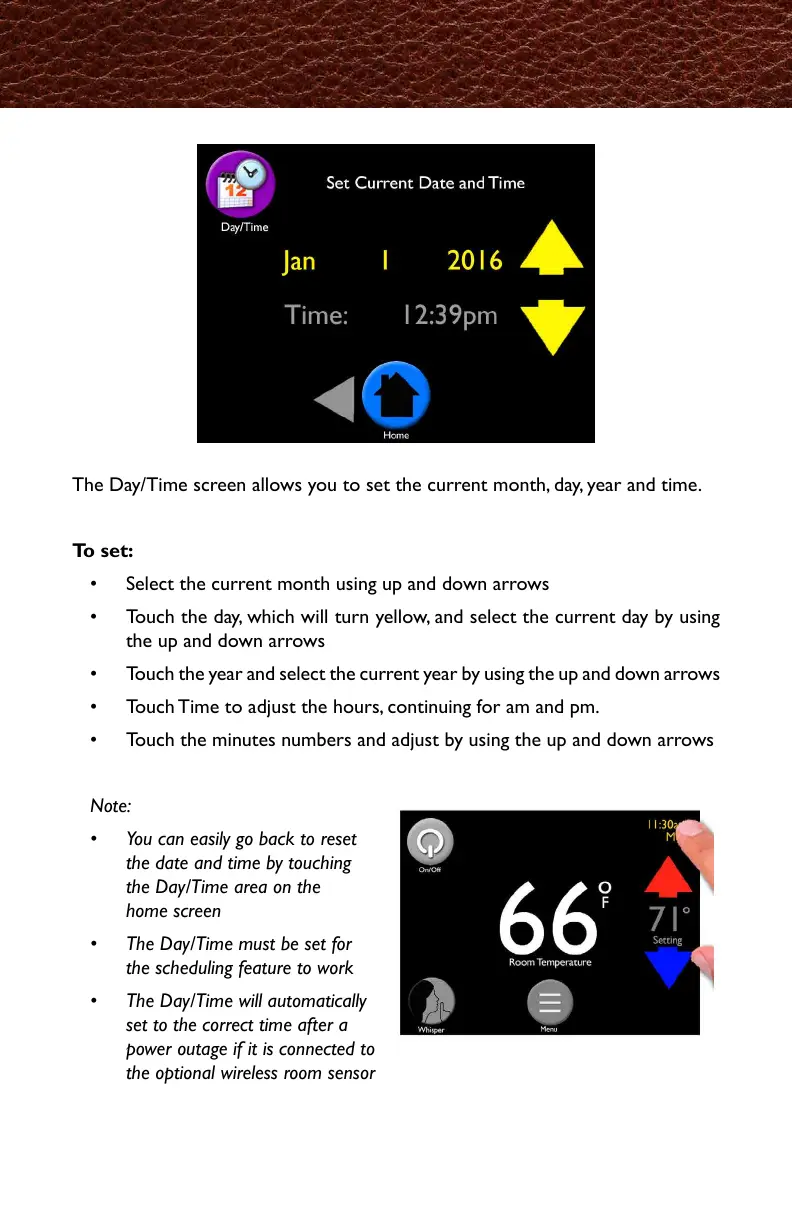
The Day/Time screen allows you to set the current month, day, year and time.
To set:
• Select the current month using up and down arrows
• Touch the day, which will turn yellow, and select the current day by using
the up and down arrows
• Touch the year and select the current year by using the up and down arrows
• Touch Time to adjust the hours, continuing for am and pm.
• Touch the minutes numbers and adjust by using the up and down arrows
Note:
• You can easily go back to reset
the date and time by touching
the Day/Time area on the
home screen
• The Day/Time must be set for
the scheduling feature to work
• The Day/Time will automatically
set to the correct time after a
power outage if it is connected to
the optional wireless room sensor
Day/Time
Jan
Feb
Mar
Apr
May
Jun
Jul
Aug
Sep
Oct
Nov
Dec
・1月
・2月
・3月
・4月
・5月
・6月
・7月
・8月
・9月
・10月
・11月
・12月
・現在の月を、矢印を使って選択してください。
・日にちの部分をタッチすると黄色に変わるので、矢印を使って現在の日を選択します。
・年の部分をタッチし、矢印を使って現在の年を選択します。
・時間の部分をタッチし、矢印を使って時間を合わせます。Am・Pmが合うまで調整します。
・分の部分をタッチして、矢印を使って現在の時刻に合わせます。
注記
・変更したい場合はホーム画面に表示されている時刻にタッチすることで、簡単にリセット
出来ます。
・スケジュール(タイマー設定)がしっかり機能するように、日時設定は必ず行ってください。
・オプションのワイヤレスルームセンサーを使用している場合、一次的に電源が落ちても、再
起動時に自動で現在の時刻にセットしてくれます。



 To Next Page