Harman EASY Touch Control Owners Manual
7
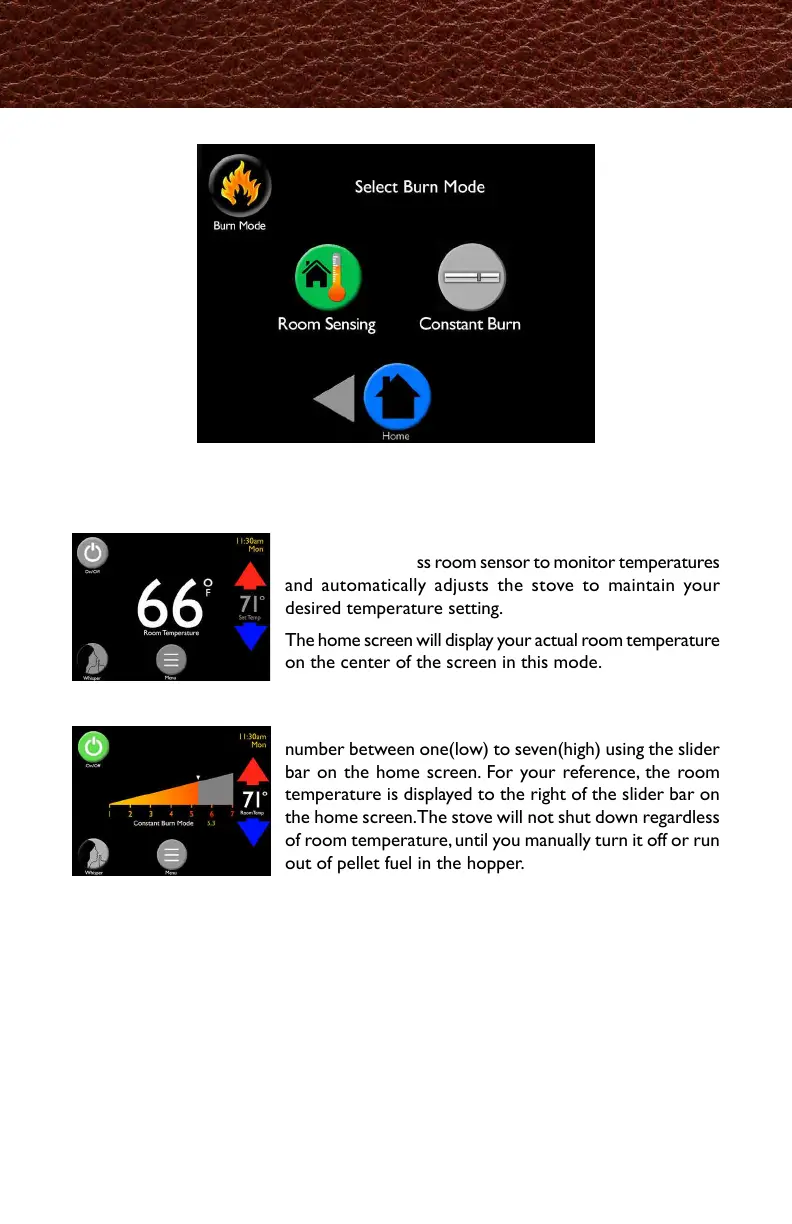
Burn Mode allows you to select how you want the stove to operate. Refer to the
stove owner’s manual for detailed description.
Room Sensing utilizes the onboard backup room sensor
or optional wireless room sensor to monitor temperatures
and automatically adjusts the stove to maintain your
desired temperature setting.
The home screen will display your actual room temperature
on the center of the screen in this mode.
Constant Burn allows you to manually control heat
output. In Constant Burn you will set the heat level at a
number between one(low) to seven(high) using the slider
bar on the home screen. For your reference, the room
temperature is displayed to the right of the slider bar on
the home screen. The stove will not shut down regardless
of room temperature, until you manually turn it off or run
out of pellet fuel in the hopper.
Burn Mode
燃焼モードは、本機の稼働方法を選択することが出来ます。
取扱説明書の詳細説明をご確認ください。
標準装備されているバックアップセンサー、または、オプシ
ョンのワイヤレス室温センサーで温度を管理し、自動で希望
の室温になるように運転します。
このモードを選択すると、ホーム画面の中央に現在の室温が
表示されます。
このモードは手動での燃焼出力のコントロールが出来ます。
本体出力では、ホーム画面のスライドバーを使って、1(低)
〜7(高)の間で燃焼レベルを任意に調整できます。
⇚参考に、ホーム画面スライドバーの右側に現在の室温が表示
されます。
このモードでは、手動で電源を落とすか、ホッパー内のペレッ
トが無くなるまで、室温に関係なくストーブは消火しません。



 To Next Page