Harman EASY Touch Control Owners Manual
31
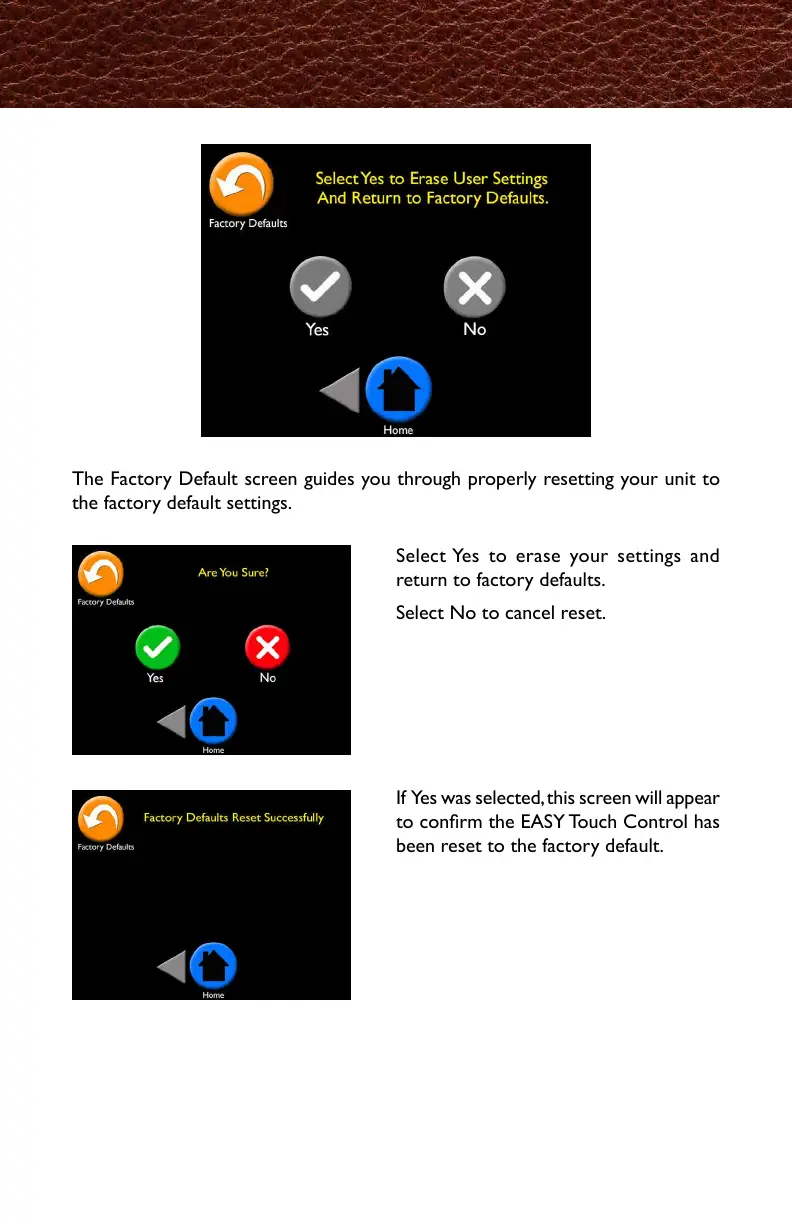
The Factory Default screen guides you through properly resetting your unit to
the factory default settings.
Select Yes to erase your settings and
return to factory defaults.
Select No to cancel reset.
Factory Defaults
If Yes was selected, this screen will appear
to conrm the EASY Touch Control has
been reset to the factory default.
初期設定の画面では、リセットしたい時に、正しく初期設定に戻す方法をガイドします。
Yesを選択することで、今までの設定が消され、
工場出荷時の初期設定に戻ります。
Noは初期設定にリセットすることをキャンセル
します。
Yesを選択した場合、画面上にリセットが完了
したことを知らせるメッセージが表示されます。
Yesを選択すると、使用者の設定が消され
工場出荷時の設定に戻ります。



 To Next Page