Harman EASY Touch Control Owners Manual
25
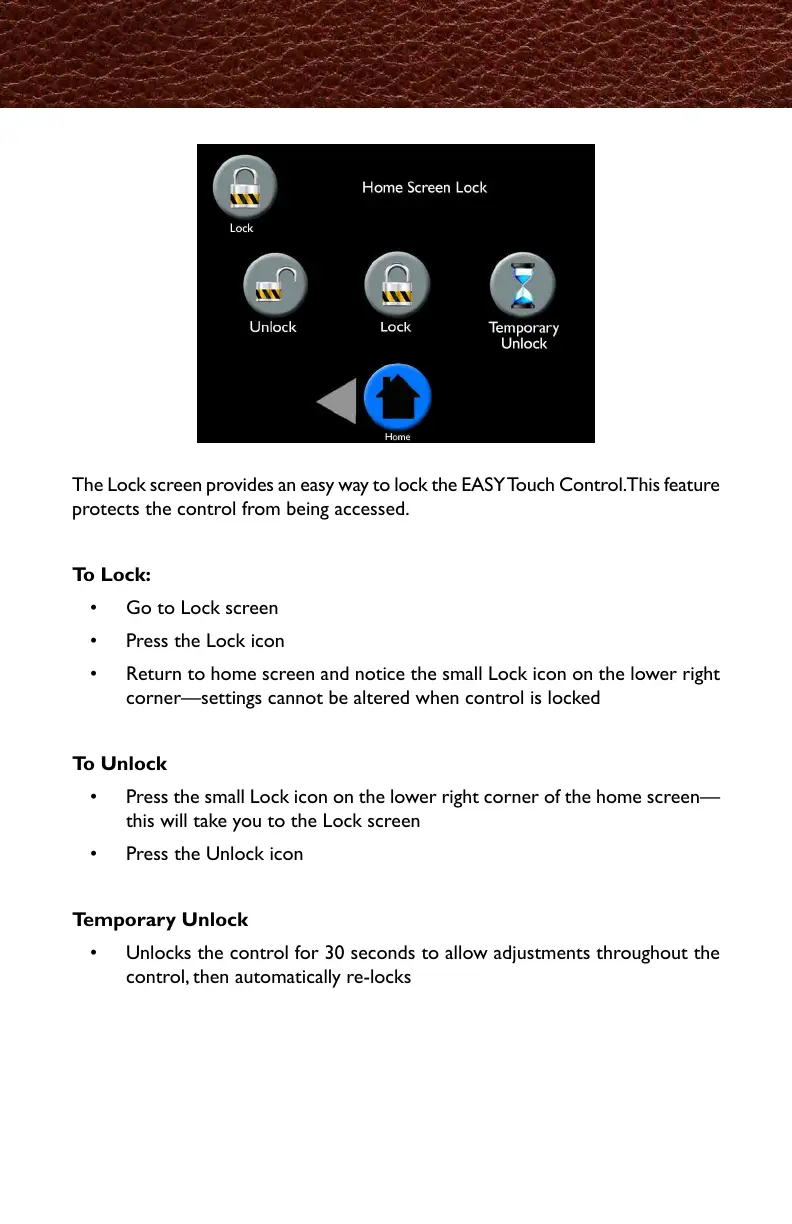
The Lock screen provides an easy way to lock the EASY Touch Control. This feature
protects the control from being accessed.
To Lock:
• Go to Lock screen
• Press the Lock icon
• Return to home screen and notice the small Lock icon on the lower right
corner—settings cannot be altered when control is locked
To Unlock
• Press the small Lock icon on the lower right corner of the home screen—
this will take you to the Lock screen
• Press the Unlock icon
Temporary Unlock
• Unlocks the control for 30 seconds to allow adjustments throughout the
control, then automatically re-locks
Lock
ロック画面では、イージータッチコントロールの設定内容を、勝手に変更される事を
防ぐ設定が出来ます。
ロックするには
・ロック画面を開きます。
・ロックボタンを押します。
・ホーム画面に戻り、画面上右下に小さい鍵のマークが表示されているのを確認してくだ
さい。(ロック中は設定の変更は出来ません)
解除方法
・ホーム画面右下の、鍵のマークを押します。(ロック画面に移動します)
・ロック解除(Unlock)ボタンを押します。
一次解除
・一時解除は30秒間ロックを解除してコントロールを調整することが出来ます。
その後、自動でロックが掛かります。



 To Next Page