Harman EASY Touch Control Owners Manual
21
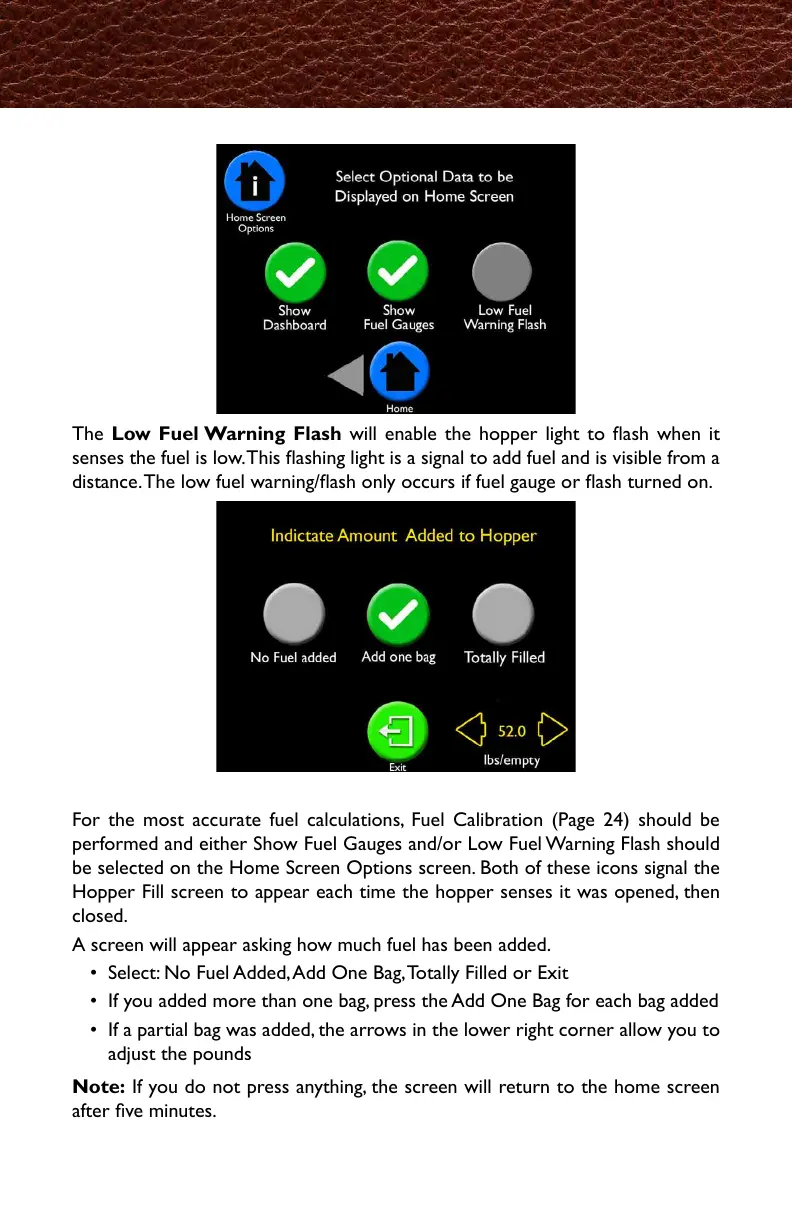
The Low Fuel Warning Flash will enable the hopper light to ash when it
senses the fuel is low. This ashing light is a signal to add fuel and is visible from a
distance. The low fuel warning/ash only occurs if fuel gauge or ash turned on.
Home Screen Options, continued
Hopper Fill Screen
For the most accurate fuel calculations, Fuel Calibration (Page 24) should be
performed and either Show Fuel Gauges and/or Low Fuel Warning Flash should
be selected on the Home Screen Options screen. Both of these icons signal the
Hopper Fill screen to appear each time the hopper senses it was opened, then
closed.
A screen will appear asking how much fuel has been added.
• Select: No Fuel Added, Add One Bag, Totally Filled or Exit
• If you added more than one bag, press the Add One Bag for each bag added
• If a partial bag was added, the arrows in the lower right corner allow you to
adjust the pounds
Note: If you do not press anything, the screen will return to the home screen
after ve minutes.
燃料減少のお知らせ(LowFuelWarningFlash)は燃料の減少を感知した場合、ホッパーラ
イトが点滅します。この点滅は燃料追加のタイミングを本機から離れていても知ることが出
来ます。このお知らせは燃料ゲージまたは点滅機能がオンになっている場合のみ作動します。
もっとも正確な燃料計算のため、燃料計測(FuelCalibration)(24ページ)が作動し、ホー
ム画面オプション上で、燃料ゲージまたは点滅機能が選択される必要があります。どちらの
アイコンもホッパーが開かれてから、閉じたことを感知するたびにホッパー追加画面に表示
されます。
画面上では、どれくらいの量の燃料を追加したかを聞かれます。
・いずれかを選択してください。:・追加していない・1袋追加・満タンまで追加・Exit
・1袋以上追加した場合は、追加した数の分だけ"1袋追加"を押してください。
・1袋以下追加した場合は、右下端にて追加した量を、lb./kgで入力してください。
注記:もし、何も押さない場合は5分後にホーム画面に戻ります。



 To Next Page