Warner Media - XOS Advanced Media Processor
1.
2.
3.
4.
5.
6.
7.
8.
•
•
How to configure and activate the XOS
The procedure below describes what you need to do to properly activate your XOS:
Install your XOS in a rack and make connections as shown inXOS connections.
To access your XOS, you must configure its network settings. Refer to How to access the XOS and then toHow to
configure the management IP parameters for instructions.
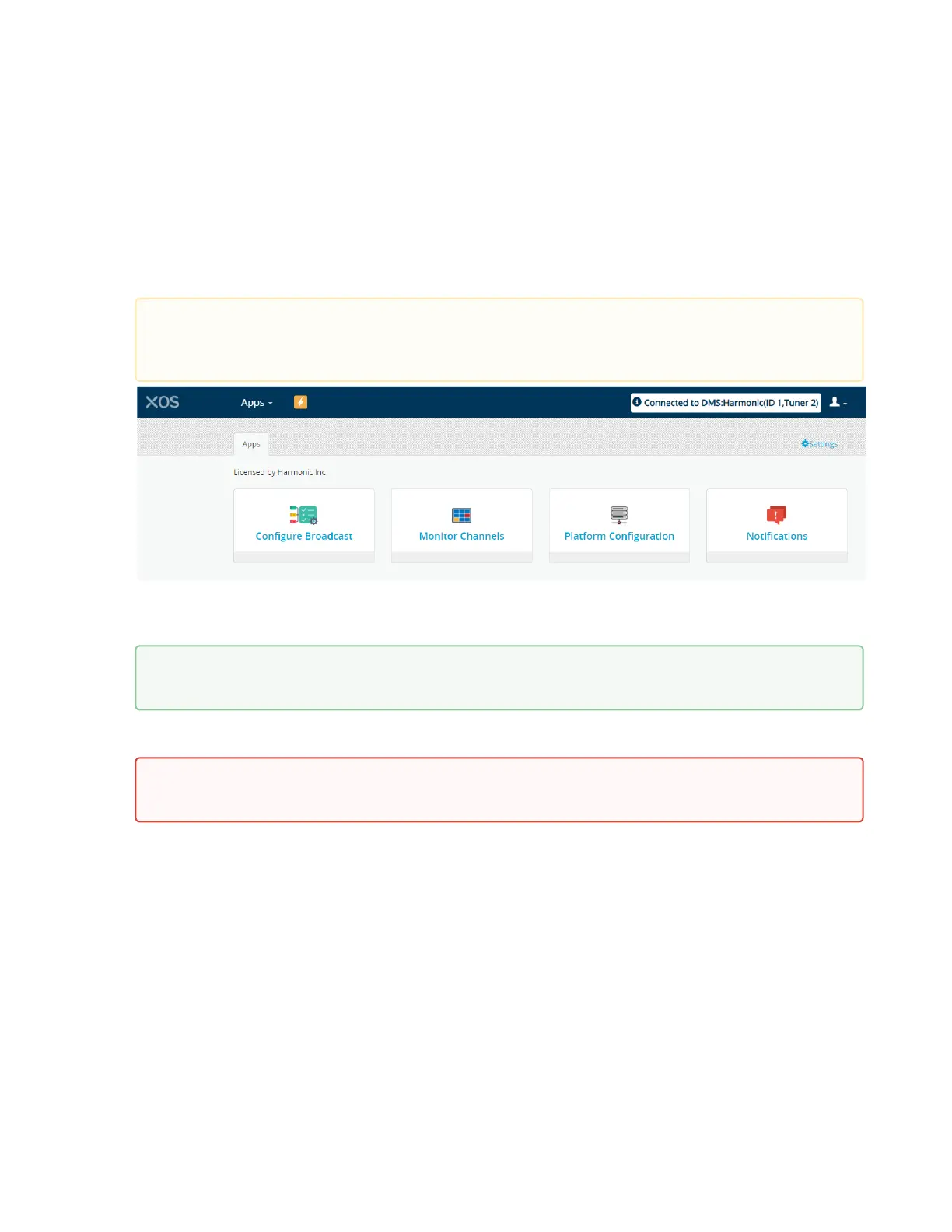
Verify that XOS is connected to the DMS at the central headend. Once you are successfully logged in, check the
message that appears at the top right of the landing page. This will state whether the XOS is connected or
controlled by a head-end or DMS.
Enable the GbE03 data port and enter its IP settings to allow each multiplexer to be broadcasted in IP Multicast
datagrams. See How to configure the data IP ports for instructions.
The XOS will perform a software and configuration update upon a successful connection to RF. This process is
automatic and controlled by the DMS at Warner Media.
Once the software and the configuration updates are complete, check for the presence of the TS multiplexers.
For instructions, see How to check the presence of TS multiplexers.
Assign the TS multiplexer to an IP or an ASI output (depends on the requirements of the affiliate site). For
instructions, see How to assign a TS multiplexer to IP or ASI output.
Check for the presence of TS multiplexers (Programs) on the XOS outputs. For instructions, see How to check the
XOS outputs.
In addition, Harmonic recommends:
Connecting the XOS to a DNS server. See How to configure the DNS server IP address.
Synchronizing the XOS with a NTP server. See How to configure the time synchronization.
If you do not see a Connected or Controlled message, check your RF connections by selecting the
Platform Configuration tile >RF Tab. Make sure the RF levels are good on the tuner to which you are
connected.
For some affiliate sites, only ASI outputs are used. If this is the casedo no configure the IP data
portsto avoid having false alarms.
This initialization step can take few hours. Make sure the XOS remains powered on and connected to
the Satellite RF.



 To Next Page