Warner Media - XOS Advanced Media Processor
1.
2.
3.
4.
5.
6.
7.
How to configure iLO port
The iLO server management can be accessed through the Ethernet Management port (iLO and Management share the
same port).
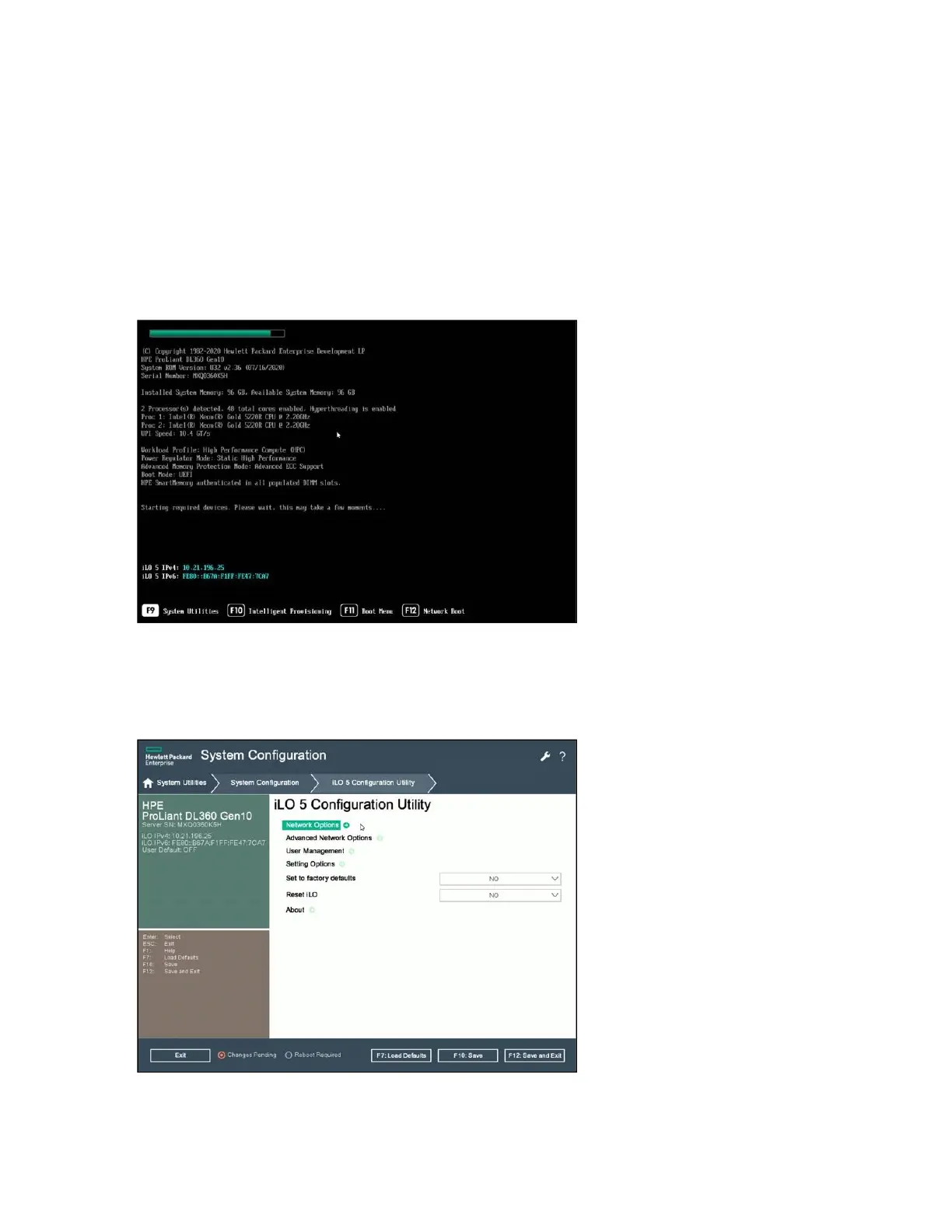
To configure static IP addresses for iLO and Management ports through the local console, do the following:
Connect the monitor, keyboard, and mouse to the XOS.
Turn on the platform.
During startup, press F9 for the System Utilities option.
Select System Configuration.
Select iLO 5 Configuration Utility.
Enter the iLO username and password (the user and password details are located on a sticker on top of the
server).
Select Network Options.



 To Next Page