Warner Media - XOS Advanced Media Processor
1.
2.
3.
4.
5.
How to generate a technical report
XOS has a mechanism for generating a technical report, named the TechDump file. This file may be requested by a
Harmonic employee in cases where you have contacted Technical Support. In addition, when reporting a case,
attaching the technical report can ease the analysis of the issue.
To generate the TechDump file, do the following:
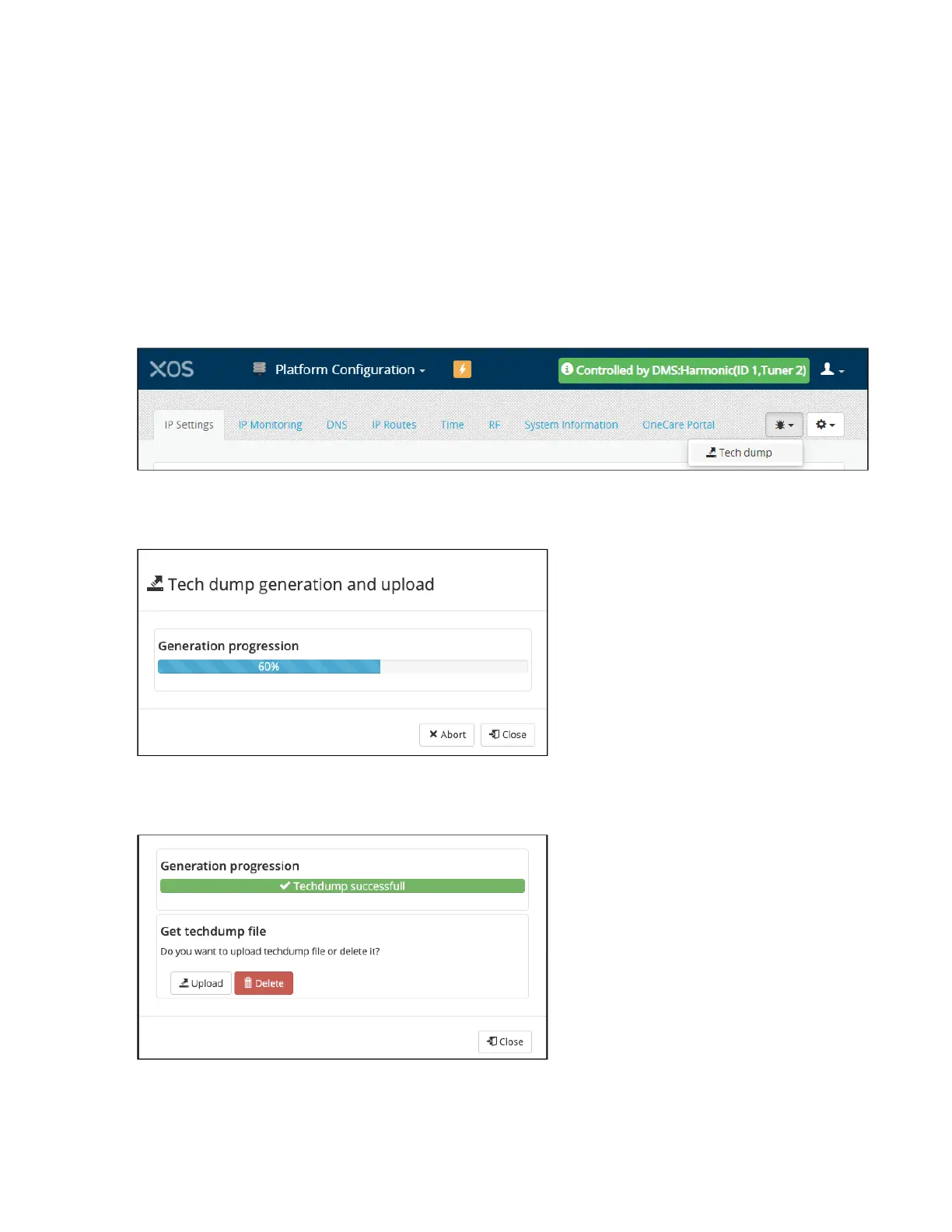
Launch thePlatform Configurationapplication.
On the top right of the UI, click on theTech dumpbutton to open a dialog box.
ClickGenerate.
The progress of the report generaton is displayed. If necessary, you can click on the Abort button to stop the
generation of the TechDump file.
If the technical report is successfully generated, the following message displays.
ClickUploadto open a browser and select the file destination.



 To Next Page