Warner Media - XOS Advanced Media Processor
1.
2.
3.
4.
5.
6.
7.
8.
How to configure the management IP parameters
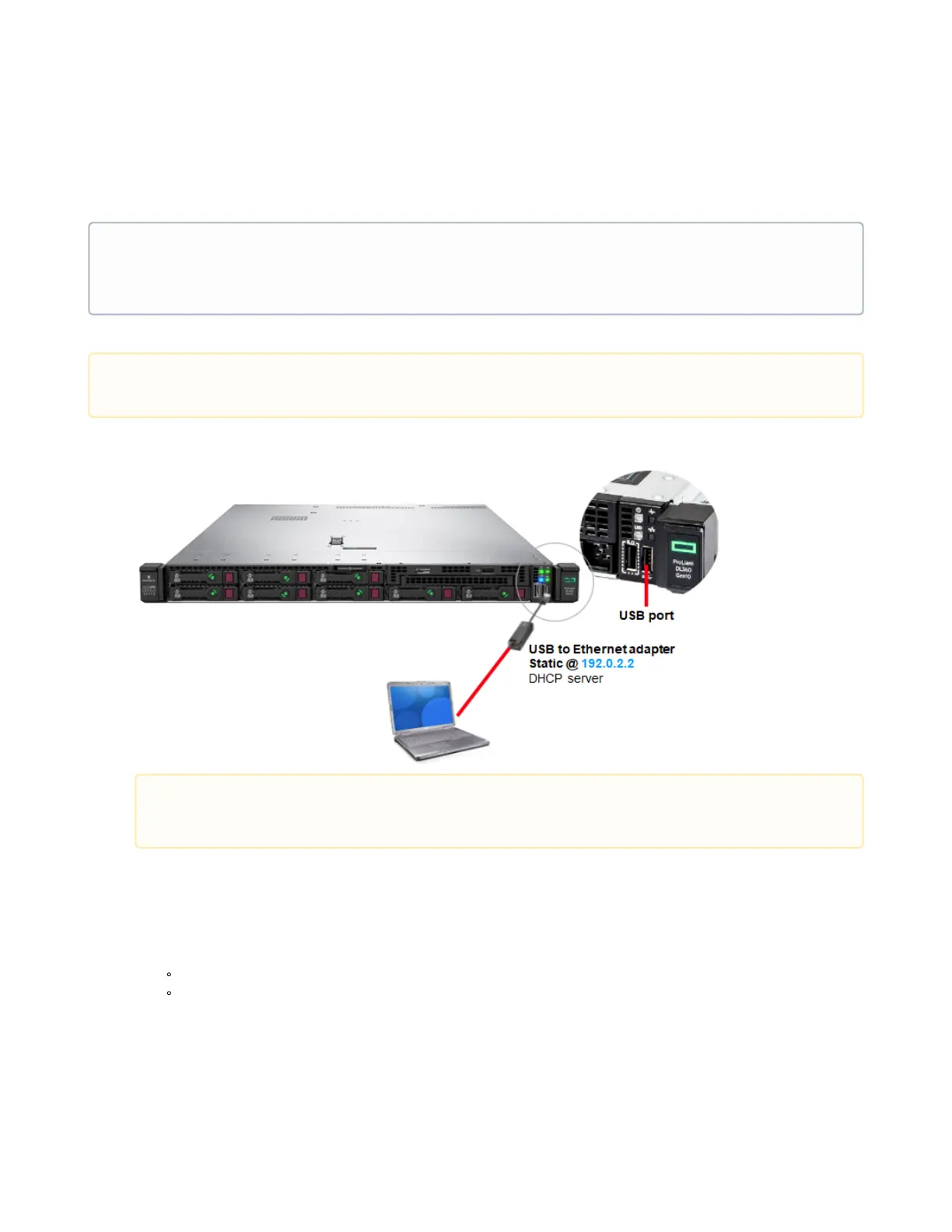
A USB to Ethernet adapter is included with the XOS. You can use the adapter for configuring the IP parameters on the
XOS.
Use the USB to Ethernet adapter to connect a laptop to the USB port on the front panel as shown below:
Connect the power cord to the power supply on the rear panel of the XOS.
Connect the cable to the power source and turn on the power.
Wait for the XOS to complete boot process.
Power on the laptop.
In a web browser (Google Chrome recommended), type the IP address (https://192.0.2.2)and press Enter.
Enter the following credentials and click Log in:
Login: xos
Password: xos-user
Select thePlatform Configurationtile and click Launch.
•
•
The default factory network management parameters are:
IP address: 192.168.1.200
Netmask: 255.255.255.0
XOS checks for a DHCP server at boot up. Make sure no DHCP server is accessible during IP management
configuration.
Note
When bezel is mounted, the USB front panel port is located behind the bezel.



 To Next Page