Warner Media - XOS Advanced Media Processor
1.
2.
3.
4.
5.
6.
1.
2.
3.
4.
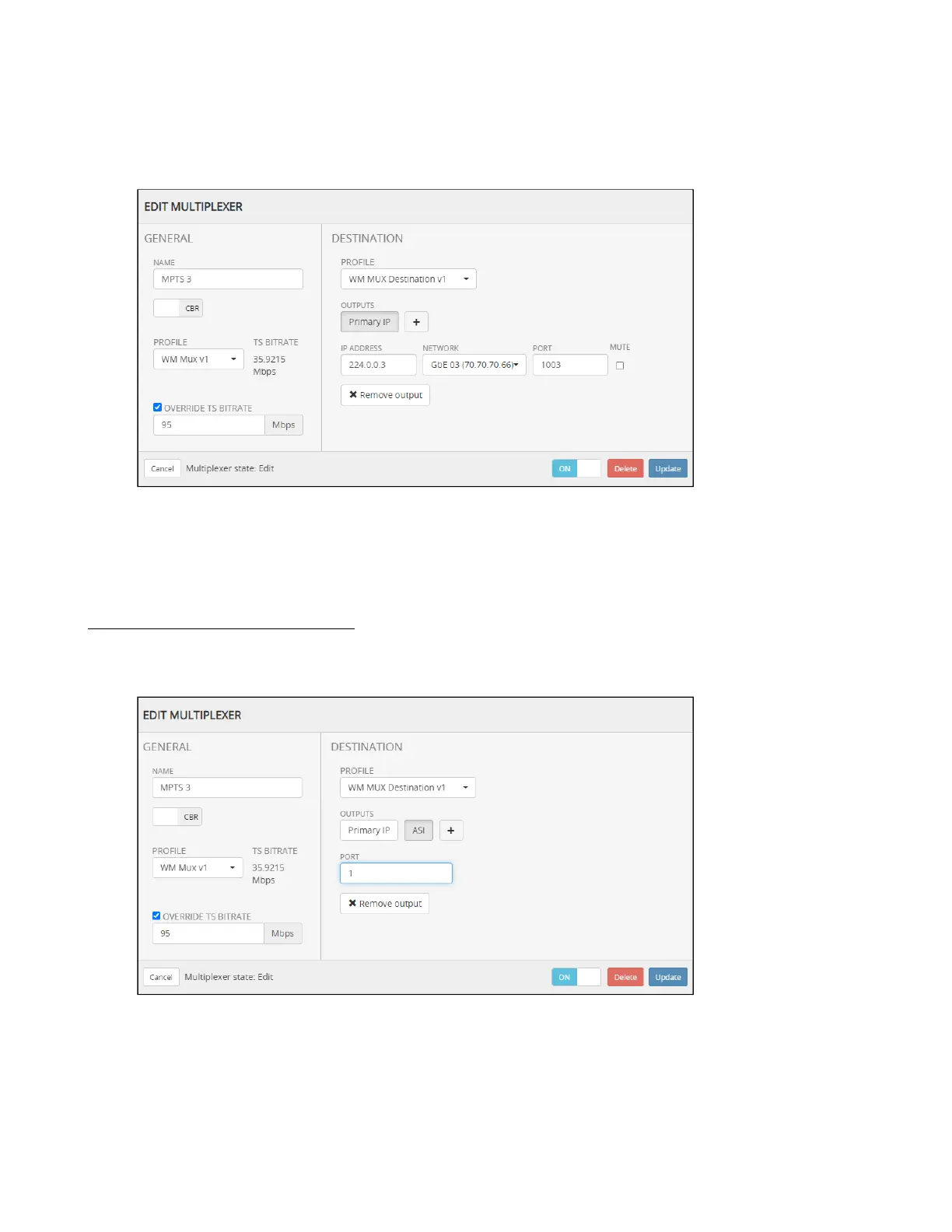
How to assign a TS multiplexer to IP or ASI output
Select a multiplexer and click Edit.
Set the multicast IP Address based on your IP plan.
Select the IP data port (normally GbE03).
Set the UDP port number based on your IP plan.
By default the Primary IP output is muted. Clear the check box to unmute the output.
Click Update to commit your changes.
To add an ASI output, do the following:
Click the "+" button.
Select ASI.
Enter the ASI port to be used.
Click Update to commit your changes.



 To Next Page