42
CONTENTS
CFV 100C
User Manual
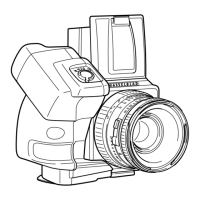
907X Camera Body
1
2
3
4
5
6
7
8
9
10
1. Strap Lugs
2. Function Button
The button has multiple functions that vary in different scenarios.
On Control Screen or in Live View, press and hold the button and then toggle the
control dial to adjust exposure compensation.
On Control Screen or in settings menus, press to confirm a selected option.
During image preview, press the button to zoom in to 100%.
3. Control Dial
Toggle to adjust the aperture or shutter speed, switch between options for the camera
settings, and switch images in preview.
4. Shutter Release Button
This button has two positions. Press half way to activate the camera from Standby Mode,
or start auto-focusing and exposure metering. Press all the way down to release the
shutter. The chosen exposure procedure, for example, Self-Timer, is also activated with
this button.
5. Lens Removal Button
When the lens or protective cover is mounted, press and hold the button while rotating
the lens or the cover to remove.
6. Protective Cover Index
When mounting the protective cover, align the index with the mark on the lens mount
and rotate the cover.
7. Control Grip Contacts
Communicate with the control grip.
8. Control Grip Screw Hole
To mount the control grip.
9. Tripod Thread 1/4“
10. 5.2mm Blind Hole












 To Next Page

